You’ve got your iPad; now it’s time to read on it! Here are three easy options for finding books on the iPad.
Reading on the iPad
One of the nice things about having an iPad is that you can carry a small (or large) library with you everywhere you go. While it’s not as easy on the eyes as a dedicated e-reader like the Kindle or Nook, it certainly beats being stranded without a book!
So where do you find ebooks for the iPad? As it turns out, it’s pretty easy. We’ll discuss three options: two apps and one non-all solution.
iBooks
The obvious first solution, and the one that Apple has promoted heavily, is their own (free) iBook app. Fans enjoy the real book-like feel of the app, including pages that turn realistically. Load up the app and you’ll actually see a set of bookshelves, on which your books are placed; tap on the book cover to open it up. You can also group your books into collections to keep them organized. (We’ll discuss this in more detail below).
Books are mostly purchased through the iBookstore (although you can also load in other ebooks you own - see below); while the selection is limited compared to, say, Amazon, it is growing rapidly; Apple claims over 150,000 books available as of this writing. Aside from traditional ebooks (both black and white and full color), the store also includes what Apple calls enhanced books, which are interactive or include additional elements such as audio and video.
Aside from searching for a particular book or author, you can see a list of the most popular books, split into paid and free choices; the free books are mostly in the public domain, but there is also some technical material Apple has put up that relates to the iPad, such as programming books for Objective C and Cocoa (which are used to program apps).
Kindle
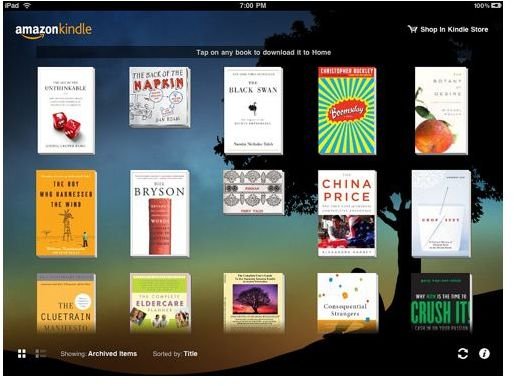
The other main option, of course, is the Amazon Kindle software; while Amazon focuses heavily on selling the dedicated Kindle hardware, you can also read Kindle ebooks on many other platforms, and that includes a dedicated iPad app. Amazon claims 775,000 ebooks available, with more being added every day; this number has more than doubled in the past year. The iBooks and Kindle apps have similar functionality, although the look is different; the main advantage of the Kindle app is access to Amazon’s larger book collection. Amazon allows you to share your account between up to five hardware devices (iPod, iPad, Kindle, PC, etc), so each of those devices can download any books you’ve purchased from Amazon at no extra charge. Additionally, the various devices will sync with each other, so you can read part of a book on one device and then pick it up again on another.
Ebooks for iPad: Loading PDF Files
Of course, there are a number of other places where you might buy ebooks. O’Reilly and Baen Books are probably the most notable publishers to be making their catalogs available as ebooks (Baen even makes a number of them available as free downloads), but there will be others. Once you’ve purchased the books, how do you get them on your iPad?
The two simplest ways are to email the file to yourself (at your @me.com account) or upload it to your iDisk. Open it up (we assume that it’s in PDF format, which is commonly available) and click the little icon with an arrow; this will give you the option to open it in iBooks. Once you’ve done that, it will be added to your bookshelf (in the PDFs collection) and will be available whenever you open iBooks.


