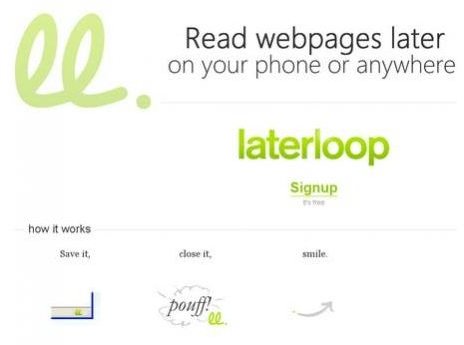
LaterLoop is the ultimate bookmarking tool. Designed to work flawlessly with Apple’s iPhone this free application allows users to read and work on the go. Save endless amounts of webpages and time.
What is LaterLoop?
Most of us have bookmarked a site with our browser before for later reference. Unfortunately, we often forget about those saved pages as the day and week goes by. Whether you’re saving information for work, school, or personal research it’s difficult to remember saved web pages on your computer. Luckily, there is LaterLoop. This streamline free web service optimized for Apple’s iPhone, Blackberries, Nokias, and other smartphones allows users to bookmark numerous pages and read them later on their phone or offline. For busy individuals this application permits access to website bookmarks from practically any location. Users can read whatever they saved later at home, in the car, or while waiting in the airport.
How does this application work?
LaterLoop integrates with your regular browser. There are add-ons for Internet Explorer as well as Firefox which create a button to your particular browser’s interface. A bookmarklet functions as an additional feature placed in the bookmarks toolbar that operates well with all browsers. LaterLoop has an innovative design. Based on Google App Engine, Mento, and established using Django it’s the perfect system for storing pages.
Mento is a separate web service for transferring links with friends. Users can take advantage of this tech savvy account which allows you to create a reading list of bookmarks you’ve selected. A feature which enables text-only mode prevents slow loading if pressed for time. Special options such as archive, star, and delete offers total customization.
LaterLoop also supports RSS feeds from blogs, the ability to read any page from your reading list, .zip mode download for offline reading, and access to instapaper bookmarks which is another immensely popular web service. LaterLoop adjusts seamlessly with Scrapbook Firefox add-on which is an extra bonus for those die-hard Firefox users. Internet Explorer fans have available extensions as well.
Screenshots
How to Use LaterLoop
Using Laterloop is a snap. Sign up at Laterloop.com with your Google Account for the best service since it’s designed on the Google App Engine. You will be asked to download the extension for the browser you’re currently using Firefox or IE. Some people may prefer the drag and drop precedure instead of downloading. Simply drag and drop Laterloop’s bookmarklet onto your Firefox bookmark toolbar. Then you must restart your browser to complete activation of your add-ons.
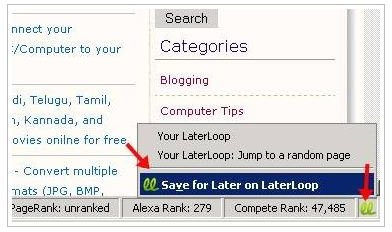
The download was successful when the Laterloop icon is visible at the bottom of your status bar. Once you’ve logged on to Laterloop’s website you can easily start surfing and saving your bookmarks by clicking the icon. When you right click a prompt will appear saying “Save for Later on LaterLoop” and it’s that simple. The webpage will be added to reading list. When you’re ready to read the items go to https://laterloop.com on your iPhone or browser. If you have different type of smartphone click https://m.laterloop.com for access. Within minutes you can laterloop and never forget about it.
Overall Rating (5 out of 5)
I love this web service. If you have an iPhone web services like this add value and productivity to your life. There are hundreds of tools for saving webpages for later reference but Laterloop is the only one you need. The features are phenomenal. It operates on most smartphones so non-iPhone users are not left in the dark. No plug-ins are required for offline reading like other similar services. You can rearrange your links in any order you wish. There is also an option which allows users to send themselves an email from your phone after reading a specific page. A great option if something catches your attention and you want to jot down a note to yourself.


