If you’ve been looking for a one-stop do it all shop for your email, social networking, appointments and tasks, Pimero may be just the software program you have been looking for. Find out whether this program will meet your PIM needs in this Pimero review.
What is Pimero?
Pimero is a Personal Inventory Management (PIM) program that not only handles all of your email but also handles your calendar, tasks, and even social networking needs. The program advertises itself as a Microsoft Outlook replacement . The question in your head might be, is Pimero a viable alternative to Microsoft Outlook? One thing Pimero has that Outlook does not (at least not without tweaking) is the ability to sync data across multiple computers. That’s not the only feature that might make you consider using Pimero. Read on in this Pimero review to find out more about this PIM and whether it can help you with your project management efforts.
Installation and Setup (4 out of 5)
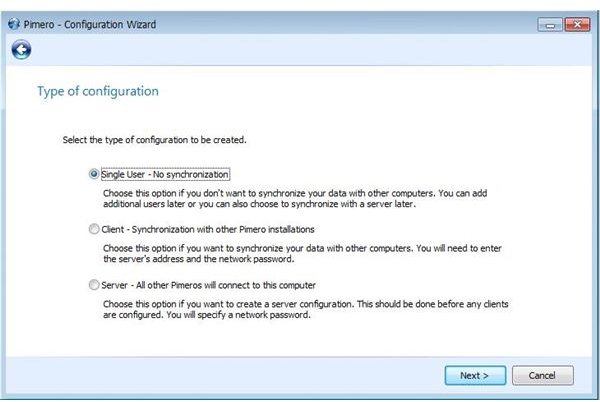
Installing and setting up Pimero on your computer is not as difficult as you would think for a program that allows you to treat a computer as a server and another as a client. There are also remote hosting options, which allow you to sync your information across multiple computers. The great thing about using that option is that no matter which of your computers you are doing your work on, you will have access to all of your PIM Information on any computer you’ve installed Pimero to.
Additionally, Pimero allows for multiple users of the program on one computer. Each user will have his or her own log in code as well as a password.
To install Pimero on your computer, download the program from the website. There are three versions: the free version, the standard edition, and the professional edition. The professional edition features all of the program features.
When you have downloaded your preferred version, you will be asked whether the computer you are installing the program on is a server, a client, or a solo computer. Choose the appropriate option. You will next be prompted for your login information. Finally, you will be asked to set up an email account. Pimero works seamlessly with most email service providers.
Ease of Use (4 out of 5)
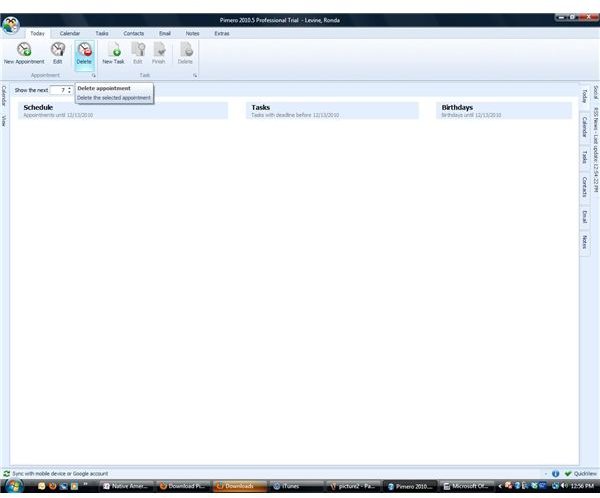
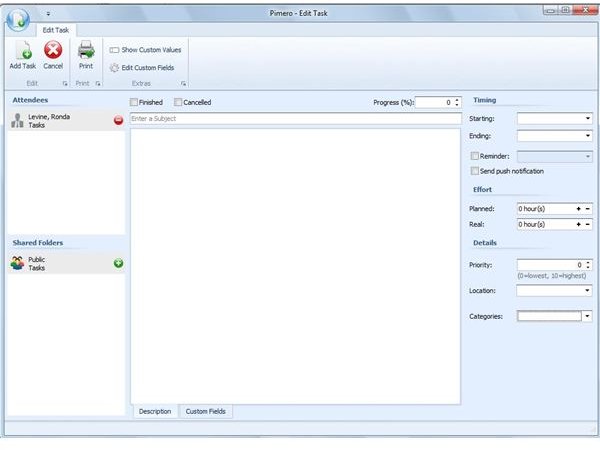
Pimero is pretty easy to use when it comes to email clients. The user interface is more streamlined and neat looking than the user interface of Microsoft Outlook 2007 . What I really enjoyed about this program was the fact that you can tab through the different applications, and everything is integrated.
This program, while great for those who need to collaborate and share their calendars with others in the company, can also be great for families who need to share calendars and schedules of events. Do you need to call someone? Pimero integrates Skype so that you can call a contact with the click of the button. While some of the finer features of Pimero do have a learning curve, the program is far easier to navigate and use than some of the competing programs on the market.
Features (5 out of 5)
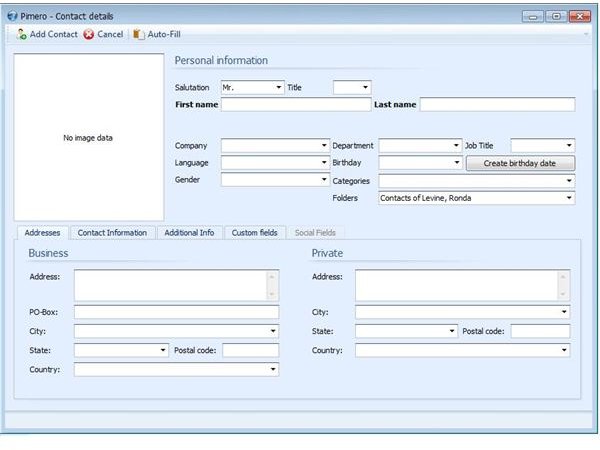
Pimero has many desirable features that put it in competition not only with Outlook 2007, but also with Microsoft Outlook 2010 . In the free edition of Pimero, You will find calendar, scheduling, e-mail, contacts, tasks, notes, and multi-user capabilities. You can create private or shared tasks and appointments. The regular version allows you to encrypt data, backup your data, search for items, subscribe to RSS feeds, and access the program with your smartphone. Rather than delineate all of the features of the different versions of Pimero, instead, I will point out the features of the professional version of the program.
-
Schedule and categorize appointments
-
Send and receive emails with three different views
Advertisement -
Rather than manually enter the information in, use the signature included in an email to create a contact
-
 Advertisement
Request received or read receipts for sent emails
-
Import information from Microsoft Outlook
Advertisement -
Create serial emails to multiple clients
-
Group contacts, view as a table, or view as business cards
Advertisement -
Interface with a smartphone or mobile phone
-
Chat within the Pimero interface
Advertisement -
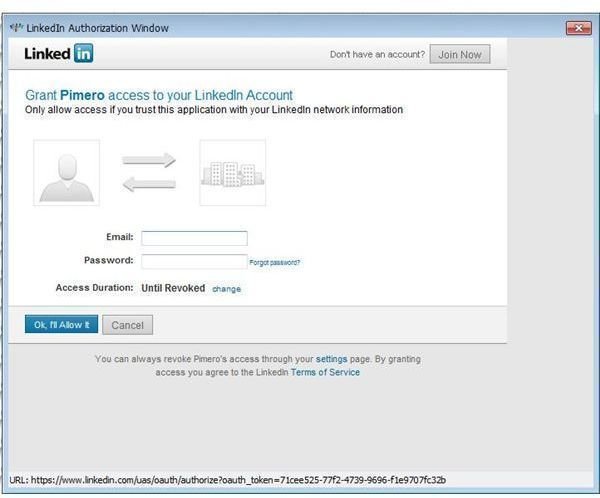
Connect with Facebook and LinkedIn
-
Download Tweets from Twitter
Advertisement -
Share resources with team members, view what resources are available
-
Track birthdays of others so you’ll never forget again
Advertisement -
Work offline
-
More
Pimero is chock-full of features that anyone using collaborative software or email clients will appreciate and find useful.
Price to Value (4 out of 5)
Pimero is an outstanding program for the price. You will not need to pay more than once for the program. For a single license, the program is $68.00 for the standard version and $94.00 for the professional version. You can test Pimero for thirty days before you determine whether you would like to purchase the program. The makers of Pimero offer discounts for multiple license purchases, topping out at $859.00 for the standard and $1212.00 for the professional edition of the program with unlimited licenses.
User Support (4 out of 5)
There are different options for user support with Pimero 2010. The website has a thorough user documentation guide that takes Pimero users through all of the steps in setting up the product for use. In addition to product documentation, you can contact Pimero to ak the creators any questions that you must ask, and they promise they will get back to you within 24 hours.
Is Pimero for You?
Is Pimero for you? This program is an outstanding replacement for Microsoft Outlook. Not only is it a great option because of all the features it possesses, but because of the availability of multiple licenses, it is also a great option for companies, schools, and nonprofit organizations that do a lot of collaborative work and that would like a unified means for managing email, tasks, and appointments. Out of the different email clients out there competing with Microsoft Outlook, Pimero is among the best.


