The Future of Windows Movie Maker in Windows Live
The Initial Release
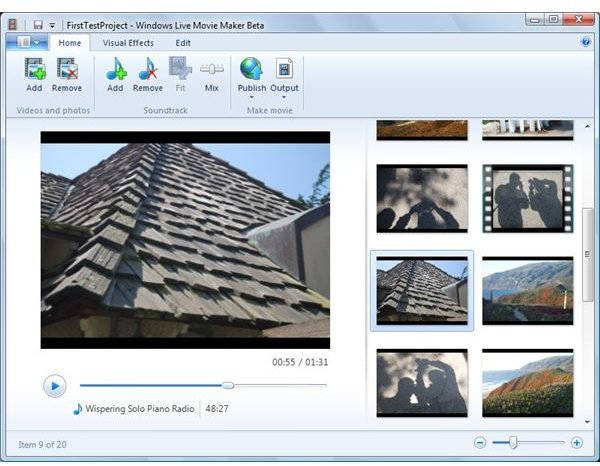
Windows Live Movie Maker will be the simplest and easiest to use version of Movie Maker ever… yet more powerful. That’s what the announcements said. We’ll explore it to see if it’s user interface and features align with the statements.
Movie Maker’s roots are in the era of mini-DV camcorders, when connecting the camcorder to a computer with a firewire cable got you the easiest capture process, the best digital video quality, and problem-free files to edit. But over the years public preference shifted to tapeless hard drive, DVD, and flash card camcorders, along with using the video options of digital cameras and cell phones. Adapting to the shifts, Microsoft moved the future of Movie Maker into the camp of the Windows Live Suite.
It can handle a much broader variety of source files, has a minimal number of editing features, and more hooks into online host services such as YouTube.
The few users who are heavily into editing videos, or those such as myself with mini-DV camcorders and tapes, will miss the familiar interface and features, and need to adapt. There are many other software apps in my video-editing toolbox to cover the features being dropped.
After a couple public beta versions spanning a year, Microsoft released the final app in August 2009. It’s a free download for any and all. Unlike other Windows Live apps, this one runs only on Vista and Windows 7 systems. Here’s the download link
https://download.live.com/moviemaker
In Vista it doesn’t replace or conflict with Movie Maker 6 or the optional v2.6. For Windows 7 it’s the only version of Movie Maker offered by Microsoft.
In their zest to streamline Movie Maker, Microsoft went pretty far. Many users are upset about this version only having a storyboard view of a project, dropping entirely the option to work in a classic timeline view. I can roll with most changes but, when it comes to my personal movie projects, I find myself still mostly using the version 2.1 on my XP system.
The series will have 6 articles:
- this overview
- the types of source material you can use… pictures, video clips, music and audio
- the editing phase
- publishing to a website host
- saving a movie to your hard drive
- the optional plug-ins to publish the video to YouTube and other online hosts
Microsoft has the talent and resources to produce a great product. One can argue about which features a video editing/movie making application should have. Personally I’m more interested in how well they deliver on whatever features they include.
Making videos and movies is a complex process. Some software can hide most of the complexity so users are not aware of it, or don’t need to get involved. Higher end software can provide options that engross and consume users in infinite editing details and variations. Time will tell where Windows Live Movie Maker strikes the balance. It’s obvious to Microsoft and myself that the entry level versions 1, 2 and 6 of Movie Maker were too complex for most users and this significant step to simplify the software will be better for most.
Images
This post is part of the series: Windows Live Movie Maker
The Windows Live version of Movie Maker is the biggest change to come to Movie Maker since it was first released in Windows Me 8 years ago. It promises to be better yet smaller. Join us in looking at the evolution of this new version.