Easy Card Creator Enterprise is an advanced card creating program that lets you create identification cards, business cards, postcards, labels, and more in minutes. With its advanced tools and a wide range of options, Easy Card Creator is a great tool for desktop publishers and do-it-yourself types.
Easy Card Creator Overview
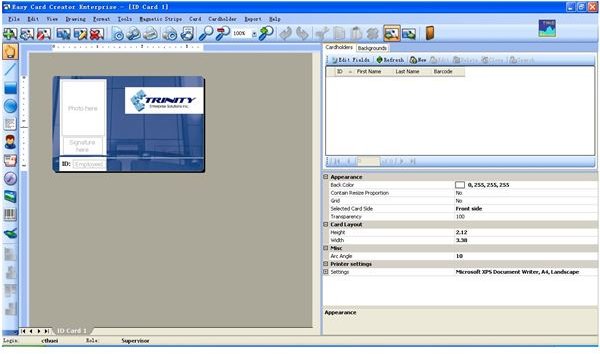
Easy Card Creator Enterprise is a professional card creating software that allows you to make any type of card available. With Easy Card Creator you can make cards in all shapes and sizes, including identification cards, business cards, postcards, and labels. With so many choices, you never need to buy cards again. Just make your own cards in a matter of minutes.
Screenshot 1
Installation and Setup (5 out of 5)
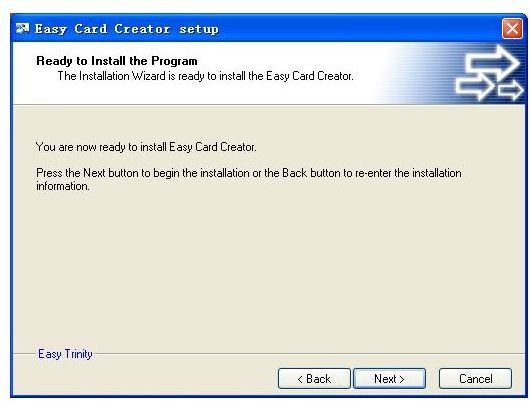
The installation process for Easy Card Creator is simple–just open the installation file, then follow the instructions to start making your cards.
Screenshot 2
Easy Card Creator User Interface (5 out of 5)
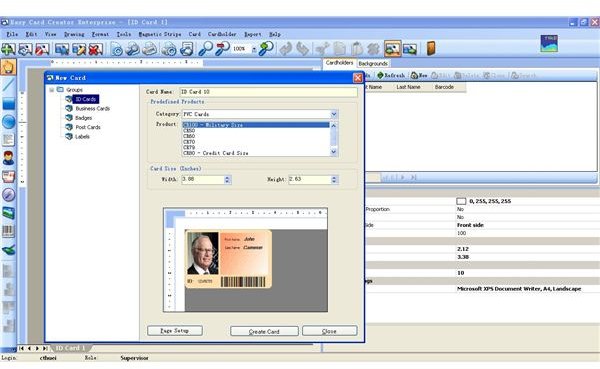
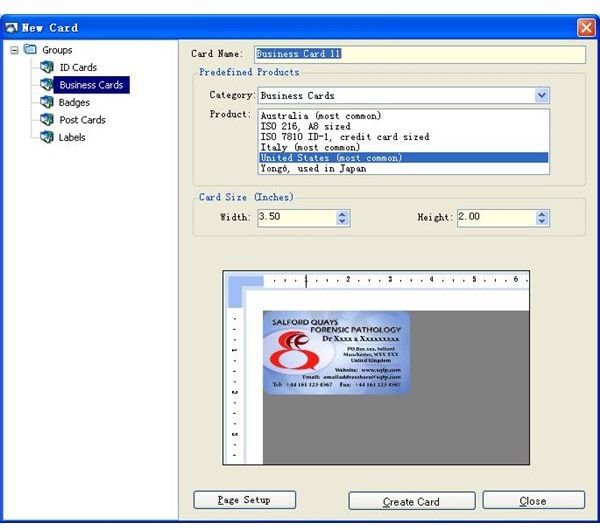
The user interface is advanced yet easy to use. Once you open Easy Card Creator, a window will open with all types of card making choices.
Screenshot 3
Easy Card Creator Features (5 out of 5)
This professional card creating software can produce the best cards in a matter of minutes for your personal or professional use. Once you start using Easy Card Creator, you can first select a type of card that you wish to make. The variety of options you can choose from ID cards, business cards, badges, post cards and labels.
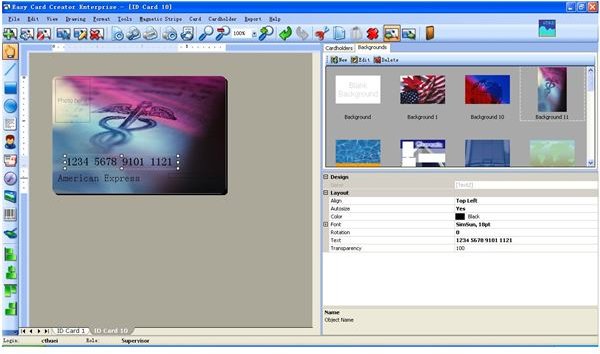
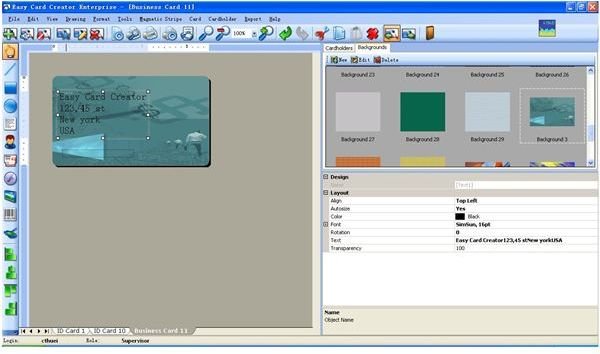
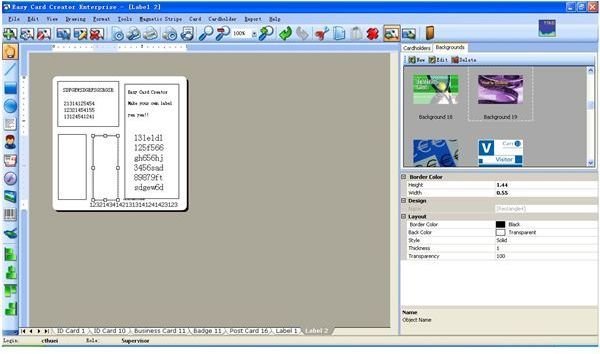
To begin, simply click on ID cards and select the type of format you wish to make such as military size ID cards or credit cards then just click on create. Once you select the format for your card you can begin adding images to your card such as backgrounds and personal pictures. You can also add in text and barcodes and even numbers. All of which can be done simply by just clicking on the toolbars.
As for business cards, similar to ID cards, open a new card and select business then choose a format that you want. After that you can add in anything you want from images such as photos to text to describe yourself in card.
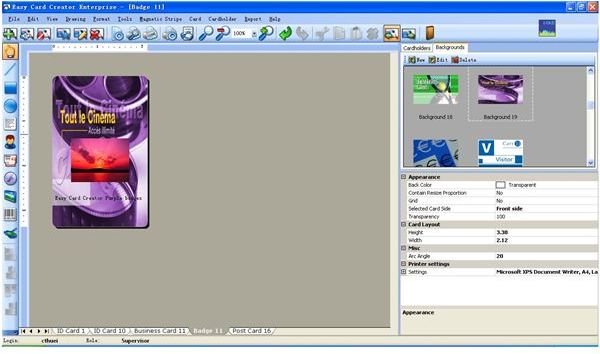
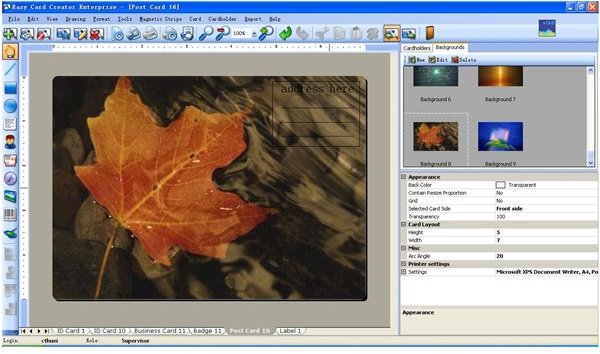
For badges, post cards and labels, just like Business cards and ID cards, simple select a format and create and then begin designing your cards. From the toolbar you can add many types of interesting things such as personal logos, pictures and even barcodes. With so many functions to choose from you can simply make cards over and over without wasting time and effort.
After choosing the types of cards you wish to make and finishing up the designs and format, you can simply print it out either in batches or just for yourself. It’s so easy that anybody can do it. On the bottom of the interface you can see that there is a bar of all the cards that you just made, so for future use you can always save this whole file and make another batch again when needed. It save time, effort and best of all, everything is there ready for you to simply click and make your cards.
Screenshot 4
Screenshot 5
Screenshot 6
Screenshot 7
Screenshot 8
Screenshot 9
Price to Value (4 out of 5)
Easy Card Creator costs $94.95. The price may seem high, but this software’s many card-creation options make it a good value.
Performance (5 out of 5)
With Easy Card Creator you can create many different types of business-oriented cards in a few minutes.
Final Thought
The best part about Easy Card Creator is that you can make professional cards in a matter of minutes, all with the click of a mouse button. It’s fast, affordable, and so simple to use that even kids can make cards easily.
Screenshots