
How many times have you wanted to remove a single color in Photoshop, only to find out that the Magic Wand tool leaves too many bits and pieces of fuzz around? This quick tutorial will show you how to delete a single color in Photoshop via the Color Range Tool, leaving you without all the fuzz.
Deleting a single color in Photoshop sounds easy at first, right? You just grab your magic wand tool , select the color, and then press delete, right? Wrong! Whenever you do this, Photoshop generally acts pretty wonky about the whole thing and leaves bits of the color attached to the edges of your selection. This is because the magic wand does not actually select the full range of colors very well, making it impossible to delete the color in a clean manner.
The workaround for this is the Color Range Tool, which allows you to get all those little extra bits with no problem at all. This tutorial is geared toward those who have a basic, beginner’s knowledge of Photoshop, and was created in Adobe Photoshop CS4 , but should work perfectly fine for anyone using Photoshop 6.0 and above.
Delete a Single Color in Photoshop with the Color Range Tool
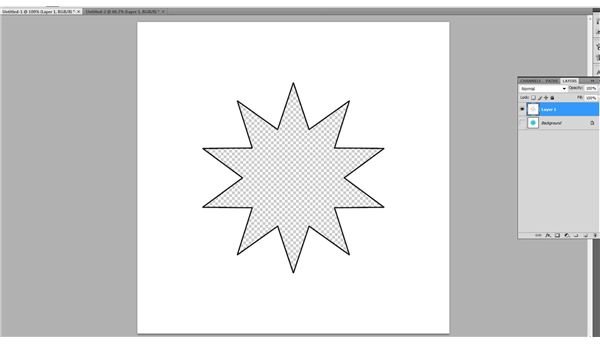
Open your image in Photoshop, here I’ve just created a simple example of a three color image - cyan, white, and black. In this article, we’re going to attempt to remove all of the cyan. This is a great example of a difficult image to remove all the color from, as Photoshop frequently does not select small bits of color deep in the corners of images. The color range tool will help us delete a single color with Photoshop where other tools would fall short.
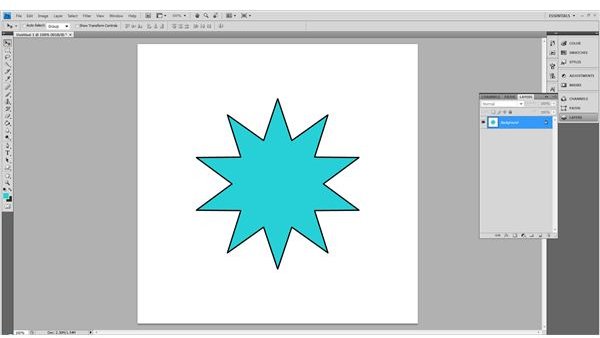
Duplicate your layer, just in case. You’re going to want to get a feel for how this works, especially if you are new to Photoshop. This just works the same as a mini-save! Hide your background layer when you’re done. This will make it easier to make sure you have removed all of the little fuzzy bits.
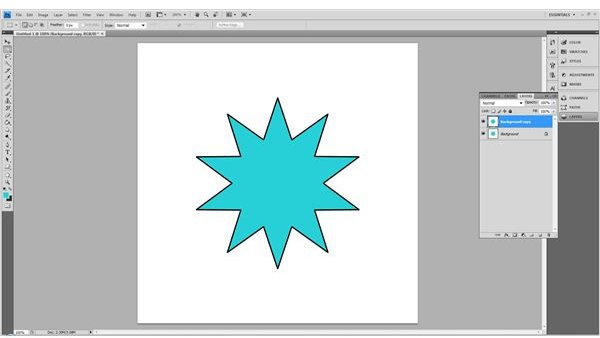
Zoom into your image. You’re going to want to zoom in pretty far. In this example, I’ve zoomed in about 500%. This is to make sure you get all the color removed from your image.

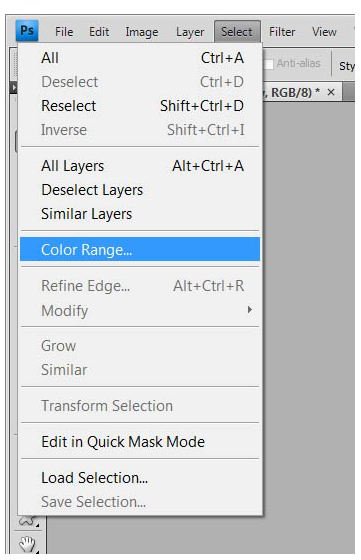
Go to Select and click Color Range.
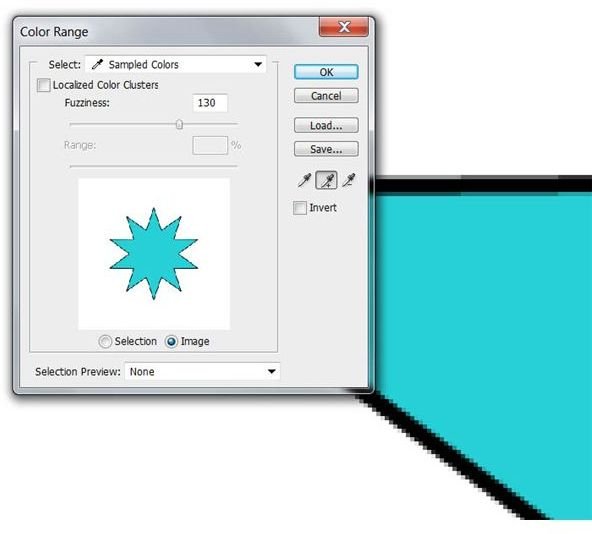
In this window, make sure you have image and not selection checked in the box below. Select the regular eyedropper tool (without a plus or minus) and click on the main color of your image. Slide your Fuzziness slider to roughly 130-150, and make sure that you leave Localized Color Clusters unchecked. Click OK when finished.
Side note: For any other colors you would like to remove, use the eyedropper tool with the + sign next to it.
Press delete to remove the color, and you’ve managed to delete a single color with Photoshop. If you would like to color in that area, all you have to do is create a new layer behind it and add in your new color.
Side Note
Sometimes after you remove a color from your image, it may make large white or black areas of your image semi-transparent. With your prior selection still selected, press SHIFT+CTRL+I (SHIFT+CMD+I for Mac users) and create a new layer underneath the transparent areas and fill it either with white or black (whichever is missing.) Simply merge your image down using SHIFT+CTRL+E (SHIFT+CMD+E for Mac users) and then pick up where you left off!
Image Credits
All images were created with Adobe Photoshop CS4 by the author and are intended for educational purposes only.


