Diskeeper Undelete 2009 Review - Recover Lost Files from Your Computer and Images Deleted from Your Digital Camera!
Overview of Undelete 2009

Undelete 2009 is a software application that claims not only to recover deleted files but older versions of saved files as well. This recovery ability doesn’t just apply to files deleted from the main hard drive of your computer, but it extends to removable drives as well. This even includes files that were deleted from digital cameras.
In addition to its recovery options, Undelete 2009 also contains a tool to securely delete files permanently. According to Diskeeper, the developers of Undelete 2009, the methodology used in the development of this purging process is the same as that employed by the National Security Agency and the Department of Defense.
System Requirements
-
Windows 2000, XP, or Vista. (Only 32-bit Windows is supported. Undelete 2009 does not support Vista Business or Vista Enterprise.)
-
Supports NTFS and 16/32-bit FAT file systems.
-
Requires 17 MB (or less) disk space.
Recovery Bin (4 out of 5)
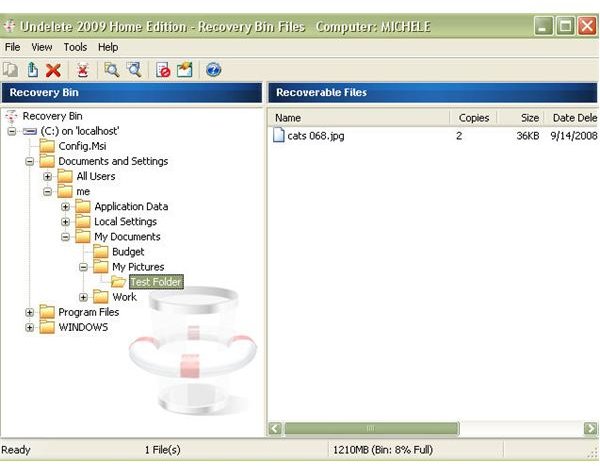
One thing I really like about Undelete 2009 is the Recovery Bin feature. It sits on your desktop like any other icon, and double-clicking it opens the program. At first, I assumed this would be just a single folder filled with deleted objects that you would have to sort through in order to find the file you wanted to recover. This isn’t the case at all.
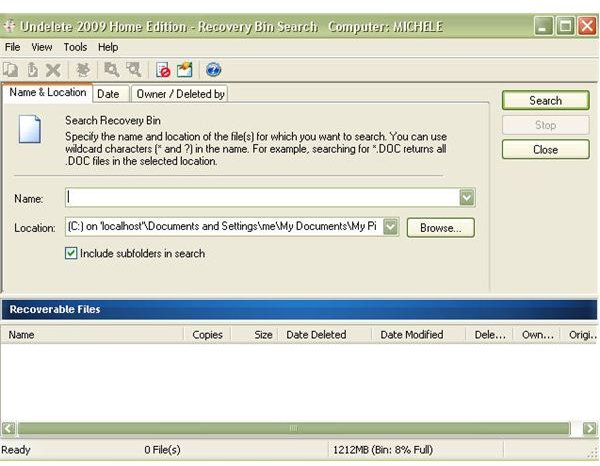
The directory structure of your computer is duplicated in the Recovery Bin so all you have to do to find the file you want to recover is navigate to the directory where it was last stored. However, if you can’t remember that directory, there’s a nice search feature that allows you to search for the file either by name or by the date the file was either deleted or created.
That last option is the one I know I’ll use the most. When I want to recover a file, it’s usually right after I delete it while I’m still sitting there asking myself, “Why did I just do that?” Having the option to pull up deleted files by date makes it a lot easier to find these files without having to worry about trying to remember the name or the directory where they were stored.
Recovering Older Versions of Saved Files (5 out of 5)
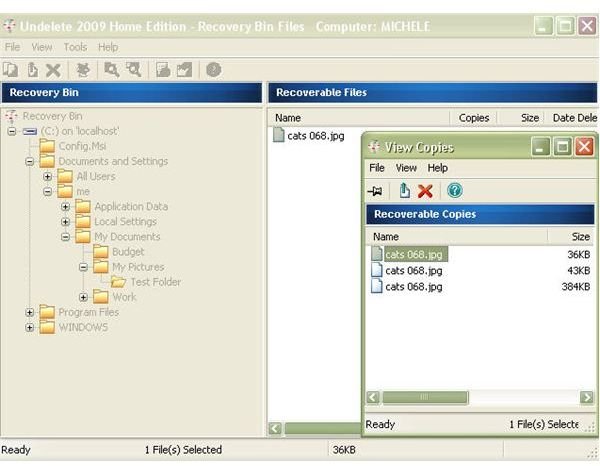
The ability to recover older versions of saved files is definitely my favorite feature of this software. Have you ever been editing a photo and saved over the original? With this tool, you can easily recover the original as well as any changes you made along the way if you saved after each step.
I tested this on several pictures, making multiple edits and saving each one with the same file name. When I checked in the Recovery Bin of Undelete 2009, the file was listed with all of its previous versions. I was able to view each one and select the ones I wanted to recover. Very cool feature!
This feature isn’t just related to photos, either. Although I was mostly interested in how this software would help with image management, I had to test this particular tool with some other types of files, too, just to see how it worked. I was especially interested in how it would handle Microsoft Office documents. The results were great all the way around, and I know this is something that I’ll definitely be using to recover older versions of Excel spreadsheets.
Recovering Files Deleted from Camera (4 out of 5)
It took me a little bit of time to figure out how to recover files that were deleted directly from the camera with Undelete 2009. You have to make some adjustments to the Recovery Bin properties in order to access any removable drive, including cameras.
However, when I did finally figure it out, I was extremely impressed. Not only was I able to access files that I purposely deleted for test purposes, but Undelete 2009 found images on my camera that I had deleted four months ago. This was way before I even had the software installed.
User Interface (3 out of 5)
For the most part, the user interface of Undelete 2009 is pretty intuitive and easy to use. There are a few things such as recovering files from removable drives that take a bit of time to figure out, but the internal help files that come packaged with the software are fairly comprehensive.
It may take a bit of playing around to become comfortable with all the tools available, but the basic ability of recovering files from the main hard drive is straightforward enough to be done with little to no knowledge right after installation.
Price and Overall Rating (4 out of 5)
Undelete 2009 Home Edition is competitively priced at $29.95. If it were simply a recovery tool, I’m not sure I’d be willing to pay that much despite the fact that it makes the process of recovering deleted files much easier than other methods. However, since the software does quite a bit more than just reinstating deleted files, the product seems worth the price.
Undelete 2009 is not only great for the digital photography enthusiast, it’s also something which businesses should seriously consider adding to their arsenal of data protection tools (see the review in the Small Business Security channel for more info).