Tethered photography on Nikon dSLRs can be a costly affair! Not anymore, take a look at Sofortbild - a free application that allows you to control your Nikon dSLR from your computer making it great for product, macro & time-lapse photography. Read on to learn about the features of Sofortbild.
Tethered Shooting on Nikon dSLRs - Sofortbild
Tethered shooting makes great sense for product photography, time lapse photography as well as fashion photography. Chiefly tethered shooting is used by professional photographers and rarely by the aspiring amateur. But, it is nevertheless a very powerful tool for every photographer.
Almost all Canon digital SLRs ship with a software disc which provides the user with the necessary software to try out tethered shooting. Nikon users however are at a disadvantage here since Nikon does not ship any such free software with their camera bodies. The Nikon Camera Control Pro is the application that will allow you to try out tethered shooting with your Nikon SLR but unfortunately it comes at a price of $200. Fear not, if you are Nikon dSLR user a free application, Sofortbild provides most of the features that come with Nikon Camera Control Pro. And yes, you heard it right - for free!
Features (5 out of 5)
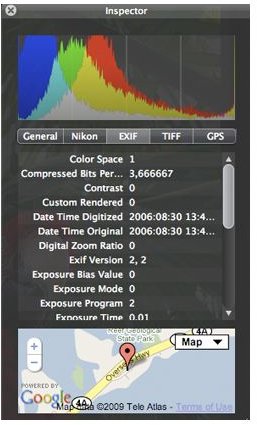
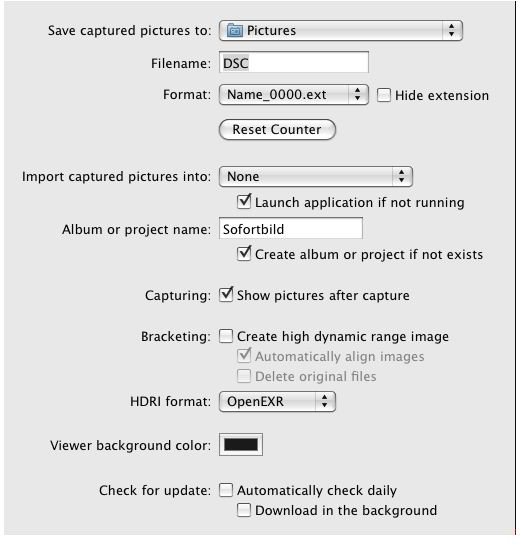
Sofortbild brings to the table almost all, if not the very significant functions of the Camera Control Pro application from Nikon. The basic feature-set includes controlling your camera from the software which is essential for tethered shooting, automatic transfer of captured images to the hard drive, trigger shutter release from the application interface as well as the camera, bracketing and transferring images to your favorite photography workflow tool (Aperture or Lightroom). Apart from the above very basic capabilities the application allows you customize filenames, selecting shooting format (RAW or JPG or RAW+JPG), bracketed shots for subtle control of exposure, ability to change camera settings (like shutter speed, aperture, White balance, ISO etc.) complete display of camera settings on the application interface, timer functions which brings the ability to perform time-lapse photography even though the camera body does not inherently provide the function etc. GPS data read outs and EXIF info display HUD is very good touch. Some features like the Image viewer which can be configured to display the captured shot is basic but provides the user almost all of the functions that he or she would require under the circumstance. Again if you don’t need the image viewer you can configure Sofortbild to directly capture to a folder or import the shots into Lightroom or Aperture, this kind of convenience in a freeware application is just unheard of!
Sofortbild - Tethered Shooting on a Mac
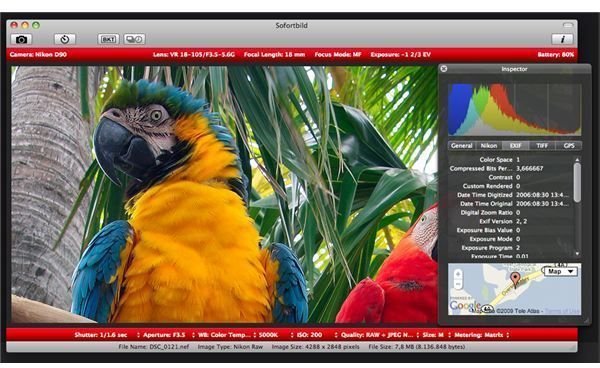
Interface & Usability (4 out of 5)

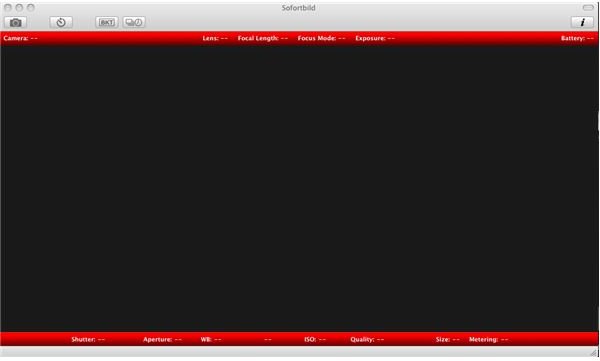
Since Sofortbild is a Mac only application (sorry Windows users), the interface of the app has been designed keeping in mind the simplicity and functionality that Mac users have come to expect on the platform. The toolbar consists of just 5 buttons in total and the button labels make them very self explanatory. The camera settings popup in a redbar in the application interface, which makes them easy to read and lookup. The info button brings up a HUD with the EXIF info, GPS and other file information avoiding interface clutter. The application is in fact so easy that a first time user will have no difficulties using the application.
Sofortbild also provides compatibility with most Nikon dSLRs out there. The application was very responsive and worked very well on both the Nikon D40 & D60 that I tried with. The procedure to setup a tethered shoot is just a breeze, connect the camera with your computer and fire up Sofortbild. Instantly your camera settings are picked up by the application and available for viewing and tweaking. The absence of Live view does make itself known, which means you have to compose the shot using the camera’s viewfinder or screen, but again it doesn’t make the process painful either.
Verdict
If you are a Nikon shooter and a Mac user, what are you waiting for? Sofortbild is an application that exceeded my expectation for a tethering solution for Nikon cameras and most definitely what any Nikon shooter would need. There is no reason to shell out the big bucks for the Camera Control Pro solution from Nikon when you can easily accomplish most of the same with ease and at an unbeatable price with Sofortbild. Constant updates to the application seem to maintain its compatibility to almost all of the Nikon dSLR models of the past and the new ones that keep coming out. The developer is also good with support and bug reports making the application even more attractive and most definitely deserves a donation for the fabulous application that he has developed.


