Looking for a new way to share and edit your digital photographs online? Check out Adobe’s new Photoshop.com and see how easily it integrates with Photoshop Elements 7.
Overview of Photoshop.com
There’s definitely no shortage of places on the Internet where you can upload and share your digital photographs with friends and family or the public at large. Many of these sites, such as Flickr and Picasa even offer basic editing tools that you can use to clean up and stylize your photos. In fact, if they are good enough, you may even be able to earn some extra money by selling your digital photographs online .
Adobe has taken the online digital photo sharing craze a step further with the advent of Photoshop.com. In addition to allowing users to upload, organize, and perform basic edits to their photographs, Photoshop.com is also able to connect to both Photoshop Elements 7 and Premiere Elements 7. This latter feature lets you back up and synch the digital photos from your hard drive with those in your online gallery. Sound pretty cool? Let’s see how it works.
Account Creation (5 out of 5)
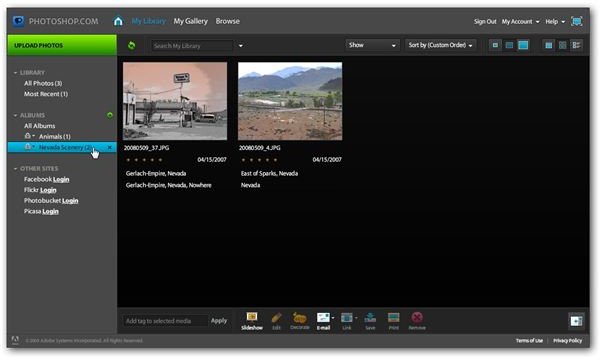
One thing I hate about a lot of online photo sharing sites is that it seems to take forever to input all the information needed to create an account. I was both surprised and impressed that the account creation process at Photoshop.com was quick and easy, only taking a few moments. Only basic data was requested and I was able to start testing the features out right away.
Before getting started, you may want to make sure that your computer meets the following system requirements needed for the web site to function properly. These requirements aren’t very stringent, but certain browsers don’t handle Photoshop.com very well. For instance, I was able to view my online library with Google Chrome, but I couldn’t access many of the other functions in the site with that browser.
- Windows XP/Vista or Mac OS 10.4 (or later)
- Minimum screen resolution of 1024 x 768
- 512 MB RAM
- Internet Explorer 6 or 7 (on Windows PCs), Safari 3.0.4 or later (Mac), or Firefox 2 or later (Windows or Mac)
- Flash Player 9
User Interface (4 out of 5)
The user interface of Photoshop.com is very intuitive and quite easy to navigate. For quick help, you can mouse over a particular area of the screen and a pop-up bubble will appear with brief information on that tool or feature. If you need additional assistance, you can check out the forums or Adobe’s user support site.
Features (4 out of 5)
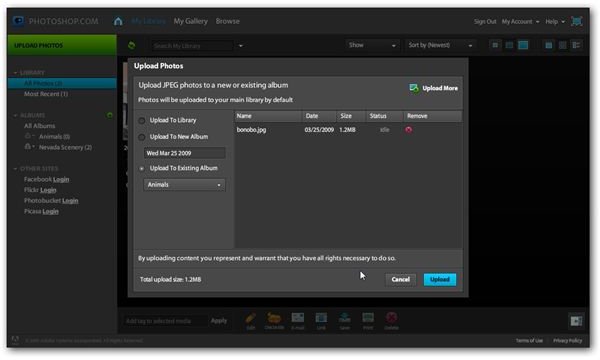
When creating an account at Photoshop.com, you will be able to choose a personal URL for your gallery that you can share with others. Even with this, you can choose which of your photos you want to remain private or public so you have complete control over who can view your work.
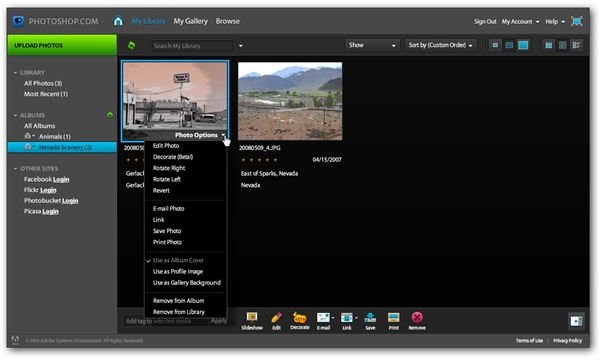
Although the web site does allow you to perform several basic editing functions within the browser interface, these edits can take a while to process. I much prefer to do any editing on my own computer before uploading, but I can see where this functionality could be very handy if you needed to make a simple modification to a photo from a remote location.
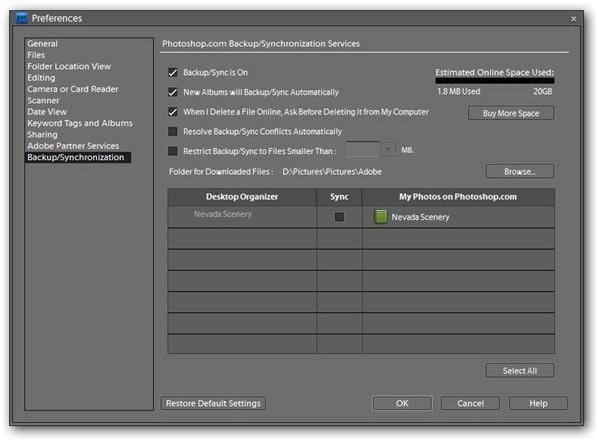
One feature that I really do love about Photoshop.com is the integration that is has with Photoshop Elements 7. In particular, you can define backup and synchronization preferences in PSE7, providing you with the option to automatically save your photos and any modifications to your online library. If you don’t want to use this feature for all of the photos in your collection, you can either turn it off completely or manually choose which photos to backup and synch.
User Support (4 out of 5)
While Photoshop.com is extremely easy to navigate, Adobe treats the web site just like all of its other applications and maintains a full online user support site . Here, you can find troubleshooting guides, FAQs, and a number of excellent video tutorials. You can also access these materials by clicking on the Help menu located in the upper right hand corner of the Photoshop.com interface.
Price to Value (4 out of 5)
There are two types of accounts available at Photoshop.com – Basic and Plus. The Basic account (with 2 GB of storage) is free while the Plus account (with 20 GB of storage) has a membership fee of $49.99 per year. Both accounts allow for the purchase of additional storage space for a yearly fee.
How do the two accounts differ? In addition to providing ten times as much basic storage space, Plus accounts give users access to a number of other perks such as album templates and special effects. It’s important to note that Plus membership is only available to those who have purchased Premiere Elements 7 and/or Photoshop Elements 7 since most of these extras require the Organizer component found in those applications.
Overall Rating (4 out of 5)
If you’re a Photoshop or Premiere Elements user, Photoshop.com is definitely worth more than just a passing glance, especially since Basic membership is completely free. I’m still undecided as to whether or not the Plus membership is worth the extra $50 a year since you can purchase additional storage, if needed, under the Basic plan. I do like the additional content that is available and can be downloaded directly to the software from the web site if you’re a Plus account holder – I’m just not sure if I would use it enough to justify the yearly membership fee. However, if you’re an avid digital scrapbooker , you may think otherwise.


