When scanning photos, it’s not unusual to find dust and scratch marks on the resulting digital images. There are a number of ways to get rid of these blemishes, but one quick and easy way is to use the combined dust and scratch remover found in PhotoPlus X3. Read on to learn how this tool is used.
Restoring Scanned Images
Nowadays, it’s fairly common to scan old photographs in order to preserve them in digital format . One problem is that these older photographs often have pre-existing damage in the form of dust, stains, and crease marks. However, once in digital form, a lot of these flaws can be repaired using photo editing software such as PhotoPlus X3 . In fact, even though PhotoPlus has several tools that can be used in photo restoration projects, it has one particular tool that is quick and easy to use for cases like this – the Dust and Scratch Remover tool.
In this tutorial, we’ll describe how to use this tool to clean up scratches and dust marks in digital photos. We’ll also talk a little about this feature’s limitations and when it makes sense to use it over other options.
Using the Dust and Scratch Remover
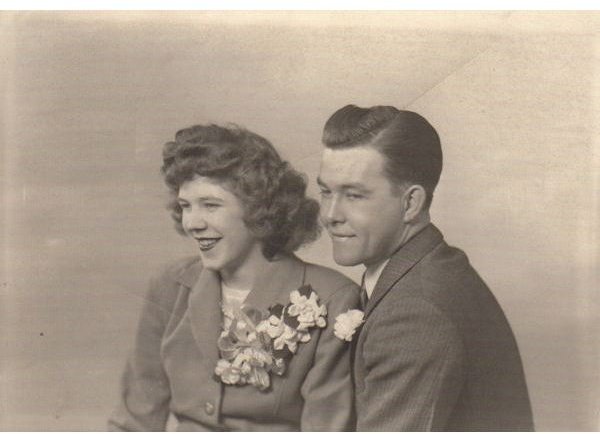
We’ll start out by opening a scanned photo that could use a little work in PhotoPlus. The original photo is shown below. (Click any image for a larger view.)
Considering its age, this photo is actually quite well-preserved. However, there are definitely some dust marks and creases that detract from the overall quality of the image.
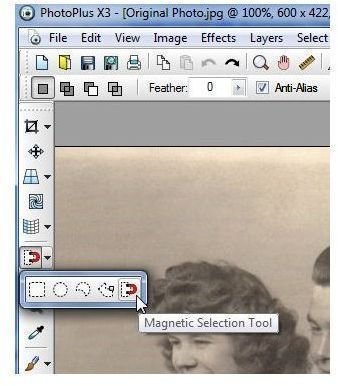
Step 1: Before actually using the Dust and Scratch Remover, it’s a good idea to use one of the selection tools in PhotoPlus to select the problem areas. The reason for this is that the Dust and Scratch Remover will try to remove anything that it sees as an imperfection in the photo, and this may include details such as the pinstripes in the man’s shirt or the dimples in the lady’s chin unless we make sure to exclude those areas in advance.
For this example, I’ll use the Magnetic Selection Tool in PhotoPlus to select only the background area of the photograph and exclude the couple featured in the photo.
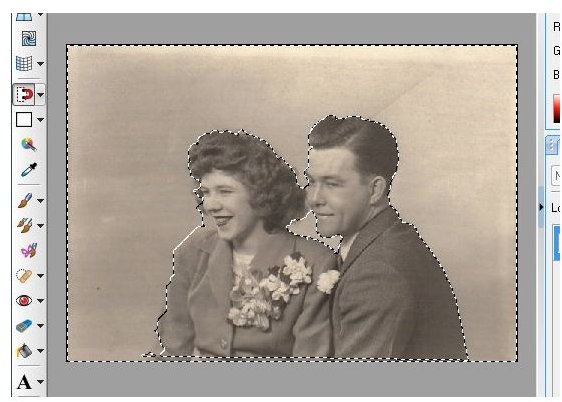
After selecting the background area, the work area looks like that shown in the screenshot below. If you click on the image below, you should be able to see the dashed lines that outline the selection area.
Step 2: Once the area that you want to “clean up” is selected, it’s time to actually call up the Dust and Scratch Remover. From the Effects menu on the main toolbar of PhotoPlus, select Noise and then Dust and Scratch Remover.
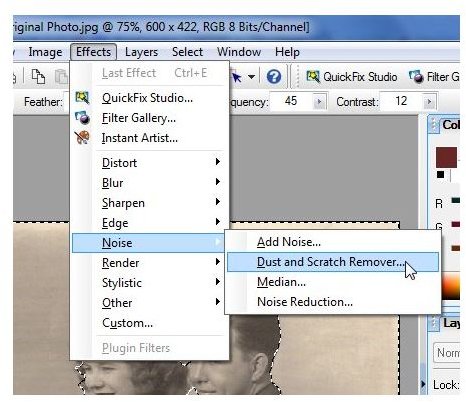
This will open the Filter Gallery in a new window with the Dust and Scratch Remover pre-selected.
Step 3: Adjust the Radius and Threshold settings to achieve the look you want for the photo. Although it’s not necessarily, I like to view both the Before and After images here so I can see exactly what changes are made.
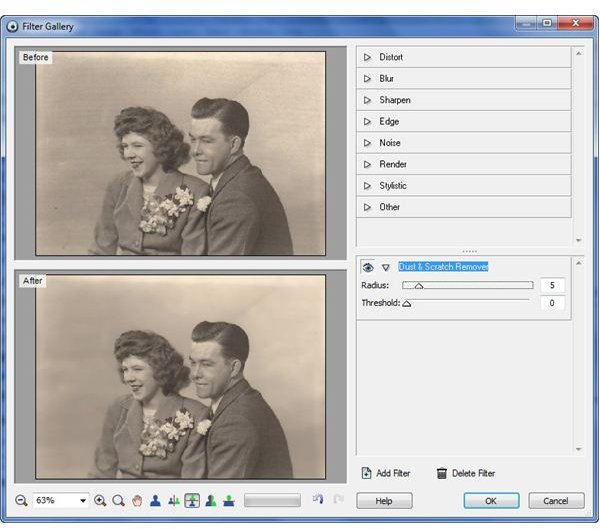
It’s unlikely that you’ll be able to use this tool to completely remove every single flaw in the photo, but you should be able to get the great majority of them.
Step 4: When finished, click the OK button. This will exit the Filter Gallery and apply the changes to your photo. The image below shows the results of using the settings of 5 for Radius and 0 for Threshold.
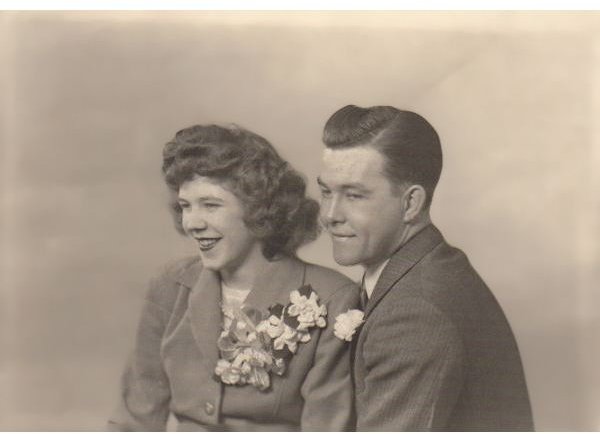
From here, you may still need to do a bit more work to make your photo look “perfect”, but most of the blemishes have been removed with just a couple of clicks! This makes the Dust and Scratch Remover tool a good choice to use when you have a number of flaws in a digital photo that are all concentrated in the same area. If you only have a couple of problems that you want to fix, you may be able to save time and get more accurate results by using other tools (like the Blemish Remover or Scratch Remover) and correcting each problem, one at a time.
If you’re looking for more tips and tricks to use with PhotoPlus X3, you may also want to check out some of the other tutorials available here on Bright Hub’s Digital Photography Channel, such as our explanation of layer types or our walkthrough of how to apply a vignette effect to a digital photo .


