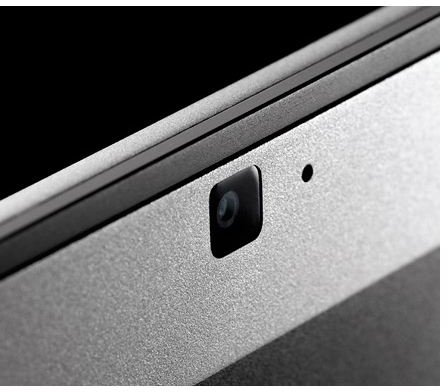
When you think about iMac’s webcam iSight, what do you usually think of? People dressed as Santa Claus or with long faces? Ever thought of using iSight for professional portraits? Here’s how to do it.
iSight
How to Use iSight
Although we tend to associate OSX’s program Photo Booth with humorous pictures of our friends with stretched faces or dressed virtually as someone from a comic book, you can actually take semi-professional photographs of yourself, your friends, or your family with the built in iSight.
Before you can take semi-professional portraits with your Mac’s iSight, you should know how to use your iSight. In case you aren’t familiar with the feature and its companion program, Photo Booth, here’s a quick how-to guide:
First, make sure your iSight is turned on; this should happen when you load up the Photo Booth application. If you want to use a special effect , such as x-ray, make sure you click that option before taking the picture. Finally, get ready to smile and press the red shutter button.
Now that you know how to use iSight and Photo Booth, it’s time to take some pictures! Although most people use iSight to take pictures of themselves to put on social networking sites or for buddy list icons, you can take really nice, almost professional images of yourself, your friends, or your family with the Mac camera.
Setting up a Good Environment
First set up a nice environment. If you use a laptop like a MacBook, face it towards a blank wall or a place in your room or outside with no distractions. If you’re taking portraits outside, face the camera towards nice scenery like green trees or beautiful flowers. If you want full body shots, not just from the shoulders up, place the computer on a tall table approximately four to five feet from the subject(s). If you’re taking a picture with an iMac, setting up a good environment may be harder. Just work with the lighting as best as you can and make the background very minimalistic.
Creating Light
The iSight camera is very similar to that of a cell phone’s. In order to take nice photographs, you’ll need good lighting. Outdoor lighting is easier to take pictures in since it’s natural. Since there’s no flash, it’s difficult to get good lighting indoors . This lack of light will create harsh shadows and lots of picture noise. To avoid this, try setting your subjects near a window or just have lots and lots of lights around. Try setting up lights in different positions; usually, pictures look best when the lighting comes from above at an angle.
Using Composition
Composition will also help in taking successful portraits with your iSight. There are many rules to photographic composition . The easiest three to remember are:
-
The Rule of Thirds: This rule is simply that the human eye is always drawn to objects that are 2/3 up a page. Once you have a photo, cut the image into nine equal spaces. Place you subject at the intersection of any two lines. Click here for more information on the rule of thirds .
Advertisement -
Simplicity: Simplicity may seem easy, but many often find that keeping pictures simple is difficult. Especially when taking portraits, your subject should be close and you should have a very basic background . You don’t want your eyes wandering around in the picture - you want them focused on the subject.
-
Texture: Having texture in an image can be fun since people like to imagine what it physically feels like to be in the picture. When taking pictures with your iSight, have your subject lean on a tree, pose on a rock, or throw leaves in the air. Make sure the lighting comes in from the side.
Advertisement
Editing & Printing Your Pictures
Edit your images after you’ve taken them. You can use paid-for image editing programs like Photoshop Elements or Paint Shop Pro , or free photo editing software available online.
Keep in mind that iSight isn’t a professional camera, but it is still good enough to take decent pictures if the setting and lighting is perfect. Save your pictures, print, and enjoy!


