Top Eight Best Free Music Mixing Software for Beginners
Free Remix Software
Looking to create some magic as an amateur DJ or want to learn more about the technicalities of laying down tracks? Check out this list of the best free music mixing software. If you want more information on music mixing equipment to use along with the software, take a look our article: Music Mixing Equipment Buying Guide.
1. UltraMixer
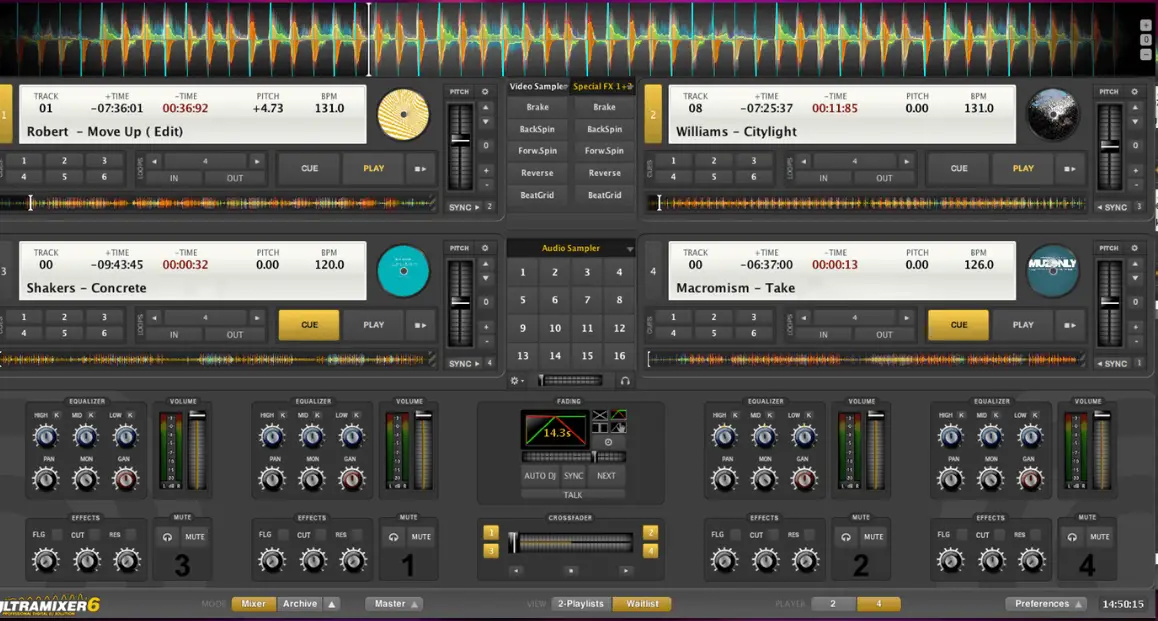
[caption id=“attachment_171642” align=“aligncenter” width=“1158”] UltraMixer - a great remix application[/caption] UltraMixer is a premium audio mixing program, but it is also available as a free edition. This music mixing program allows you to combine several audio formats right from MP3, WMA down to WAV, OGG, and CDs, and even play them real time. Some music mixing programs are dependent on Operating Systems, but it is not so with UltraMixer. All you need is a sound card with up-to-date drivers, and that’s the best part about it, as you can use UltraMixer in parties and outings. UltraMixer is an ideal choice for those who want to kick-start as a part time DJ, and once they settle down in the business and have extraneous mixing needs, they can upgrade to the professional version. To download Ultramixer Free Edition visit this link.
2. OpenSebj
OpenSebJ is yet another audio editing freebie. This is great software for those who wish to mix many tracks at a time. OpenSebj can load as many as 255 audio samples, though it takes only .wav music files as input. You can do a lot with OpenSebj such as panning, volume control, changing the frequency of music files. Unfortunately it only works on Windows. The software is open source released under GNU along with complete source code. Therefore, if you’re a developer, you can even try to expand on the functionalities of this impressive program. Here’s the downlink link for OpenSebj.
3. Tactile
Tactile is a compact yet powerful music mixing program that is available totally free of cost. Just like most of the professional mixers, it comes with an interactive user interface showing up a couple of turntables featuring a number of controls right from manipulating the speed of tracks, down to changing frequencies, and sound levels of individual tracks. You have complete control over what you wish to do and how to mix them! However, this music mixing freeware works only with Win95, Windows 98, Windows 2000, Windows XP, Windows NT, and Windows ME. You can download the latest version of Tactile here Note: This is a freeware, but you won’t find a direct download link on the website; you’ll have to fill out a small form, and the software will be mailed to your email address.
4. Audacity
[caption id=“attachment_171643” align=“aligncenter” width=“923”]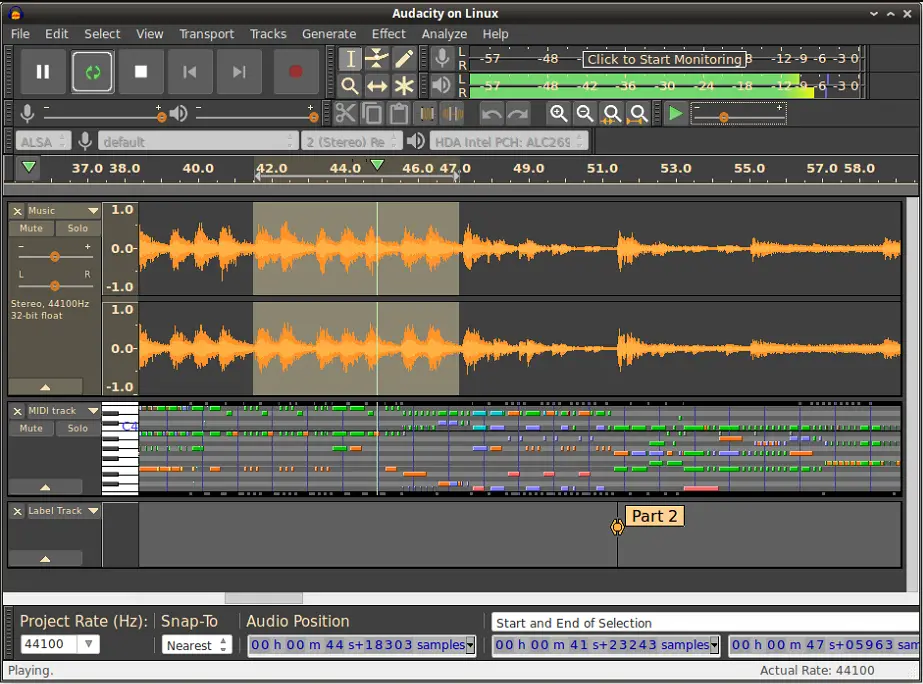 Audacity supports Linux, Mac and Windows OS[/caption] Audacity is one of the best free music mixing software packages available in the market. One of the good things about Audacity is the fact that even beginner level users can use it with great ease without really knowing much about audio mixing. However, it is also used extensively for professional music mixing purposes. When it comes to manipulating things with Audacity, user controls are pretty easy to use and incorporating effects like fading in/out, volume equalization, mixing multiple tracks, is simply a cakewalk. What’s more, after creating some fantastic music mix tracks with Audacity, you can even load them onto MP3s and carry along wherever you go. Download Audacity here.
5. MixVibes
MixVibes supports 16 simultaneous tracks and almost all types of music formats including .WMA, .MP3 and .WAV. A number of skins are available, along with equalizer controls, sound effects and more. This free remix software works only with Windows operating systems, and does almost everything that you may expect from a music mixing application. You can download MixVibes here
6. DeKstasy
Well, we’ve been mostly covering all exclusive Windows applications, and most of them don’t work with Mac OS. Here we have one that’s just for Macs. DeKstasy is one of the most resourceful free DJ applications for Mac OS, which comes with several impressive features to isolate the rhythm of your music track, and allows you to do anything that you wish to. As a matter of fact, DeKstasy was developed by professional DJs, and there are many sophisticated features available on this free music mixing program that you may not find on other freeware programs. The latest version of DeKstasy is DeKstasy 1.3.6, which is compatible with Mac OS X 10.2 or higher. You can download DeKstasy 1.3.6 by visiting this link. Note: Support for Dekstasy is no longer available.
7. Dex 3 LE
Dex 3 LE by PCDJ is free music mixing software that comes with a virtual recording platform enabling its users to mix two music tracks seamlessly. This is yet another powerful free mixing tool that has advanced controls including BPM calculator, auto play, wait-list, and others, while its simple interface is fairly easy to understand for beginners. Dex 3 LE incorporates the Beatloc Technology to render superior performance for beat mixing. You can download Dex 3 LE at the PCDJ site.
8. Anvil Studio
Anvil Studio is a simple audio mixing application for beginners as well as advanced users. For experts, it serves the purpose of an advanced high quality composing studio, and an impressive multi track mixer. This is yet another exclusive program for the Windows user. You can download Anvil Studio here