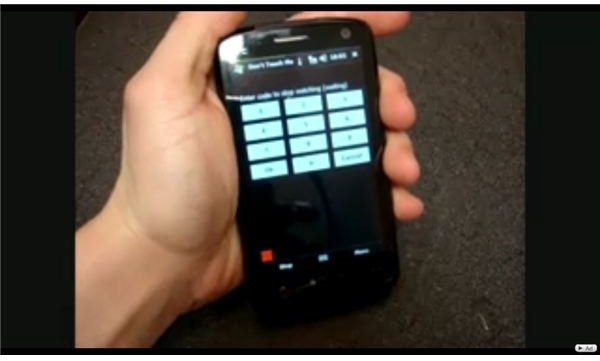
With the Don’t Touch Me App you can set an alarm to go off whenever anybody moves or touches your phone.
Don’t Touch Me app
The Don’t Touch Me app is a relatively simple program to understand: you set an alarm on your phone, which goes off anytime anyone moves or touches your phone. Now, this may see obnoxious to you, but it can come in very handy if you’re at work or at school and just don’t want people messing around with you cell phone, or if you just want a good laugh.
The app uses your cell phone’s internal accelerometer, so if your cell phone has that feature, this app may be right for you.
How It Works (5 out of 5)
When you first turn on Don’t Touch Me, the first thing you’ll come to is a title screen which shows you the app’s manufacturer, website, and other details. After a few seconds, you’ll see to a blank screen that has three tabs running across the bottom: Settings, Alarm, and Deactivation.
If you go into the Settings tab, you’ll see different options to configure your alarm. You can change the delay time, meaning the number of seconds the app waits before starting the alarm when somebody picks up your phone, the display and other alarm settings. What you can also do is configure the app so when the alarm goes off, the phone turns on and starts to run another app. This is a pretty cool feature, because you can have your cell phone start to run email, calenders, etc. as soon as you pick it up.
If you go into the Deactivation tab, you’ll see an option to change your deactivation code. Once you set the alarm and someone picks up the phone, the only way to turn off the alarm is to type in the deactivation code. In the deactivation tab, you can change this code if you need to. The one problem with this is that if you ever forget your deactivation code and want to turn your alarm off, there’s no way to do that. You’ll have to uninstall the app to turn the alarm off.
Finally, if you go to the Alarm tab, you can change the sound of the alarm, how loud it is, etc. The one thing I liked about this app is that even if the volume on your cell phone is muted, the alarm will still sound at the volume level you set it at, so you don’t have to worry about unmuting your phone before you set your alarm.
the Bottom Line
This app is loads of fun, especially when you set it an wait for someone to pick it up– the alarmed expression on their face when they realize they can’t turn the beeping off is classic. The only drawbacks to this are that if you forget your deactivation code, you need to uninstall the entire app. Other than that, this app gets a big and fun thumbs up.
Screenshots