IMDb (internet movie database) has been one of the most popular movie resources on the internet. Does the iPhone application remain just as strong as the website, or does it fall short? Find out in my full review of the free IMDb iPhone application.
What is IMDb? (4 out of 5)
Has there ever been a time when you couldn’t think of who was in a certain movie? Or maybe you were watching a television show and asked yourself, “what have they been in?” Well, one of the most common means of answering these questions is to go look on the website IMDb.com .
If you are new to this name, it stands for Internet Movie Database. This website is dedicated to any and every thing movies. They cover actor biographies, movies that are in production and the box office. They have now created a free application for the iPhone that gives you all of this information at the touch of a finger.
The IMDb Application
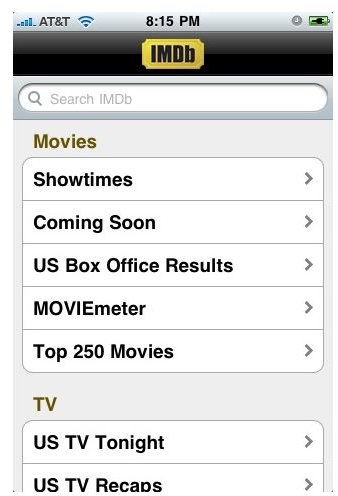
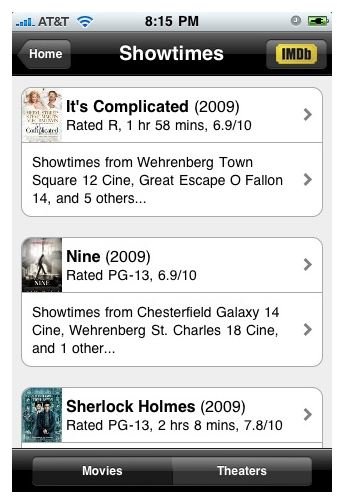
The IMDb application is broken into three different categories for you to navigate and search through. The first category is the movies section. This section has some pretty cool sub-categories. For starters, you can get showtimes for movies using the built-in location finder. You can see the showtimes by looking at individual movies or by theater. It is easy to navigate through and a quick source for finding that amazing new movie that just hit the box office.
If you are into the box office numbers, then you can look up the United States box office results. You can see which movies rank high on the list, and how much money they have raked in that week or altogether. Outside of these options, you can check out the top 250 highest rated movies ever on the IMDb website as well as the most searched movies on the website.
The television portion of the IMDb application consists of two options. A TV tonight option. This gives you a rundown of all of the major networks programming for a given day. It will list ABC, NBC, CBS, Fox and on down the line. This doesn’t give you a complete listings though. I suppose you can download the i.TV application if you wish to get that information.
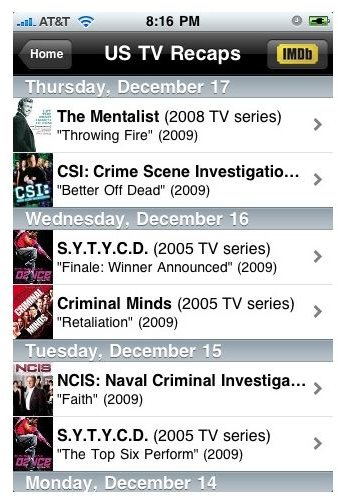
The second television option offered is a TV recap. This will give you recaps of all of the most recent shows. They tend to stick to the most popular shows though, so you may not always find what you’re looking for. The lack of a TV guide was kind of a miss for the IMDb application. Why have a list of some shows, but not let you see an entire television listing? It may be something that is thrown in at a later update, but for now it’s missing.
The last section to round out the IMDb application is the people section. This is kind of lackluster like the television portion of the application. You can look at who is searched the most on the website or you can see who was born on that current day.
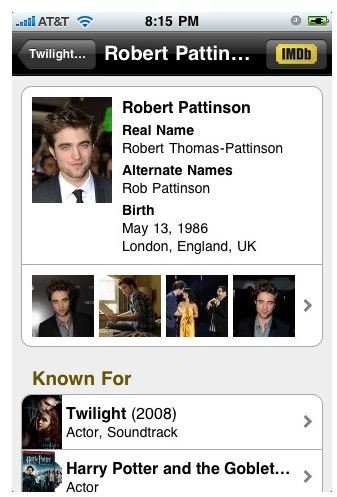
Now despite some of the categories being weak, you can still search for an actor, movie or television show. At the top of the application, there is a search bar. This will allow you to do the most common thing people do on the regular IMDb.com website, search for things. So let’s say you are searching for Robert Pattinson. You will be able to see when he was born, what he is known for and all of the films he has been in.
Conclusion
On the whole, the free IMDb application for the iPhone does a great job supplying you with information about all of your favorite movies and actors/actresses. There are a few features that are missing that I would love to see in an update. For a free application, this saves you time from having to log on to your computer every time just to see who was in what. IMDb can be downloaded free from the iTunes application store.
Images by IMDb