Do you have Word DOC or Adobe PDF files you’d like to have on your iPhone for referencing? File Magic makes it possible to transfer files to the iPhone.
You may have a few files that you’d love to carry on the iPhone for easy access. File Magic works with the iPhone in letting you share files between your computer and handheld, handheld to handheld and as email attachments. File Magic supports the following file types so you can read these on your iPhone:
- Microsoft Word (.doc and .docx)
- Web pages (.html and .htm)
- Adobe Acrobat (.pdf)
- PowerPoint (.ppt and .pptx)
- Text and Rich Text (.txt and .rtf)
- Video (.m4v)
- Images (.jpg, .jpeg, .gif, .png and .tiff)
- Music (Non-DRM music files with no copy protection, .mp3, .aac and .wav)
Installing File Magic
You’ll need to purchase the software for $4.99 and download File Magic from the iTunes Application store. After downloading the application from iTunes, connect your iPhone to the computer to transfer the application.
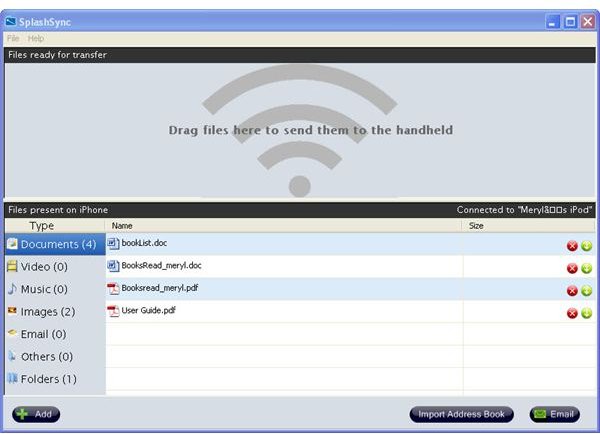
For desktop to handheld, you’ll need to download the free Mac OS or Windows desktop application from SplashData . For Windows, click the downloaded file to run the installer. For the Mac, drag File Magic application file into the Applications folder or your preferred location.
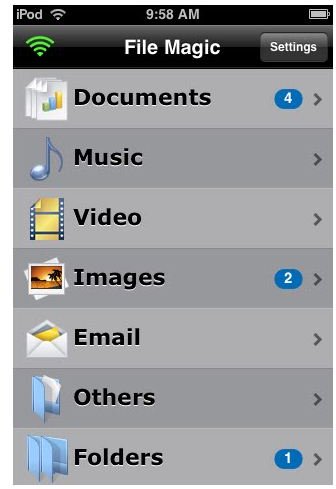
Sharing Files between Handheld and PC
To share files between iPhone and desktop, connect the iPhone to the computer and iTunes open. Also, open the desktop version of File Magic. The iPhone will ask you to allow the incoming connection to the Wi-Fi network, so click Allow. Drag and drop files into File Magic desktop and it transfers to the handheld. In Windows, you can click File, Add and select files from the opened Window.
On the handheld, tap the folder on the Home screen where the files should appear. Then tap the file name to view the document. For example, you add a .doc file and a .pdf file to Documents on the Desktop. Go to the Handheld and click Documents and both files appear. Click the file you want to open.

I struggled to make this work the first time around. I set up everything according to directions. I waited a couple of days and it finally worked. The documentation indicates to verify both run on the same network, both have the application installed, verify File Magic application passwords (if any) are the same in both places and ensure your firewall allows File Magic to go through.
Sending Files to another Device or by Email
In this case, both handheld devices need to have File Magic installed and connected to the same network. The receiving device needs to “Allow File Transfers.” To allow file transfers, go to Settings from File Magic’s home and toggle the switch next to “Allow File Transfers.”
The sender needs to tap the folder where the transferring file lives. Tap the circles on the left of the file and tap Share Files Select Wi-Fi to send to another device on the Wi-Fi network or Mail to send the file as an email attachment. In the email, enter the basic email information and tap Send. If you have problems sending the file, check the file size because File Magic can’t send files larger than 6MB
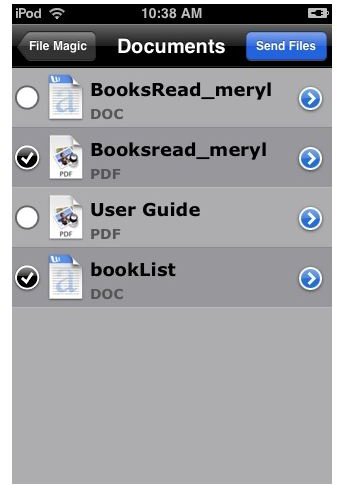
The handheld application doesn’t sort the files by name like it does on the desktop application. File Magic shows the files on the handheld by their file names. I’d like to see a rename function or a new field for entering a name on the handheld because the file names can be too long or not make sense.
Once you get the computer to handheld or handheld to handheld connection working, File Magic works well. It’s easy to use because of the simple interface. If you need to carry and read files of most major formats, File Magic provides an easy way to do it.
Screenshots of File Magic by SplashData


