(Updated) Need to keep track or just get things done on the go?, Things (and its desktop app) may just be the app you’ve been looking for.
Things (5 out of 5)
Cultured Code appeared on the productivity applications map late last year by launching Things for Mac reviewed here on Bright Hub. Things has gone from strength to strength on the Mac with a healthy series of great updates. Importantly, Bartek Bargiel, the creator of iGTD has joined Cultured Code and brought with him many additions including full keyboard shortcuts and his “F-key trick” .
Things ($9.99) for iPhone and iPod touch has of course also gained features, bug fixes and polish along the way.
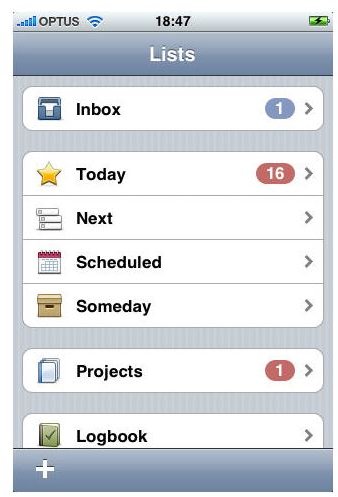
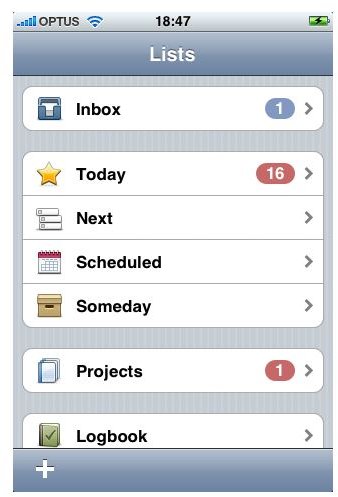
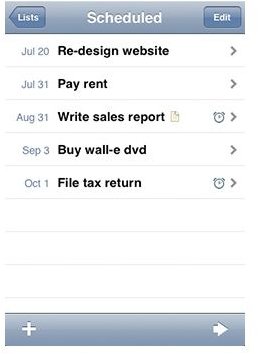
The purpose of Things is help you get things done and whilst it is very applicable to the Getting Things Done method it is not completely constrained by it. It features all the required areas: Inbox (where you add items for review and categorization later), Today (actions to do today), Next (the next actions on your list), Scheduled (any actions that are scheduled to be done on a certain day), Someday (blue sky ideas or items you would like to do someday in the future), Projects (projects being groups of actions relating to a single outcome) and a Logbook (all done actions end up in here).
What’s Good About Things
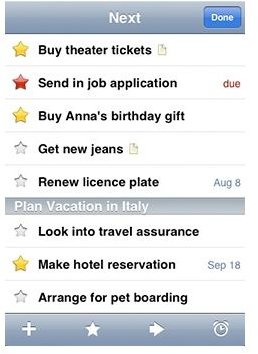
Initially, Things implemented the iPhone interface pretty well, simple one touch navigation gets you to your lists quickly, swiping up and down scans the list. Entering new tasks has been simplified with the 1.2 version doing it on one screen rather than two. 1.3.11 has kept this simple system and is still works well. The App speeds up with every version. Areas of Responsibility are now synched too and in your ‘Next’ list actions are separated by project.
You can sync with the desktop version of Things very easily as long as your Mac and your iPhone are on the same wireless network, just make sure you have Things running on the Mac and start it up on the iPhone. The two apps should sync almost straight away. So far this has proven to be a reliable and quick method. The nice bit about this is you can enter actions on the go dropping them in the Inbox, categorize them on your desktop and have it all synced in minutes at a later time. This has become much faster and reliable since my first review and normally happens within a few seconds of launching the App. Most importantly you can now choose to synch at any time from the desktop application by going to File Menu | Sync with ‘My Phone’ Now.
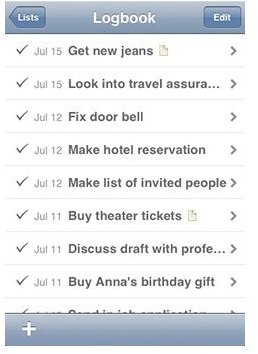
Every day Things will automatically log actions that you have marked as done (this can be set as a preference). All done actions remain in your Log giving you history of what you did get done.
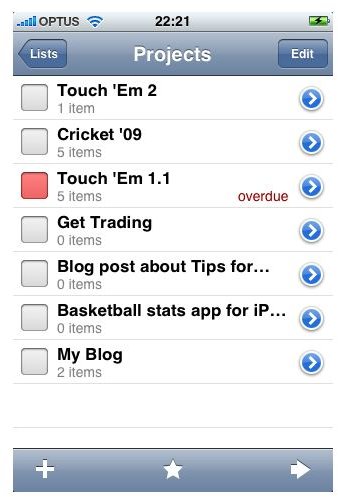
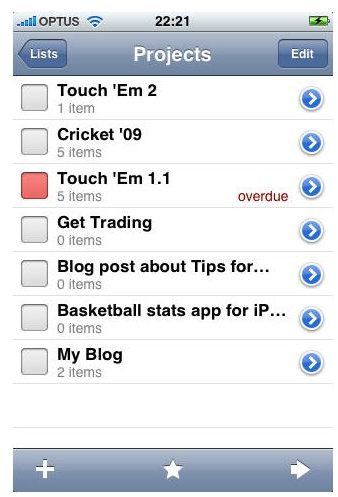
Projects: These are great, instead of having all of your actions just floating in Today, Next or the Inbox, you can group them in Projects and and track them until the whole job is done.
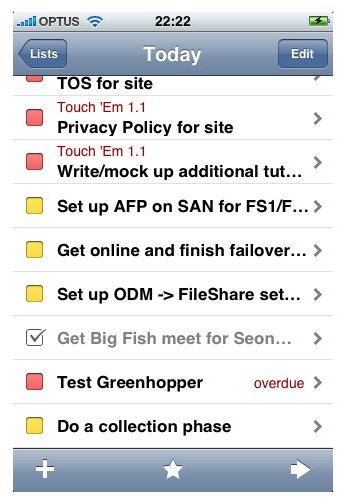
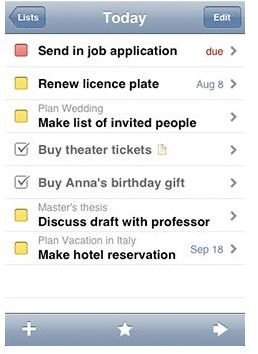
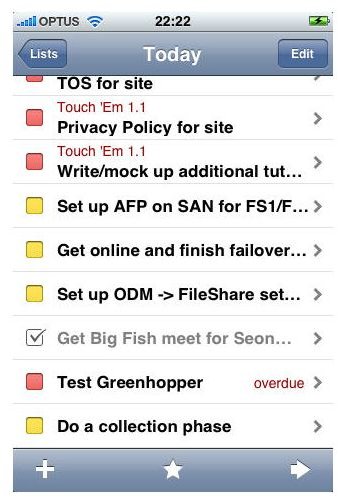
Today: Normally with GTD, you have your Projects and singleton actions and only attempt to do the next action to progress your Project. Things brings the concept of Today to the Next actions list. Next contains all of the next actions you have in your system so each day you review this list and mark the few that you can do today and for the rest of the day you pretty much only deal with that one list.
What’s New in Things
Synching:
This has become much faster and reliable since my first review and normally happens within a few seconds of launching the App. Most importantly you can now choose to synch at any time from the desktop application by going to File Menu | Sync with ‘My Phone’ Now.
Tags:
Tags now sync from the desktop version and are handled very nicely on the iPhone, you can edit, add, delete Tags. Filter by Tags (along with the sorting by Due Date).
Tags was something I felt was sorely missing in the older versions of Things and a very welcome addition.
What’s Not So Good About Things
No Mobile Me or online sync: As a Mobile Me user I would love to see my Things lists syncing via the ‘cloud’ simply and transparently without the need for my Mac and my phone to be open and on the same local network. This would allow me to add actions on my iPhone whilst away from my desk but have them waiting for me when I get there. This is still a feature that is on the roadmap that is not a roadmap, ie they are still working on it Things Roadmap .
No support for Teammates: The desktop version has a Teammates feature where you can assign actions to people to remind you that you are waiting for them to action something you have asked them to do, syncing this to the iPhone version would be very useful. - Still not there on iPhone.
No online interface: Again not a huge issue but I can’t help wishing that there was an online version for collaboration on projects especially with users who may not have the iPhone version or a Mac.
Bottom Line
In summary, Things on the iPhone is an extremely capable list management tool. With its tight integration with the desktop version and a very capable and passionate developer behind it, it is hard to see how you would want to look anywhere else.
Cultured Code continue to listen to the public with their updates to this product. They are growing slowly and seem to be making all the right moves with regards to talking to their customers.
Something I very much like about Things so far is they have maintained the simplicity of the App on both platforms. It is worth every penny.
Images of Things