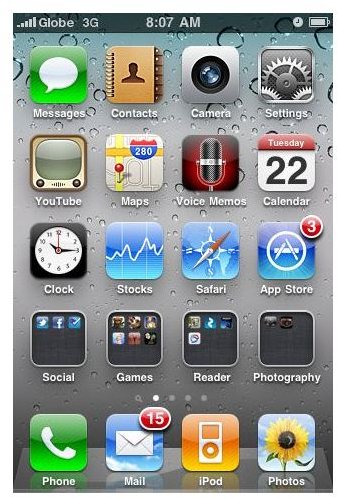
Now that Apple has released the iPhone OS 4 otherwise known as iOS 4, many of you are probably enjoying the new features and functionality of iOS 4 on your iPhone 3G, 3GS and iPod Touch. Here we give you a detailed rundown of the many new features of the iOS 4.
Basic Things You Need to Know About iPhone OS 4
The iPhone OS 4 is perhaps the greatest and most feature-rich iPhone OS released by Apple so far. Of course, we all know that the iOS 4 will be primarily used for the up-and-coming iPhone 4. But since not all current iPhone users will be upgrading to the iPhone 4, Apple’s solution to satisfy the craving of iPhone users for a newer OS is of course the iPhone OS 4.
First things first, iOS 4 will work on the iPhone 3G, iPhone 3GS and new generation of iPod Touch. However, some major features will not be supported by both the iPhone 3G and iPod Touch . Sadly, these major features happen to be multi-tasking and folders for apps. The rest of the iOS 4 features will be supported by the two Apple devices.
Next, you can update your iPhone or iPod Touch to iOS 4 by simply plugging your device into your PC or Mac and you will be automatically prompted to update your firmware. In addition, you need to have iTunes 9.2 for the iOS 4 to take effect. Since this is a major update, make sure to back up your device’s data files first. You can do this by manually creating a back-up of your iPhone or iPod Touch data files. The iOS 4 is around 300MB so make sure your device has ample space in storage.
Ready to update? Or have you updated to iOS 4 already? Either way, it would be worthwhile to read on and find out the many features of the iPhone OS 4.
7 Key Features of iPhone OS 4 - Reviewed
The major features of iOS 4 can be summed up into the following:
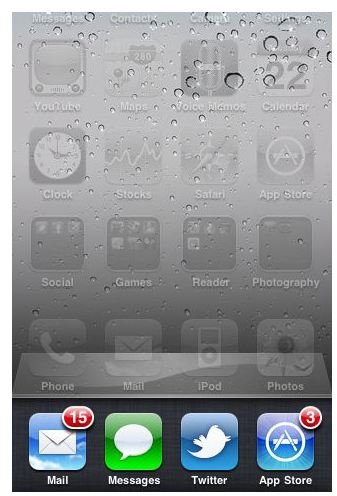
Multi-tasking - Easily switch from one open app to another. To do this, all you need to do is to double tap your device’s menu button. It’s the strongest new feature that iOS 4 brings to the table, provided app developers update their apps to support multi-tasking.
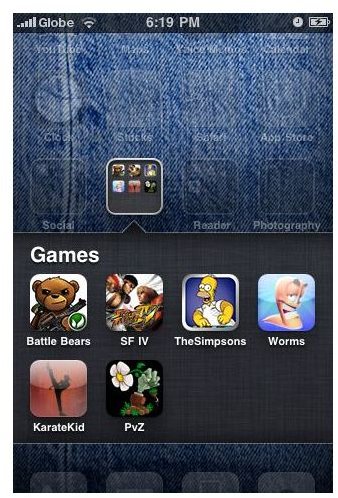
Homescreen folders for grouping apps - Tap and hold an app and drag it to another app and iOS 4 will automatically create a folder that will contain the apps you’ve grouped together. After putting all the apps together in various categories you can rename the folder. Very helpful indeed especially for iPhone users who have maximized the screen limit for iPhone apps. Just group together common apps and before you know it, you’ll have 5 or more folder icons containing all your apps.
Unified inbox for Mail - If you have multiple email accounts and you’ve set them up to your iPhone, you can now view all your emails from your various email accounts.
Message threading for email - iOS 4 lumps together emails that belong to a particular email thread. Great feature if you are discussing something through email.
Wallpaper on homescreen - You can now change the background image not only of your iPhone’s homescreen but the app screens as well. You can even have two different background images for both of them. With this feature, it’s like having a new iPhone.
5x digital zoom and improved camera speed - It’s amazing how Apple has improved on the shutter speed of the iPhone’s camera. As a bonus, Apple also added 5x digital zoom. But of course, since it is a digital zoom, don’t expect too much from this feature as pictures are blurry. But the improved shutter speed is a winner.
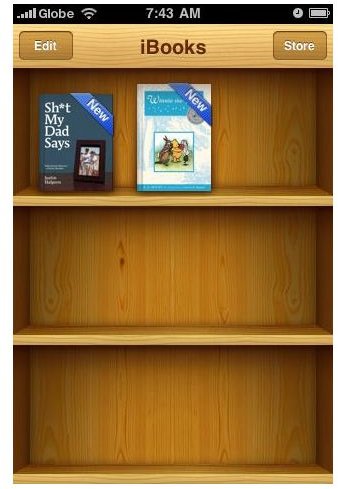
iBooks support - With the iBooks app now available for iPhone, you can synchronize your iBook accounts and read purchased books on multiple platforms (iPhone, iPod Touch or iPad).
Gift giving - iOS 4 now allows you to buy an app and have it delivered as a gift to your friends, family and relatives.
Spellchecking - This will be active when you are composing an email or text.
Wireless Keyboard Support - Equip your iPhone with a wireless keyboard. iPod Touch and iPhone 3G are not supported.
Improved Photo Gallery - Faces and Places category for viewing your iPhone photos were added. If you’re a Mac user you’ll enjoy this feature on your iPhone running iOS 4.
Other Features of iOS 4
And now for the minor and yet useful productivity features that you may otherwise overlook.
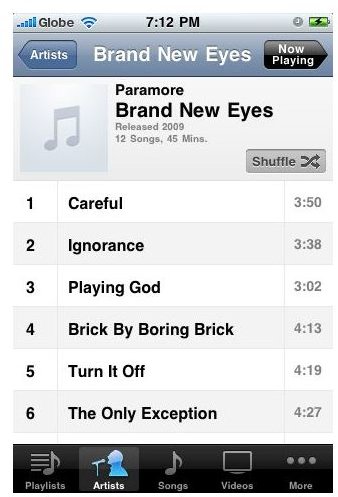
- add playlist on your iPhone’s iPod app
- character counts for SMS message (to activate, Settings > Messages > Character Count (on)
- sync notes wirelessly
- celllular data on/off slider (a very useful feature for saving on data charges)
- search suggestion on iPhone search box
- search engine option for Microsoft Bing
- location services for third-party apps
- redesigned calculator icon
- lock display rotation (bring out the multi-tasking menu and slide to the left to see this option)
- classic iPod controls (while the multi-tasking tab is open, slide to the left to see the controls)
- password option for iPhone lock security
- search engine option include Google, Bing and Yahoo
- group messaging option with threaded SMS
- show or hide all calendar entries
- birthday calendar added
- watch YouTube in portrait modes
iOS 4 Review - Final Word
I’ve been using my iPhone 3GS running iOS 4 for a couple of days now. In fact, I’ve been tinkering with my iPhone more often now than before iOS 4. What does this mean? Well, like what I used to tell my friends, having the iOS 4 on the iPhone 3GS is like having a new iPhone. The foldering and wallpaper option for the homescreen are enough reason to give you that feeling and it gets even better if you start using all of the new features of iOS 4.
Multi-tasking is a killer feature, and so is foldering. Apple did a great job of rekindling interest in the iPhone while people await the iPhone 4 release. And boy what a treat Apple is giving us to ease the anxiety of eagerly awaiting the arrival of the iPhone 4 .
iPhone 3GS with iPhone OS 4 is the closest you can get to actually having an iPhone 4. iOS 4 + iPhone 3GS = Smartphone killer.


