iPhone Password Manager Comparison - The Best Password Managers for iPhone
DataVault Password Manager (5 out of 5)
Using powerful encryption technology, DataVault securely stores confidential information relating to your credit cards, bank accounts, logins and more. What sets this iPhone password manager apart from other similar apps is the fact that it displays items in tree view arranged by category and type, and list view. Ascendo DataVault uses powerful encryption technology based on the AES cipher to secure confidential information such as customizable passwords, password strength meter, set security timeout, master password hint, mask fields, maximum login attempts before wiping data and more. DataVault offers 2-way synchronization with Mac & Windows desktops (sold separately) via Mobile Me, several free Webdav servers, Wi-Fi & data cable. Other features that set this iPhone password manager apart include failed login security alert with device location, backup & restore using iOS file sharing, and a unique interface using folders such as Mac Finder and Windows File Explorer. And if you also have an iPad, DataVault is a universal application so you won’t have to pay for another copy to run it on your iPad. (Price: $9.99)
1Password PRO (4 out of 5)
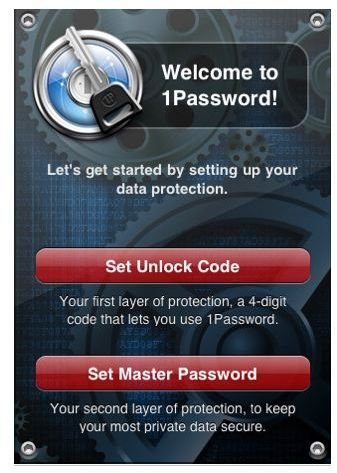
1Password PRO securely stores your important information and can even automatically log you into websites where you used those passwords. It lets you save and sync text notes, credit card numbers, and other sensitive information. Other features include hardware-accelerated AES encryption and auto-lock to keep your data protected, cryptographic operations done through standard iPhone libraries, two-layer defense with unlock code and master password, and data backup and restore option. (Price: $7.99)
Strip - Password Manager (4 out of 5)
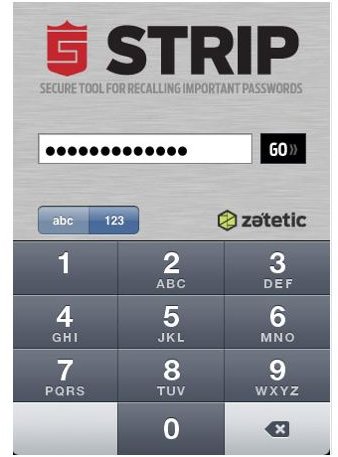
Strip or Secure Tool for Recalling Important Passwords is another secure password manager and data vault that protects your sensitive information using 256-bit AES encryption. It lets you store passwords, financial information and other vital data. The password manager lets your organize data by category, recent and full text search, customize fields and labels. Notable features of this password manager are the option shake your iPhone to create random passwords, auto-lock on device sleep and attractive user interface that is similar to your iPhone’s Contacts app. (Price: $4.99)
SplashID - Password Manager (4 out of 5)
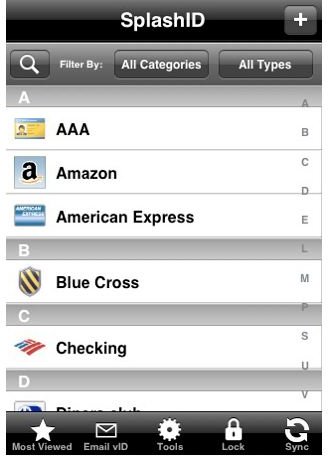
SplashID is a reliable and secure password manager iPhone app that offers unlimited customizable record types and categories, 256-bit Blowfish encryption, wireless sync to Mac or PC, automatic password generator to create hacker-proof passwords, and anti-phishing URL icons. Version 5.0 of the SplashID was recently released offering even more features including custom icons, file attachments, and manual IP address synchronization. (Price: $9.99)
Ultimate Password Manager (4 out of 5)
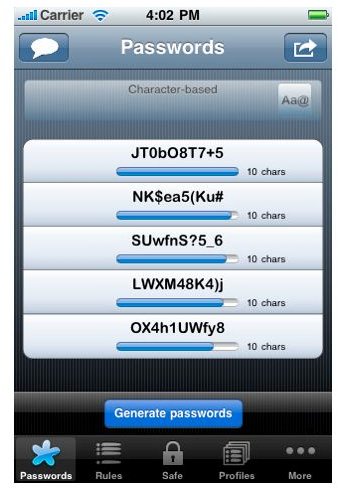
Whenever I encounter something with the word “ultimate” on its name, I’ve always thought of something expensive and yet powerful. But the Ultimate Password Manager is not that expensive compared to other iPhone password manager apps. Yet, it is as powerful and feature-rich as these other apps. Generally, you can categorize this password manager’s features into - generate, store and renew. This password manager lets you generate passwords using several rules. It also allows you to store your passwords in its password safe with descriptive information fields, password type and category, validity date and duration period and link to password profile. And it also lets you renew your stored passwords when they expire. All these plus some other great features make this app a must have. (Price: $1.99)
mSecure - Password Manager (4 out of 5)
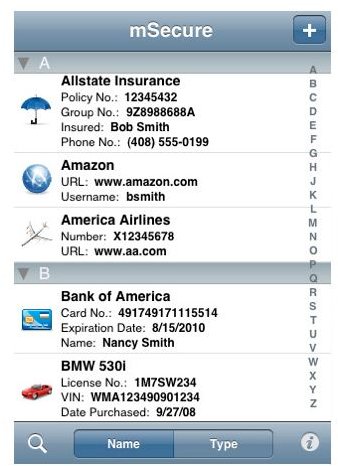
Using industry-proven data encryption, mSecure delivers another safe, secure and quickly accessible password manager app for your iPhone. This password manager comes with 17 pre-defined types such as web logins, credit cards, email accounts, frequent flyer and more. Plus it lets you add your own custom account types which are not covered by the pre-defined types. The good thing about this is that you can add unlimited number of fields and icons when you are creating your own account type. Some key features include 256-bit Blowfish encryption, password protection with hint, thoughtful design, integrated search capability and more. Now, here’s the coolest thing about this app, it self-destructs after numerous failed login attempts. (Price: $2.99)
Wallet Pro Password Manager (4 out of 5)
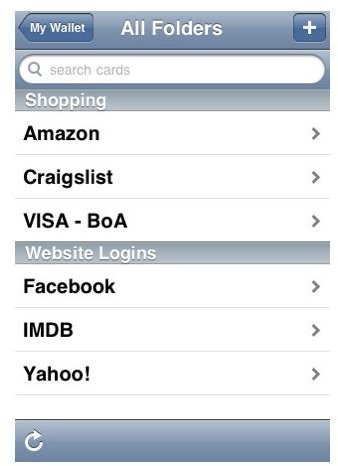
Want a password manager that claims of military-grade encryption? Then you might want to check out Wallet Pro with its AES-256 bit encryption technology. This password manager gives you a pass-phrase of your choice as an encryption key. Wallet Pro offers secure online backup which can be viewed and edited on the site - memengo.com. Links, phone numbers and addresses can be activated by touch, folders for organization, multiple wallets and half-year of backup/online editing for free. Other features of this password manager include - tap-and-hold over a card field to activate copy and paste, selectable timeout setting, key entry with PIN-style keyboard and more readable fonts. (Price: $4.99)
SkeletonKEY Secure Password Manager (4 out of 5)
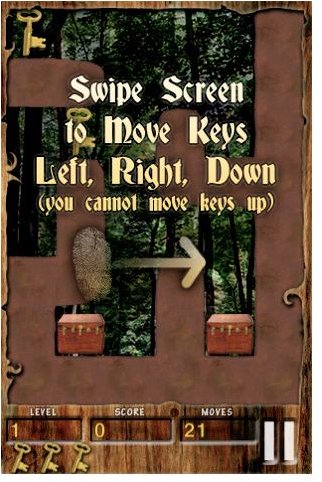
Here’s a simple and yet useful solution to all your password management need. SkeletonKEY offers a highly secured password management app. It boasts of strong, multi-factor, one-way hash password generation, quick password generation on-the-fly, automatic copying of strong password to the Clipboard, and strong password creation using numeric PIN of any length. Overall, this is a well done password manager app for your iPhone.(Price: $0.99)
eWallet - Secure Password Manager (3 out of 5)
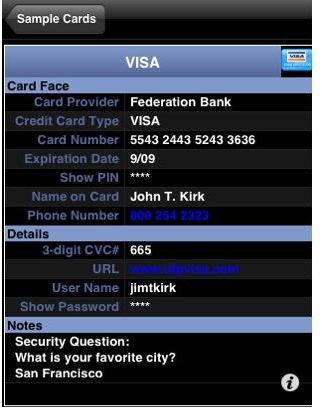
The last password manager iPhone app on our list is another feature-rich app from iLium software, a well trusted company in the mobile industry. eWallet provides secure storage for your passwords, usernames and PINs, 256-bit AES encryption, secure storage for bank and credit info, time-out locks, live URLs that automatically launches websites you’ve entered, and automatic password generation tool. The app also lets you synchronize and backup your info and use and keep info the way you want to.
The Best iPhone Password Manager?
So which is the best iPhone password manager then? While all nine iPhone apps lets you manage your passwords in one secure app, one of them certainly stands out and that is - Ascendo’s DataVault Password Manager. When it comes to providing a secure password manager, all these apps get the job done but DataVault offers a lot more features and the fact that it is also a universal app that you can use on your iPhone and iPad makes it worthy of the price you have to pay to get the app from the App Store.