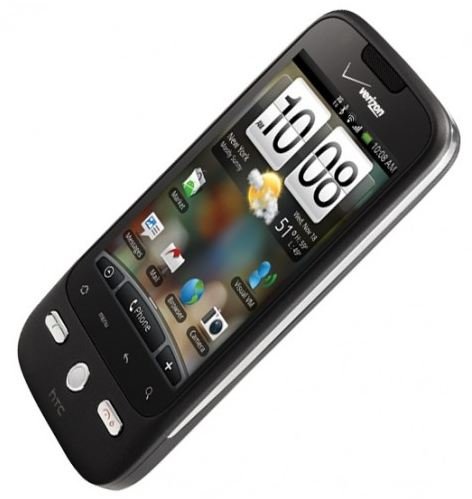
HTC Eris battery life is not the most raved about strength of the mobile device. However there are several ways to improve the battery life of the HTC Eris.
HTC Eris Battery
The HTC Droid Eris is one best Android touchscreen phone with plentiful features and excellent performance. The mobile handset, however, is criticized for its poor battery life performance. Most users of the HTC Eris complain that the battery life cannot last a day without being drained especially when the device is used heavily. The good news is that there are several tips for lengthening the battery life of the HTC Eris.
HTC Eris battery life will usually depend on the number of applications being used. Downloading or reading email, updating status or shout-outs for social networking sites like Facebook, staying online for instant messaging, or browsing the Internet are just some of the things that would surely drain HTC Eris battery life. Likewise, even if the HTC Eris is on standby mode, the device is actually doing a number of things that may consume its battery life.
HTC Eris Battery Saving Tips
There are certain things to keep in mind that will improve the battery life of the HTC Eris. For one, always change the sleep option settings to “Never Sleep”. It also helps to set the brightness setting to “automatic” so that the light sensor of the device will determine what is the appropriate brightness setting according to ambient light conditions.
Likewise, always turn off the GPS setting to shut down anything that the user does not require for a particular instance. Turn off, too, other tools and widgets that are not needed such as WiFi and Bluetooth. To do this, go to the Settings folder and look for wireless connection settings. Turn off the Mobile Network when not in use; although this would cut off the connection of the mobile device to the Internet it will consequently result in tremendous savings in battery life.
Other HTC Droid Eris apps that should be turned off include the audible touchtones which can be accessed by going to Settings folder and Sounds and Display option. The haptic feedback option must also be turned off, as well as the screen animations. Downloading applications that can help in turning off unnecessary apps can also help. Users can find these apps like the Advanced Task Killer that will kill off apps and prevent it from running and draining the battery life of the HTC Eris.
The Droid Lithium-ion batteries that are used by the HTC Eris should also be used regularly for optimum performance. It must be recharged completely for at least once in a month. The battery of the HTC Eris stops charging itself when it is already full. It won’t charge itself even if it is left connected overnight.
HTC Eris Battery Replacement
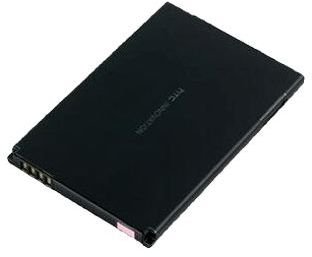
For those who want to be assured of continued use of the HTC Eris during emergency situations such as brownouts, it always helps to have spare HTC Eris batteries. Numerous replacement batteries can be found online or in mobile phone accessory shops. For those who want to shop and buy online, Amazon.com is the site to go. Aside from having a wide number of HTC Eris replacement battery items, there are also user reviews for those who want an insight on replacement battery performance.
One recommended replacement battery is the HTC Droid Eris 1300 mAh Lithium Poly Battery at $21 from Amazon.com which is designed with similar materials as the original battery with longer power capability.


