CurveFish makes easy to use home screen Widgets for the Droid. We look at 5 of their cool apps here. They can really save precious battery life.
Toggle to Save Power (4 out of 5)
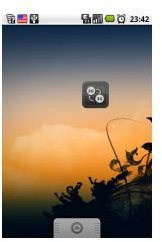
The first useful application from CurveFish is 2G-3G OnOff a widget that allows users to press on the widget to turn off their mobile data connection. While you may not be using your data connection it’s still consuming a lot of battery life at it constantly connects and sends information to mobile towers.
Bluetooth OnOff - Toggle Your Bluetooth Connection (4 out of 5)
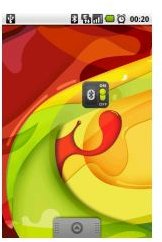
This widget works much in the same way as 2G-3G OnOff however there is actually an “On” and an “Off” switch. The switch is also green when Bluetooth is on and red when it’s off. Bluetooth uses three times more power than traditional IR ports so as you can imaging turning it off when not in use can save quite a bit of battery life.
WiFi OnOff - Toggle WiFi Options From Your Homescreen (4 out of 5)
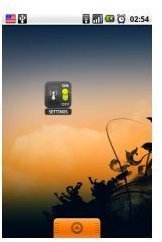
Much like Bluetooth on and off this widget once again uses an off/off toggle setup with a green light and red light output. However it also adds the ability to place a WiFi “settings” button on the widget for quick access to your most important WiFi settings. Here’s a screenshot with the settings option showing.
GPS OnOff - Toggle GPS Settings (3 out of 5)
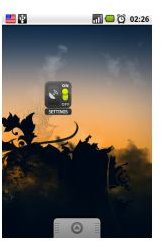
It goes without saying that GPS is a huge battery hog, after all your phone is using a separate receiver to constantly search and stay connected to GPS satellites in order to keep you on course. However most users will not be using their GPS receiver at all times. GPS OnOff also includes the same type of “settings” tab option found on many other CurveFish widgets. This program takes the number of clicks to toggle GPS from 4 clicks to 1 simple home screen tap.
Brightness Level - Change Your Screens Backlight In Seconds (4 out of 5)
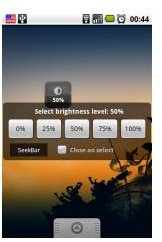
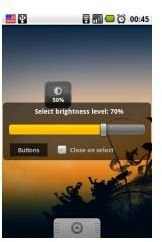
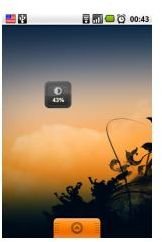
I reviewed the Brightness Level application by itself and I was pleasantly surprised with the options it offers. For example users can change the screen resolution using simple buttons such as “0%, 25%, 50%, 75% and 100%” or if you’d rather not use 25% increases and decreases you can also press the “Seekbar” option and change your display brightness with the swipe of your finger from left to right and vice versa. There is obviously no toggle since you can’t simply “turn off” your phones brightness completely.
Brightness Level Images
Conclusion
All of the CurveFish Widgets shown above will help you save on battery life and as I’m sure you’ve noticed they all offer the same type of simple use and each Widget only takes up one home screen cell.
You can find all of the CurveFish applications that I’ve highlighted for free on the Android Market. Check them out today and you won’t be disappointed.


