There are plenty of Mobile Twitter apps available on the market today, however, none of them look as nice and function as well as I Tweet! for Google Android. Keep reading to learn more about this very functional and modern looking Twitter app.
Examining I Tweet!
To date I Tweet! is my favorite Google Android App, not only does it look amazing, it’s extremely easy to use and actually adds new functionality to Twitter. Let’s take a closer look.
The I Tweet! App is setup on the homescreen for the easiest navigation possible, for instance the tabs include: Tweets, Messages, Users and Favorites which can all be accessed via the touchscreen on Google Android devices. The program at the bottom of the screen then includes “All Tweets, Replies and My Tweets” which makes it easy to sort through messages on your devices smaller mobile screen.
Here’s a look at the mainscreen:
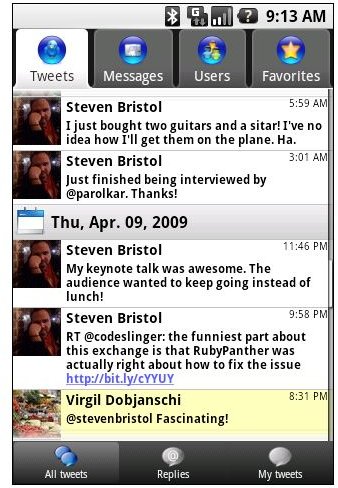
The screens on I Tweet! are also optimized for quick launching which means you don’t need to jump through hoops in order to find friends tweets, to retweet users, or to send your own tweets. While the screen is also setup with strong fonts and easy to read “date and time stamps” for the quickest and most “visual” friendly way to find and send messages.
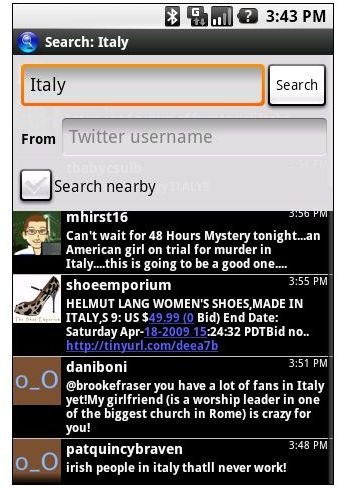
Next the program allows users to search tweets by a specific username and even use location bases searches to find results in your immediate area thanks to Google Android LBS (Location Based Services). You can even check your results on a public timeline for further sorting capabilities.
Here’s the search function output display:
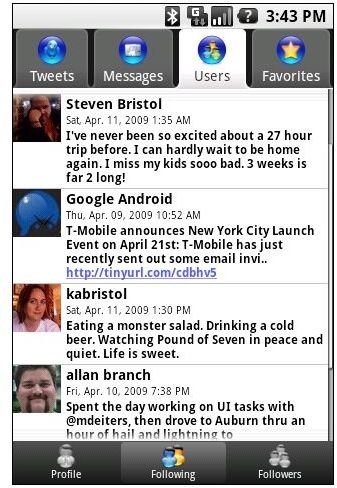
And…here’s a look at the user profile screen that displays all of the users for your account:
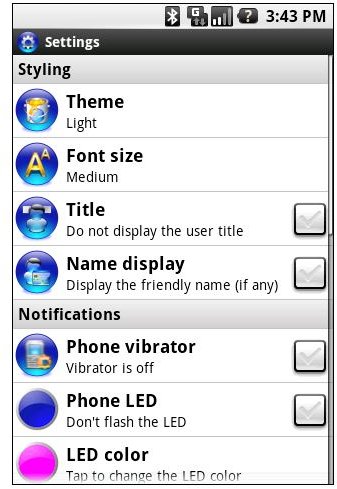
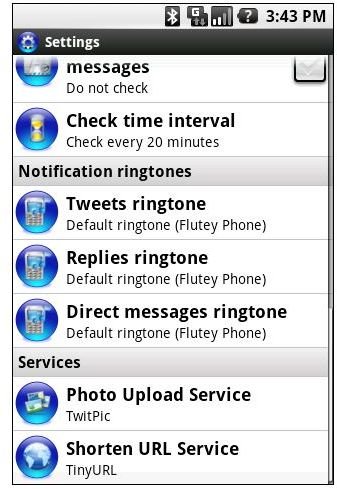
Finally I Tweet! is fully customizable which was our favorite part, for instance users can easily create various ringtone announcements for tweets, replies and direct message purposes, while different LED types and colors can be used and users can choose the “Light Theme” listed above or this Dark Theme:
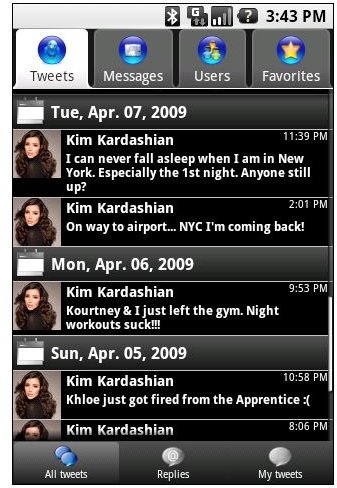
We personally prefer the darking setup but its all based on personal preferences.
As promised every aspect of the program is easy to use. In fact here’s two more screenshots of the customization screens, as you can see all of the customization abilities are easy to follow and therefore easy to setup.
Conclusion
I Tweet! is a very functional and fun Twitter App for Google Android devices that couldn’t be any easier to use. The screens are well laid out, the search function is unique to I Tweet! and the customization of screens, ringtones and LED displays don’t hurt either.
We highly recommend I Tweet! if you are in search of a Twitter Application that offers all the functionality of Twitter and much more!


