The Best Android Root Apps of 2011

Our Top Picks
We have recently covered why you would want to root your Android phone, so today we will present our 2011 top 10 list of must-have Android Apps for you lucky root users! These apps are exclusive to rooted devices and offer new features that you probably didn’t know were possible! They are meant to go in conjunction with our 25 best free Android apps and 50 best Android apps lists. These apps can all be found in the standard Android Market (download link provided below each app). So without further ado, we present our winners for your rooted phone or tablet!
Wireless Tether for Root Users
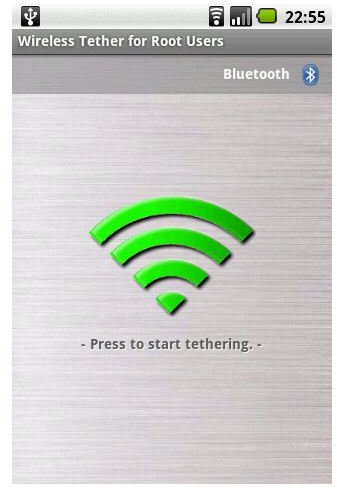
This amazing, free app, accomplishes just what its name implies. Wireless Tether allows you to wirelessly tether another device to your phone’s internet (2G Edge, 3G, or 4G Wimax or LTE depending on your wireless provider). It is done via Bluetooth or an ad-hoc Wi-Fi connection. It is extremely secure and customizable in that you can set your own wireless SSID, WEP encryption keys, filter MAC addresses, and turn it on only when you need it. If you travel with a laptop, or another device like an iPod or iPad, which rely on Wi-Fi to connect to the internet, this is a must for every root user! The app even displays your bandwidth usage if you are interested, keeping track of the realtime download and upload speeds, and total usage. Feel free to share (or not) your free Wi-Fi with your friends! This is by far the easiest and cheapest method of tethering Android.
[Download]
Titanium Backup - Root
The Titanium Backup app is one of many full phone backup solutions for Android Root users. It is free and extremely powerful, making it our favorite and the best of the bunch to backup, save, and restore your device. It allows you to easily backup and restore all of your apps, system settings, and Android Market downloads, contacts, SMS/MMS text messages, and more. If you experiment frequently with different ROMs or just want peace of mind, this is a must-have app. The donate version (minimum of $3.99) allows for multiple backups, faster backups, scheduling, and more handy features for an even more comprehensive solution.
[Download]
ROM Manager
The ROM Manager is the ideal solution to manage all of your ROMs in a simple way. It allows you to backup, download, and update your ROMs to and from an SD card or over the air (OTA). It is simple, functional, and best of all free, working with the most popular ROMs like CyanogenMod. It is perfect for all you Android hackers!
Note: There was a previous app called DroidRootHelper (also free) that was really popular. It has since been discontinued in favor of ROM Manager by ClockworkMod.
[Download]
adbWireless
The adbWireless app enables ADB (Android Debug Bridge) to be used over Wi-Fi, shocking given the name huh? This free app is also a must-have for Android hackers eliminating the need to connect a microUSB cable to your phone and computer. Of course you will need to have the Android SDK installed on your computer. But once connected, you can transfer files to and from your phone (wirelessly) and much more!
[Download]
SetCPU
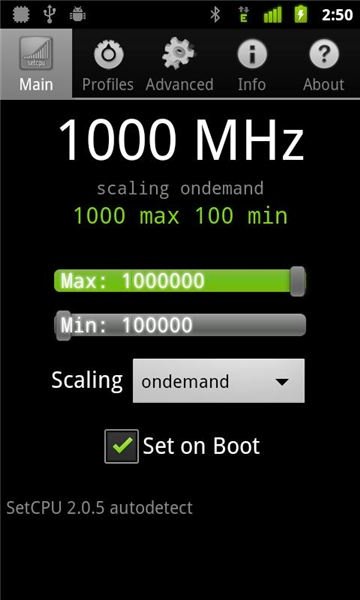
The SetCPU app, as the name implies, allows you to set the clock speed of the internal CPU of your phone or device. It costs $1.99 at the Android Market and with it you can increase performance through overclocking or extend battery life by underclocking the device’s processor. You can also create different profiles based on the battery percentage or just set your CPU to a certain speed when the phone boots.
Warning: Since this program works on a low level, you could potentially damage your phone if you set the CPU too high and/or overheat your phone!
[Download]
Continue to the next page for 5 more awesome rooted Android apps_!_
Root Explorer
Continuing on, the handy Root Explorer App is one of the most versatile file managers that, combined with root access, really gives you total control over your Android file system. With it you can tweak your phone and get rid of unwanted system apps and access your data folder. You can even create ZIP archive files right from your phone! It costs £2.50 and can be found at the Android Market.
Free alternatives to Root Explorer that don’t offer quite the same level of functionality, but will probably work just as well are AndExplorer and ASTRO File Manager.
[Download]
Android Terminal Emulator
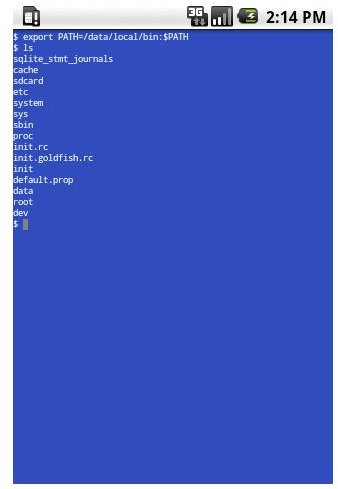
Here’s another one for the hardcore Android hackers. This free app can be found on the Android Market and allows you to access the UNIX terminal and execute commands. With root access, Android Terminal Emulator is invaluable for accomplishing many things by hand and opening doors on your phone that wouldn’t otherwise be possible! This is great for removing preloaded apps that won’t “uninstall” normally.
[Download]
AdFree Android
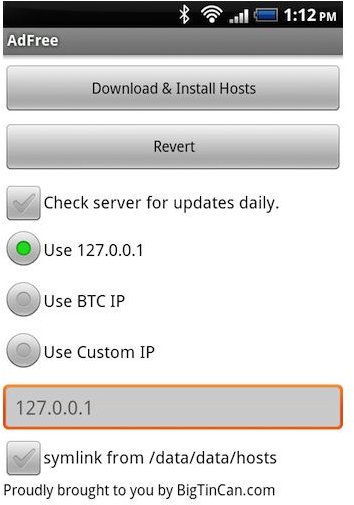
You use AdBlock Plus in Firefox or other internet browsers, why not take the same concept and apply it to your entire phone? AdFree Android (free in the market) allows you to clear out all the ads and speed up your phone so precious resources aren’t devoted to pesky ads. It blocks most ads in your downloaded apps as well as your browser. Unlike some ad blockers, which simply hide the ads, AdFree actually uses a firewall to prevent them from being downloaded and the block lists are updated regularly. So if you want to free up some system resources and screen real estate, give this a download, you won’t be sorry! It
ShootMe/PicMe (Screen Grabbers)
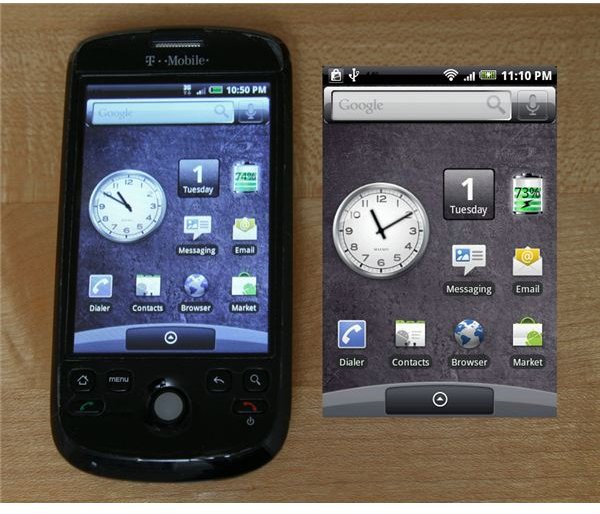
Taking a screenshot on your PC or Mac is pretty easy. On a phone, especially one with limited physical buttons, it can be a challenge. And sometimes, you just want to send a quick picture of your desktop or app to a friend. ShootMe or PicMe, both by the same developer allow you to accomplish this. Both are free in the Market and allow you to create screen grabs of whatever you see on your phone. ShootMe takes screenshots when you shake your phone vigorously or yell loudly at your phone (or also flash it with a bright light if your device has a light sensor). If you aren’t inclined to appear like you are abusing your phone, you can opt for PicMe in which you can view a live screen of your device via a remote web browser (provided you’re connected via Wi-Fi). You simply browse to the IP address and add 8082 for the port to see a live screen which you can interact with. With the live view, you can use your mouse and navigate through your phone.
If you are taking multiple shots or want to interact with your phone remotely, PicMe is probably a better option. If you just need a couple screenshots on the go, ShootMe will probably work best.
[Download ShootMe] [Download PicMe]
CacheMate for Root Users
The useful CacheMate is a little program that completely cleans the cache of any or all of your apps. A free lite version and a paid full version are both available at the Android Market ($1.00 for the paid version). This app displays the total, used, and free memory available. You can schedule when clearing occurs and even create a desktop widget for easy access. To use, simply press the trashcan “Clear” icon. The phone will vibrate, clean the cache, and display how much has been cleaned.
Note: This app should not to be confused with CacheMate the GPS geocaching app by the same name.
[Download]
Gaining Root Access
As previously mentioned, these apps are only for root users. If you are debating whether or not to root your phone, check out the reasons why or why not to decide! Once you have decided to root your phone or tablet, be sure to come back here for the best of the rooted apps!
Have any suggestions on additional Android root apps that you love? Sound off in the comments below!
References
Android Market - https://market.android.com/
Image credit: Each image is the property of the respective app developer. ShootMe/PicMe screenshot by Ryan C. (flickr).