How to Copy Files to the HTC Hero: Step by Step File Transfer Guide
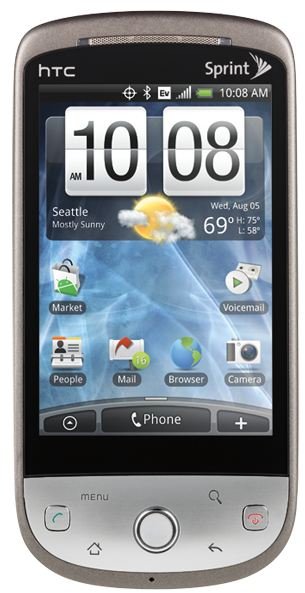
Transferring Files Using MicroSDHC Cards
This is the easiest method for file transfers. The HTC Hero comes equipped with a memory card slot which supports MicroSD (cards up to 2GB) and MicroSDHC (cards up to 16GB) memory cards.
Take your memory card and stick it into your computer’s memory card reader. In most cases newer computers include a memory card reader, otherwise you can pick up a USB memory card reader online or at your local electronics store.
Plug the memory card into your computer and navigate to the “My Computer” section of your computer. Double click on the drive which will display for your memory card. You can now drag and drop or copy and paste files from your computer onto the memory card.
Finally, simply remove the memory card from your computer and place it in your HTC Hero.
That’s the easiest file transfer method, however, if you would prefer to leave your memory card installed in your phone or you don’t have a memory card reader you can also use your phone’s included USB cable.
Transfer Files Using USB Cables
Important Note: You will need to have your memory card installed in your phone to use this process.
1. Turn your phone on.
2. Once at your homescreen plug the USB cable into your phone and then plug the other end into your computer.
3. Wait for the notification icon to show up on your phone’s status bar.
4. Open the notifications panel, you can accomplish this by touching the panel and dragging down the status bar with your finger.
5. Tap the USB Connected option that appears.
6. Tap “Mount”
7. Use your phone’s navigator to find the USB Drive and open it.
8. Copy files directly to your storage card.
You’ll notice that when you’re connected in this manner that certain parts of your phone won’t work, for example the camera on your device won’t work and you won’t be able to access files on your storage card until you disconnect your device from your computer.
Wireless Transfer is Even Easier
There is an even easier way to transfer files to your HTC Hero. You could use file sharing software like DropBox. Install the client on your PC, install the app on your HTC Hero. Make sure you have a Wi-Fi connection and then place any files you want to move to your phone into your DropBox folder on your computer. The files will transfer wirelessly when you start the DropBox app up on your phone. You can get up to 2GB online storage with DropBox for free.
If you don’t want to sign up for an account there’s actually an even easier option. Grab an app called Awesome Drop and install it on your Hero then go to the Dashwire website. You can simply enter the code on your phone and then drag and drop files onto your browser window and they will load onto your phone wirelessly. Once again make sure you have a Wi-Fi connection for this method.
References
- Author’s own experience.
- DropBox, https://www.dropbox.com/
- Awesome Drop, https://market.android.com/details?id=com.dashwire.drop
- Image, https://www.htc.com/us/products/hero-sprint