Viruses and malware are no longer confined to laptops and desktop computers. Mobile phones are also vulnerable. Here is a list of great antivirus apps to help keep your phone safe.
Google’s open door app management policy all but ensures that Android users have a greater variety of apps with a wider array of features than those on the Apple platform. However, you may well wonder is it safe to buy apps on the Android Market? This greater freedom also ensures that the Android platform is more vulnerable to security threats.
While Google has taken steps in the past to remove malicious apps from the Android Market, it is still the user’s responsibility to keep their Android tablets and phones safe from malware by installing and using Android security software . Here are some of the best antivirus software options for Android tablets and phones.
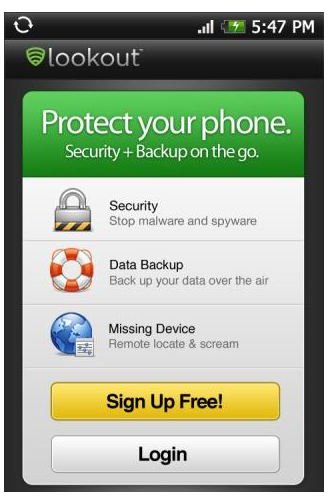
Lookout Mobile Security (5 out of 5)
Lookout Mobile Security is more than just an antivirus application – this security software includes an all-in-one antivirus protection solution that includes remote data wipe (for lost or stolen phones), data backup, and lost phone recovery services.
If you manage to lose your expensive smartphone, you can use Lookout’s map-based web interface and the profile you had pre-configured to see where the phone is. You can also recover any information from the phone such as messages, contacts, photos, videos and e-mails, or remotely wipe all your sensitive data from the device. We must hasten to state that the lost phone tracking feature will only work if the phone is on and the GPS enabled, otherwise you may be out of luck.

One of the best features of Lookout is its security scanner. This feature will scan apps as you install them and will keep on monitoring those that are installed to make sure that they don’t raise a security threat. This Android antivirus app is free to download and use if you are only interested in the basic security features. You will have to pay about $30/year for the premium version to have access to the data backup features.
Antivirus Free – AVG (4 out of 5)
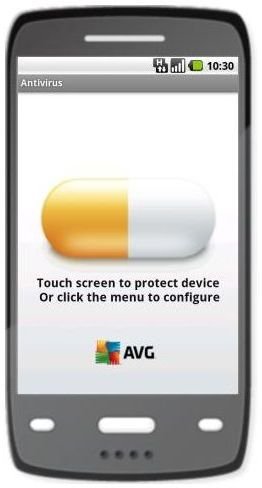
AVG is well known for its free suite of antivirus programs for PCs, and now the company has a free antivirus solution for Android devices as well. AVG has many of the features that Lookout has, but does have a better set of features in the free version.
For instance, you get phone backup (contacts, SMS, app settings and system settings) and an app locker in the free version. While you’ll be required to pay about $4 for the paid version, the free version can still:
- Protect apps from viruses, malware and spyware.
- Identify security threats in your settings and advise you how to fix them.
- Backup your messages, contacts and media files.

Some of the popular features for Android AVG users include:
- A real-time app file and settings security scanner.
- A lost phone recovery service.
- Backup and restore your valuable apps.
- Kill performance impeding apps.
- Lock, and wipe your device for security reasons.
If you decide to upgrade from AVG’s Free Antivirus version, you can have the AVG Antivirus Pro version for $9.99 and the AVG Security Pro Version for $4.99.
Mobile Security (by Trend Micro) (3 out of 5)
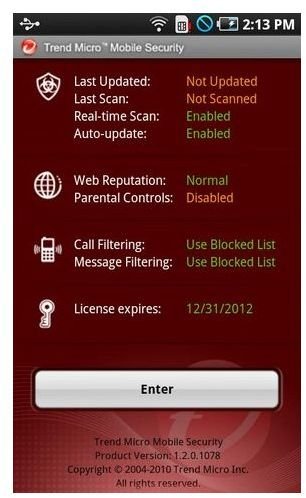
This security app doesn’t provide a robust suite of antivirus and anti-malware features as the other two apps do, but instead focuses on browser security and safe surfing. Mobile Security provides safe-surfing, parental controls, unwanted call and text blocking, as well as an anti-phishing solution.
The standout features are its intrusion detection, firewall, download protection (against malicious apps) and its safe surf feature that identifies fraudulent sites. This mobile security software is a free 30 day trial, the full app costs $3.99.

Conclusion
It is not fair to compare “Mobile Security (by Trend Micro)” to the other two apps in this roundup, because Mobile Security sets out to play a whole different game. However, if you are looking for a complete security solution for your Android tablet or phone we suggest that you go with either Lookout or AVG.
While AVG is a cheaper option, in both the free and paid versions, it feels like a second rate app when compared to Lookout, in terms of its sheer list of features and how those features are presented to the user.
In any case, AVG is still a very competent antivirus app for your Android, and is ideal for those who want antivirus protect, and some mobile backup features, but don’t want to pay for it. We feel that Lookout is the best security app for Android devices.
References
Cnet, “Tap That App takes on Android Security”, https://download.cnet.com/8301-2007 _4-20031453-12.html
Best Android Apps, “Why you Need Security Software for Your Android Tablet & Phone”, https://bestandroidappsfor.com/security/why-you-need-security-software-for-your-android-tablet
Android Market, https://market.android.com/
Image Credits: Each of the following images is the property of their respective developer
- “Lookout Mobile Security - Android best security app 2011”
- “AVG Free Antivirus - Free security apps for android tablets”
- “Mobile Security - Free Android antivirus apps”


