This brand new BlackBerry software makes it possible to view YouTube videos on your phone. At long last a YouTube client for your BlackBerry!
If you’ve looked on enviously at iPhone users and wished for the ability to browse and play YouTube videos on your BlackBerry device, the time has finally come to put that all behind you.
This simple to use addition to your communications device sits on the main menu and connects your BlackBerry to the YouTube network, and depending on the strength of you mobile phone signal will stream content direct from YouTube to your phone.
There are hundreds of millions of videos on YouTube, all accessible via this great app. Best of all, it’s free!
Install Via PC
Available via bbsoftware.weebly.com . YouTube for BlackBerry requires installation via your PC.
Once downloaded, unzip the contents of the downloaded youtube.zip file into a folder you have created, and connect your BlackBerry to your PC.
Connection to RIM Desktop Manager needs to be established before installation can be performed – once this is done, click on Add software, and then Browse for the folder you unzipped the download into.
A file ending .ALX will be in the folder – select this and click OK. Click Next to continue through the Desktop Manager Add and Remove Programs tool, confirm the summary of what you’re installing and begin installation.
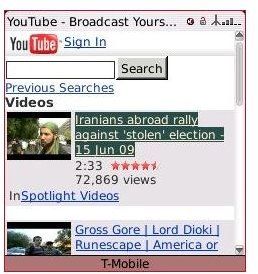
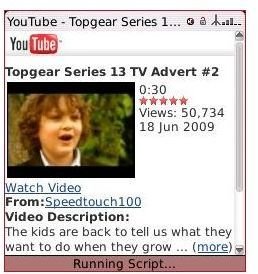
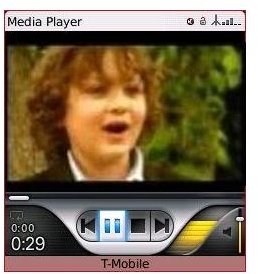
YouTube for BlackBerry Screens
Re-encoded Stream
Once installed, a YouTube icon is available on your BlackBerry menu. Clicking this opens the browser – the YouTube application works by diverting standard YouTube stream via a new online route that re-encodes the stream on the fly to work with the standard BlackBerry media player.
It’s simply a case of browsing the site as you would on your desktop or laptop computer – the only real difference is the feed can now be viewed on your handset, offering the ultimate portability to one of the webs most popular sites.
Worth its Weight in Gold (4 out of 5)
This is a great way to watch YouTube content on your mobile device, with only your network connection likely to get in your way as you enjoy all the great custom uploaded content on the world’s most popular video sharing website.
While there’s no way to upload content, that shouldn’t prevent anyone enjoying the immense depth of content on YouTube from the comfort of a BlackBerry!
For a free application this one is worth its weight in gold and certainly shouldn’t be overlooked.


