BlackBerry Pearl 8110 Device Review
Book Meetings in Secret!
Smartphones are becoming more and more popular and with their share of the market continuing to increase we’ll soon reach the point when all phones can be considered “smart”. As such, the BlackBerry Pearl series of phones are not revolutionary when laid out alongside the Nokias and the Samsungs.
However, the BlackBerry Pearls do have one advantage – a dedicated business purpose combined with everyday usability, rather than the other way around. This means that you can be seen out and about with a BB Pearl without anyone suspecting you’re secretly booking meetings in the corner of the bar or updating tasks at the family BBQ.
Design (4 out of 5)
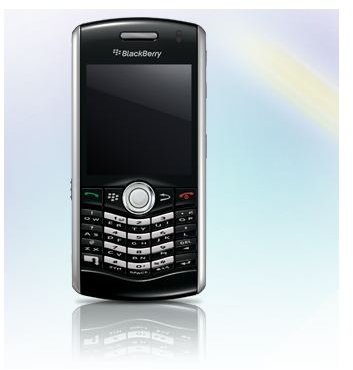
BlackBerry Pearl series phones are designed with standard use and business use in mind. Given the phones ability to manage push email, calendars and more, it is surprising then that the 8110 is so light, weighing just 91 gramsThis isn’t just because of a minimal battery either – the handset without the cell is light, and the battery can hardly be described as “minimal”, lasting for over 4 hours talk time and 360 hours standby. The lightweight nature of the phone however has lead to the battery cover being remarkably flimsy.
The compact, “street” nature of the device means it has a much smaller display than other BlackBerrys. Display dimensions are 240 x 260 px, measuring 2.2 inches. With a compact QWERTY keyboard making as best use of the handset width as possible, typing isn’t as difficult as you might imagine – a superior predictive text is the reason for this, making it very easy to fire off emails and text messages from any social situation.
Media (2 out of 5)
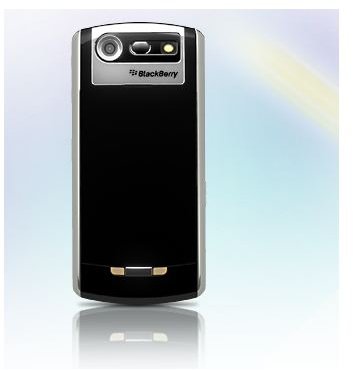
The display is capable of acting as a viewscreen for the 2MP camera (which is coupled with a very bright LED flash) so despite being very compact it is fully fit for purpose, and can take full advantage of whatever microSD card is inserted in the device – anything up to 4GB will work.
Browsing the web however is limited with this device - Opera Mini struggles with zooming in, while the native browser is configured to display pages as a single column. Rendering of webpages and fonts and colours is attractive, but the limits of the screen size will likely date the Pearl series quite quickly.
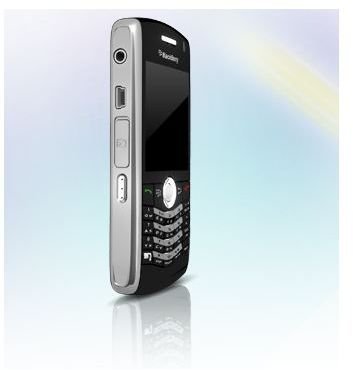
A standard 3.5mm jack can be found on the side of the phone, and while sound reproduction isn’t in the Sony Ericsson league, it is certainly impressive and prolonged listening doesn’t impact on battery life considerably as with similar sized smartphones.
BlackBerry Pearl 8110
Usability (3 out of 5)
The BlackBerry Pearl 8110 is a handy, lightweight device with a compact keyboard that surprisingly works well. Of course the big thing about the Pearl series is the “pearl” itself – the illuminated finger trackball embedded in the centre of the handset, just below the screen.
It can be used to navigate through menus and webpages, highlight words in documents and with the right software you can even change its colour from white to whatever you fancy.
Two things, however, take a little bit of getting used to – the lack of a traditional BlackBerry “wheel” on the side of the phone, and the position of the voice dial configuration button on the left side of the phone, next to the MicroSD slot. The camera button on the right-hand side might similarly be an issue for left-handed users.
Call quality is good, meanwhile, with a decent signal maintained throughout the day in both static and moving situations.
Conclusion (3 out of 5)
A good, basic smartphone that brings typical BlackBerry functionality to a typical mobile phone design, the BlackBerry Pearl 8110 is a portable office in disguise.
Surprisingly it does around 90% of the things a full sized BlackBerry might do and runs virtually all of the same additional software as the larger devices.
As such, this makes it both a great entry-level device for a BlackBerry wannabe and a good low-cost business device for corporate users used to juggling a traditional chunky BlackBerry and a cell phone.
References
BlackBerry, https://uk.blackberry.com/devices/blackberrypearl8100/