A light, functional chat client that will connect to a wide range of instant messenger and chat networks, IM+ (IM stands for “instant messenger”) for Blackberry is a premium product that comes with a useful 7 day trial.
All-in-One Chat Client
There is a large range of chat clients for the Blackberry platform – IM+ describes itself as an all-in-one client, and allows the user to connect to the following popular chat networks (providing they have an account setup with those networks):
AIM
- MSN/Windows Live
- Yahoo
- ICQ
- Jabber
- Google Talk
- MySpace
It also has “push IM” mode which assists in the user saving battery life by sending IMs as emails as well as the facility to send low-cost SMS messages to most countries for 5 cents.
With a fun user-friendly interface, IM+ looks to have it all – but there’s a catch. The $39.95 tariff seems a little steep for a chat client – so is IM+ worth the price tag?
Download and Install
Acquiring a copy of IM+ is easy – visit www.shapeservices.com and click on the Download Free for 7 Days button. Alternatively download over the air via the address: wap.shapeservices.com
There are a range of options available, depending on your handset and operating system – there’s also a new version that includes Skype as a chat option, as well as beta versions.
Once downloaded to your PC, unzip the file to a memorable location and connect your Blackberry device as usual to connect to Blackberry Desktop Manager, and select the Application Loader. Next, click Start to Add/Remove Applications, and wait for the Desktop Manager to check what device is already installed. After a few moments you should be able to click on the Browse button, and navigate to where you unzipped the downloaded file.
Select the file that ends “.ALX” and click OK, then click Next to continue and Finish for Blackberry Desktop Manager to proceed and install the software to your device.
IM+ setup and use
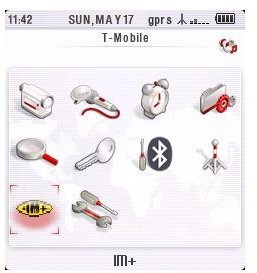
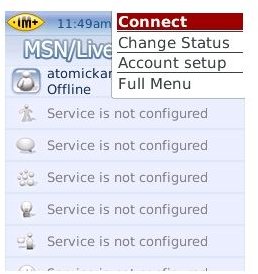
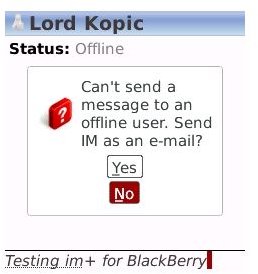
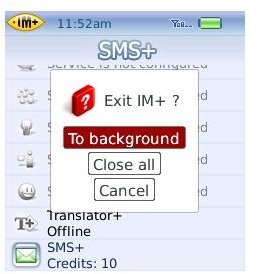
Setup and Chat
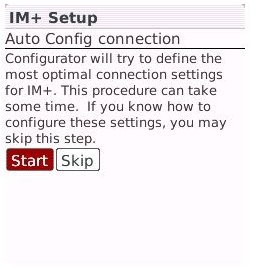
On first run, IM+ will attempt to setup the most optimal connection settings for your Blackberry handset. This Autoconfigurator is useful if your mobile data plan changes, or you’re roaming beyond your usual networks.
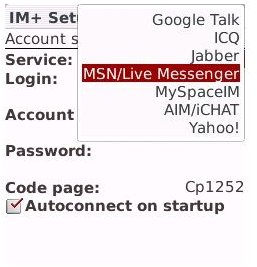
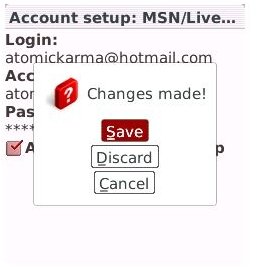
Setting up a connection is a simple case of choosing the required chat network and entering the username and password associated with that account. Only one account per network is possible however, so users who have personal and work IM accounts on the same network may find that IM+ is not the choice for them.
Conclusion (4 out of 5)
It’s easy to use, straightforward and has a good choice of additional features beyond the usual instant messenger chat options. The presence of Facebook and MySpace – not to mention Skype in some versions – indicates that the client is a constantly evolving piece of software with continued support, which is always an important element of choosing a piece of software whether it’s freeware or premium.
It’s wise to avoid this application if you don’t utilise Push Email and don’t have a forgiving dataplan, as you’re likely to incur heavy costs using IM+.
However the price tag is a major stumbling block. For what is a chat client with some frills, $39.95 (around £26.40 in the UK or €29.60 in Europe) is a steep price, which is why although highly rated, I can’t recommend IM+.


