The CSS opacity property allows you to modify the transparency of any element on your web pages, from images to colored boxes. This makes CSS opacity an extremely useful way to guide your user’s attention to the important parts of your web pages, improving the user experience.
How to use CSS Opacity
CSS opacity can be a difficult property to implement, because there are three completely different syntaxes for the property across various browsers. For CSS opacity to properly function for any browser that your visitors might be using, you must use all three of these tags on your pages, and list them in the correct order. To start with, the CSS property for Internet Explorer versions 5 through 7 is defined as:
filter: alpha(opacity=x);
The x in the above example is where you define the level of opacity or transparency for whichever element you are assigning this property. This value can be any number from 0 to 100. A value of 0 means that the element will be completely transparent when rendered on your page. A value of 100 means that the element will have no transparency, which is the default behavior. For Internet Explorer 8, the syntax for the CSS opacity property is:
-ms-filter:“progid:DXImageTransform.Microsoft.Alpha(Opacity=x)”;
Again, x can be any value from 0 to 100 where 0 is completely transparent and 100 is completely opaque. Note that for CSS opacity to work in all versions of Internet Explorer, this definition should come first in your style sheets. The syntax for CSS opacity in Firefox, Chrome, Safari and most other browsers is by far the easiest of the three, simply:
opacity: x;
Where x is a number between 0.0 and 1.0. Similar to the above examples, a value of 0 here will make the element completely transparent, and a value of 1 will make the element completely opaque. Luckily, the scale for CSS opacity is identical across all the browsers, so if you want consistent behavior, you should take your opacity value for Internet Explorer and divide by 100 to get your Firefox value, or multiply your Firefox value by 100 to get your Internet Explorer value. That is, a value of .4 for Firefox will render identically to a value of 40 for Internet Explorer. If the Internet Explorer 8 property is placed after the property for Internet Explorer 5-7, then opacity will not work for Internet Explorer 8 running as Internet Explorer 7.
CSS Opacity Examples and Uses
Let’s jump right in with an example. Presume that we want to make a
.transparent { -ms-filter:“progid:DXImageTransform.Microsoft.Alpha(Opacity=50)”; filter: alpha(opacity=50); opacity: .5; }
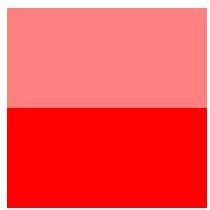
Now let’s create two
This would be displayed on your web page as the image to the right. While this example is pretty boring, it should get your mind working on how this property can be used to improve your web pages. One very common example is to combine CSS opacity with CSS mouseover , so that the transparency of an element changes when the user places their mouse over that element. This could be used on menu items, to give the user of your web pages a feeling of emphasis and interactivity. CSS opacity can also be used to fade out unimportant parts of your web pages, for example to ‘dim the lights’ when you are streaming a video.

Using LastPass to Keep Passwords Safe
Still writing your password on sticky notes? Do you use the same password for multiple sites? Why not use a password …

Installing and Using Ablock Plus
Do you have a limited data cap for your internet connection or are tired of seeing endless ads on your computer? …

Ad-blocker Versus Facebook – the Fight for User’s Rights
Adblock Plus is obviously having an impact on Facebook’s revenues as Facebook recently changed the way they code ads on …