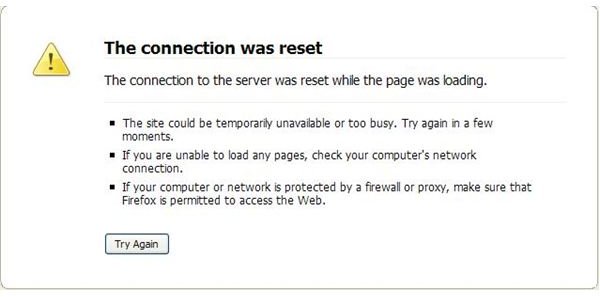
Have you ever encountered this message while browsing online: “The connection to the server was reset while the page was loading”? What the heck does that mean and how do you fix the problem? Learn how to troubleshoot this issue.
Decoding the Message
“The connection to the server was reset while the page was loading”: This is a common messages that most of us have seen at some point. There may be some variations in text but they all generally mean that your browser can’t load the page you have requested.
It is not the only message to inform you that the page cannot load. Others you might encounter include “The connection was refused when attempting to contact …..”, “Network Cable Unplugged” , “Limited or No Connectivity ” or “The document contains no data” and each of these messages has its specifics.
While some of the other messages mean that there is a problem with your Internet connection as a whole (i.e. your connection is down) and you can’t browse the web, “The connection to the server was reset while the page was loading” message usually appears for particular sites, while other sites work fine.
The message could be interpreted to mean that the server of the site you are attempting to access is down, which is usually not so. This is good news for you because if the server were down there isn’t much you as a user can do. Fortunately, in many of the cases the reasons are more prosaic and are relatively easy to troubleshoot.
How to Troubleshoot
There are a couple of things you need to do in order to find out why you are getting this error. Here are some suggestions on how to troubleshoot this problem:
1. Check your Internet connection. It is unlikely that your Internet connection is down, but you must be sure it is up and running. If there is at least one program which can access the net, then you know that your Internet connection is fine.
2. Make sure that Firefox can access the net. After you have made sure that your Internet connection is fine, you need to make sure that Firefox can access the web. Try opening any other site in Firefox and, if it works, this means that Firefox is not blocked by a firewall or another piece of software. If you can’t open a site in Firefox, the most likely reason is that Firefox is blocked by a firewall or another application. In this case you need to find the firewall/application that is blocking Firefox and set the browser free.
3. After you make sure that Firefox can access the Web, try again loading the problematic page. If the message appears again, try to load the same page in a different browser (i.e. Internet Explorer). If the page loads, it means that something is preventing Firefox from loading it. If the page can’t be loaded in Internet Explorer either, but you know that the site is not down (you can ask a friend to load the same page from a different location). It is possible that a firewall your network admin has enabled is preventing you from accessing this particular page or the site as a whole. You could discuss the issue with your network admin and see if there is something he or she can do.
4. Check for firewalls and other applications locally on your computer which might be blocking Firefox access to the particular page. A local application may be blocking Firefox. This application could be a firewall, spyware, adware, or an anti-malware program. You need to check the settings of your firewall(s) and anti-malware programs and if you find any lists of blocked URLs/IPs, look for the URL/IP of the page/site you want and remove it from the blocked list. The process of detecting what is blocking Firefox from accessing a particular page might be gruesome because the reason is not always obvious – sometimes anti-malware programs just block a site they deem suspicious and you are left in the dark why this site is not accessible for you.
As you can see, there are many reasons for this error message. I hope this article has helped solve your problem.


