This article shows you the steps required to setup, compile and run your first 3D JavaScript application.
The Sandy 3D engine has released a Haxe version, allowing programs to be compiled to Flash and now JavaScript (with the support from some additional libraries).
For those that have never heard of Haxe before, it is a multiplatform, open source programming language that can compile to a number of different targets including Flash, JavaScript, C++, PHP and Neko. This ability makes Haxe quite powerful: one application can be compiled and executed on a number of platforms and environments without altering the original source code. In this case we can make use of this to create 3D applications that run as a Flash applet, or as an embedded JavaScript application.
The JavaScript rendering is done through a compatibility layer that emulates the Haxe Flash library and outputs the result onto a Canvas element. The Canvas element has received quite a bit of attention lately because of its potential to displace Flash as the weapon of choice for multimedia websites. The Canvas element, and the JavaScript that controls it, are standard and should eventually be implemented across all web browsers. Even though the Canvas element is now only part of the next proposed HTML standard, it is currently implemented on a number of browsers including Chrome, FireFox, Opera and Safari.
Applications that use the Canvas element are mostly just experimental at this stage, mostly because Internet Explorer doesn’t support them directly. So, unlike Flash, there is a relatively small library of code that developers can extend in order to make Canvas applications. This is why the Haxe version of Sandy is so cool: it takes a mature project that was targeting the Flash platform and gives it the ability to run in JavaScript directly in the browser. As far as I’m aware this makes Sandy-HX is the most complete 3D engine available for JavaScript.
Having said that, getting Haxe to compile a Sandy 3D application to JavaScript does require a bit of mucking around. This article will show you how to get a small 3D JavaScript demo up and running.
You need to download and install a few things for this demo:
- FlashDevelop
- Haxe
- Abyss Web Server X1
- Google Chrome
- The neash Haxe library . This emulates the Haxe Flash library.
- The Canvas-NME library . This allows a canvas element to be used as the output for the neash library.
- The Sandy-HX library , and the tutorials. This is a 3D engine itself.
Getting the last three can be a bit of a pain, so I have included them in the source code download.
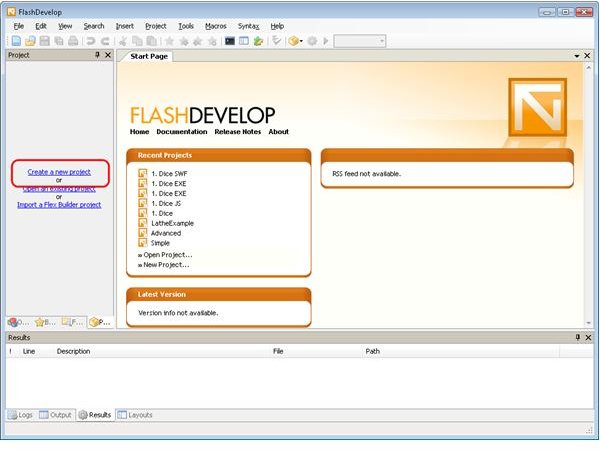
Open up FlashDevelop, and create a new project.
Create an Empty Haxe project.

Go to the project properties.

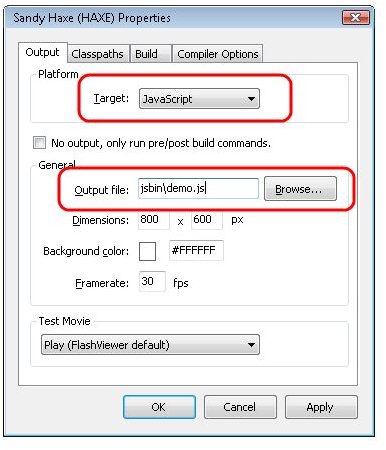
Set the project to compile to JavaScript, and set the output file.
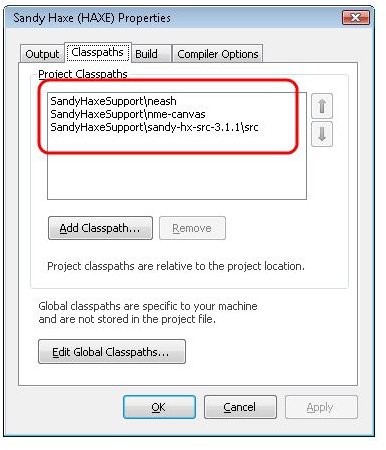
Add the three libraries, neash, Canvas-NME and Sandy-HX, to the classpath.
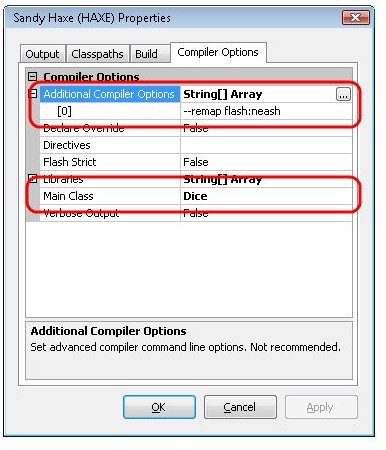
Add the –remap flash:neash option to the Additional Compiler Options, and set the Main Class to Dice.
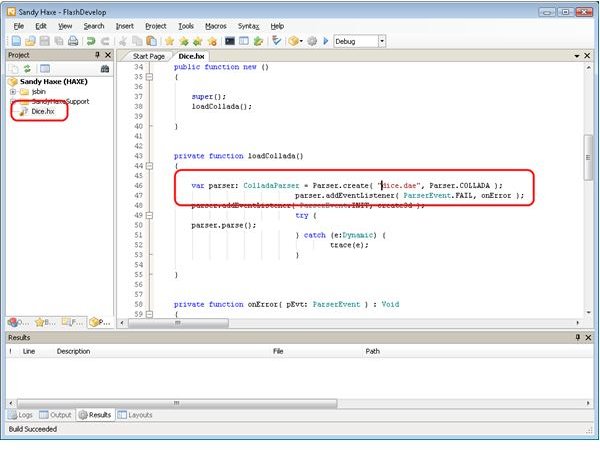
Add the dice.hx file from the dice_demo folder in the sandy-hx tutorials download. You need to change the line that says
var parser: ColladaParser = Parser.create( “../assets/dice.dae”, Parser.COLLADA );
to
var parser: ColladaParser = Parser.create( “dice.dae”, Parser.COLLADA );
Compile the project
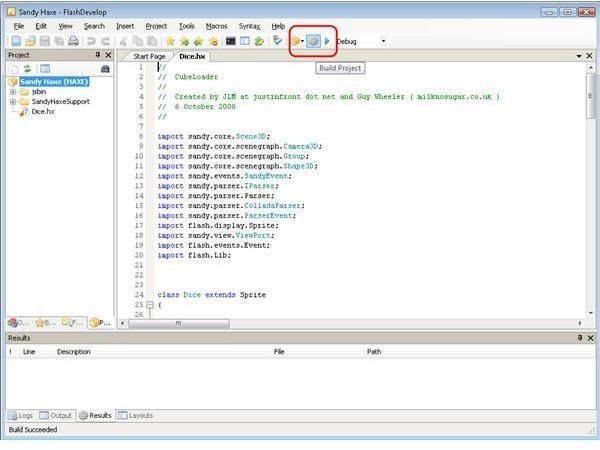
You should now have a demo.js file in the jsbin folder. In order to run the demo you will also need the demo.html, dice.dae and dice.jpg files from the download.
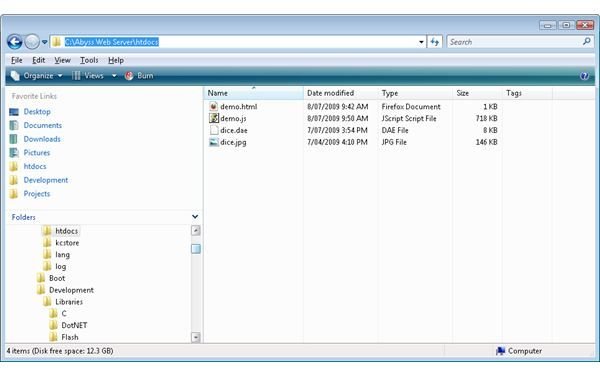
You can not just open the html file directly on your PC and have it work. I suspect that this has something to do with the Sandy-HX resource loading not working from local drives. You can get around this by installing a local web server. I like the Abyss web server because it is small (the download is less than 1MB). Copy the 4 files (demo.html, demo.js, dice.dae and dice.jpg) over to C:\Abyss Web Server\htdocs (assuming you installed Abyss with the defaults).
Now open up https://localhost/demo.html in Google Chrome.

Congratulations – you have compiled and run your first 3D JavaScript application.
You can see this demo live for yourself here . I have found that only Chrome and Opera will display the 3D properly (compiling Sandy-HX to JavaScript is still experimental), and of them only Chrome works at an acceptable speed.
You can download the source code, which includes all of the nessessary Haxe libraries, here .
Read more in the Flash and JavaScript 3D with Sandy-HX series
Related Article

Away3D Programming Tutorials - Getting Started with Away3D Lite
Learn how to make your first Away3D Lite application with Flex with this free article.


