This is the conclusion of a two part article on the advantages of using SWFObject to embed your Flash SWFs.
Introduction
In part one, we looked at some reasons why it may be advantageous to embed your SWF file using SWFObject . Here, we conclude by giving an overview of the SWFObject API. Before proceeding, you may want to refresh your memory on the document object model or DOM, by reading the BrightHub tutorial here .
The SWFObject API
For Version 2, there are 10 API for the swfobject function, and in alphabetical order they are as follows:
1. addDomLoadEvent: This method is primarily for standard browsers such as Internet Explorer, Safari, Opera, and for browsers that use the Gecko engine, like Firefox. It allows the browser to execute a function when a web page is loaded. Other browers need to use addLoadEvent.
2. addLoadEvent: This has the same functionality as addDomLoadEvent above, and is a safe way to use onload events without overwriting existing ones.
3. createCSS: Use this method to create cascading style sheets on the fly.
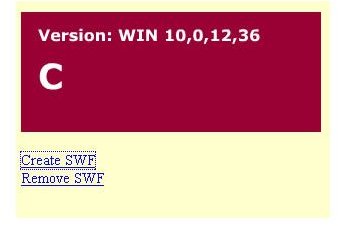
4. createSWF: This allows you to create and embed a SWF on the fly. You can specify the SWF’s height and width, and pass param names and values.
5. embedSWF: Allows you to embed the SWF into your html page, on the fly. This is the opposite of embedding the SWF statically.
6. getObjectById: Returns the ID attribute of an active object, which you can then use to manipulate it. This is for static embedding only.
7. getQueryParamValue: Returns the value of a parameter in a URL query string. You may also encode this returned value by using the encodeURIComponent in JavaScript.
8. hasFlashPlayerVersion: When you wish to find out which Flash player version a browser is running, use this method to return a Boolean true or false value.
9. registerObject: This allows you to register the SWF with the JavaScript library in order for you to manipulate it. For example, you can use this method to call up Adobe Flash Player Express Install . This is convenient because you can require a user to upgrade the Flash Player on his or her machine if the version being used is too old.
10. removeSWF: This allows you to dynamically remove a SWF from a page. For example, you can write a function that removes a SWF when the user clicks a button.
Native ActionScript Methods
SWFObject also works with other native Flash ActionScript methods and properties. You make them in conjunction with SWFObject to control movie clip tasks such as rewinding, zooming, changing position, rescaling, or altering transparency. For more information on how Flash interacts with JavaScript, view the documentation at Adobe.com .
Image Credit
Screen shot of Bobby van der Sluis’ dynamic SWF creation and removal
Resources
SWFObject 2 API With Code Samples


