Silverlight Game Programming Tutorial: Getting Started
Comparing With Other RIAs
When it has come to displaying rich content on the web Flash was king. Its widespread deployment on Internet connected devices and the lack of any real competition made it the only choice for taking a web page beyond a static collection of pictures and text. The playing field is changing though. As web services start to take over from traditional desktop applications (you only need to look at Google Docs, Zoho and Buzzword for an example of this) some major players like Microsoft and Sun, not wanting to be left out of this Web 2.0 revolution, have introduced their own RIA (Rich Internet Application) platforms in the form of Silveright and JavaFX respectively.
The series Flash Game Development with Flex and Actionscript looked at using Adobe Flex to create a Flash game in Actionscript that could be played in a web browser. In the interests of fairness this series will focus on recreating that same game with Silverlight using C#.
To begin with we first need to set up a base for creating a game. This will involve creating a render loop, embedding and loading some resources, and finally displaying them to the screen. Lets start with the render loop.
When you create a new Silverlight project the Page.xaml and Page.xaml.cs files are created automatically. We will implement the render loop in the Page.xaml.cs file.
Page.xaml.cs C# Silverlight source code
In Silverlight 1 creating a render loop was a complicated process involving storyboards and timelines. Thankfully in Silverlight 2 we have the ability to attach a function to the CompositionTarget.Rendering event, which is called before the screen is drawn. This gives us the starting point for our render loop. In order to distribute this event to other game objects we create a enterFrame event object. Our game objects will attach themselves to this event object which will be triggered once every frame, allowing the game objects to update themselves.
In order to use the render loop we create a class called BaseObject. This class will simply be a base for the game objects, and will expose a function called enterFrame to any class that extends it. This class will be expanded later on to include user input and collision detection, but for now its only purpose is to provide an easy way to tap into the render loop.
BaseObject.cs C# Silverlight source code
Making use of the BaseObject class is the AnimatedGameObject. This class will display an animated bitmap sprite on the screen.
AnimatedGameObject.cs C# Silverlight source code
The images used to make up the amination have been embedded (this is done simply by including the image files in the Silverlight Visual Studio project), and then accessed using a neat little utility class called ResourceHelper which you can download from https://www.silverlightexamples.net/post/Load-Bitmap-Image-From-Resource-in-a-Single-Line-of-Code.aspx. These images are then applied to a Rectangle object, which has been added to the main application canvas.
Lastly we need a place to create these new AnimatedGameObjects. For this we will create the ApplicationManager. It is the purpose the the ApplicationManager to “oversee” the game.
ApplicationManager.cs C# Silverlight source code
As you can see the ApplicationManager is a very simple class, with the startupApplicationManager creating two new AnimatedGameObjects. The startupApplicationManager function itself is called from the Application_Startup function from the automatically generated App.xaml.cs file.
private void Application_Startup(object sender, StartupEventArgs e)
{
this.RootVisual = new Page();
ApplicationManager**.Instance.startupApplicationManager();**
}
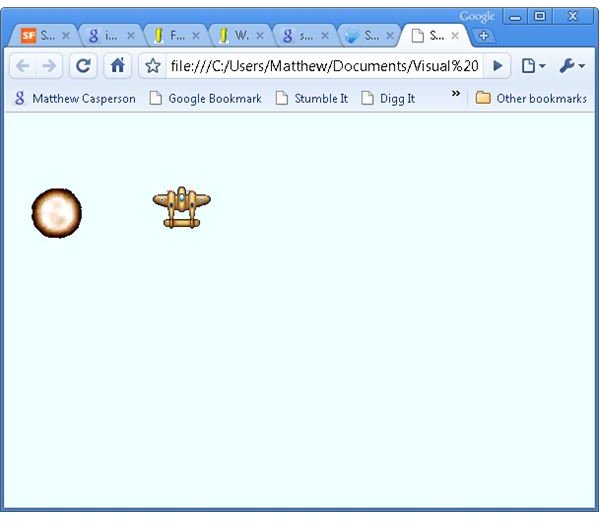
So as a starting point we have our render loop and some base classes that allow us to easily update game objects with the render loop and display bitmap animations. Check out the online demo, and download the source code from the Sourceforge SVN repository, or download an archive containing all the source code here.
Back to Silverlight Game Programming Tutorials
Images
Related Article
Google O3D Programming Tutorial - Getting Started
Learn to build a simple O3D 3D web application with this free tutorial.
This post is part of the series: Silverlight game development
A tutorial series showing you how to create a 2D game with Silverlight 2.