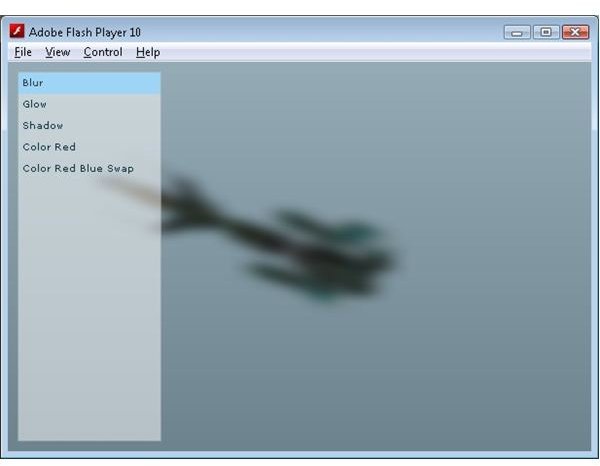
In this tutorial, we focus on applying Flash filters to objects designed with Papervision 3D to create all sorts of special effects.
Flash comes with the ability to apply filters to graphical objects, which allows you to create some interesting effects like blurring, glowing halos and drop shadows with very little code. Papervision also has the ability to use these effects to add some visual flare to 3D renderings, and the good news is that, just like Flash, these effects are very simple to implement.
The Papervision DisplayObject3D class, which is the base for all 3D objects rendered to the screen, has a property called useOwnContainer. This property gives you the ability to tell Papervision to dynamically create a layer for your DisplayObject3D when it is rendered in the viewport. By setting DisplayObject3D.useOwnContainer to true, your object will be rendered with its own ViewportLayer. Moreover, you can assign properties to your DisplayObject3D that will be passed along to your generated Layer. We make use of this to pass in some standard Flash effects to the filters property.
Using Filters
The BlurFilter applies a blur visual effect to the Papervision 3D model. This effect could be used to simulate objects underwater or in a mist.
GlowFilter
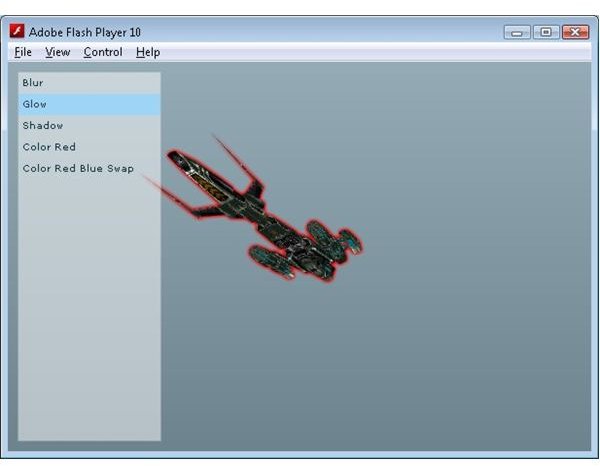
The GlowFilter adds a halo like border to the Papervision 3D model. This can be used to highlight a model, maybe to indicate a powerup. This is an especially nice filter because it can also be used to add the solid black border that usually accompanies the cell shading technique to produce cartoon like images.
DropShadowFilter
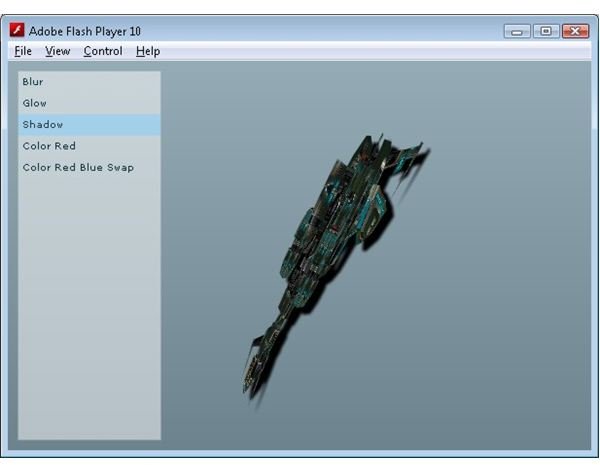
The DropShadowFilter adds a shadow underneath the Papervision 3D model. This could be used to fake a shadow of a 3D object on a flat surface without the overhead that calculating 3D shadows projected onto the ground would incur.
ColorMatrixFilter
The ColorMatrixFilter modifies the colours of the Papervision 3D model. It can be used to highlight certain colours or remove them completely. The ColorMatricFilter takes a matrix which is used to modify the underlying pixel color values. The matrix is really an array with a length of 20, but by laying out the code like the example below you can easily see how the different colours are modified. The matrix below displays only the color red.
var matrix:Array = new Array();
matrix = matrix.concat([1, 0, 0, 0, 0]); // red
matrix = matrix.concat([0, 0, 0, 0, 0]); // green
matrix = matrix.concat([0, 0, 0, 0, 0]); // blue
matrix = matrix.concat([0, 0, 0, 1, 0]); // alpha
Using a matrix gives you a huge number of ways to play with the underlying colors. Take the follow matrix.
var matrix:Array = new Array();
matrix = matrix.concat([0, 0, 1, 0, 0]); // red
matrix = matrix.concat([0, 1, 0, 0, 0]); // green
matrix = matrix.concat([1, 0, 0, 0, 0]); // blue
matrix = matrix.concat([0, 0, 0, 1, 0]); // alpha
This actually swaps the red and the blue colors. In the demo you will see this effect used to alter the texture of the ship to a predominately yellow color. This could be used to create random texture colors without having to embodied a number of different texture files, reducing the size and load time of the final SWF file.
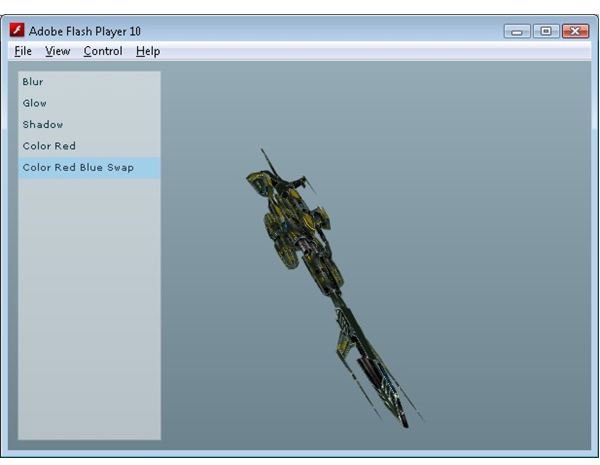
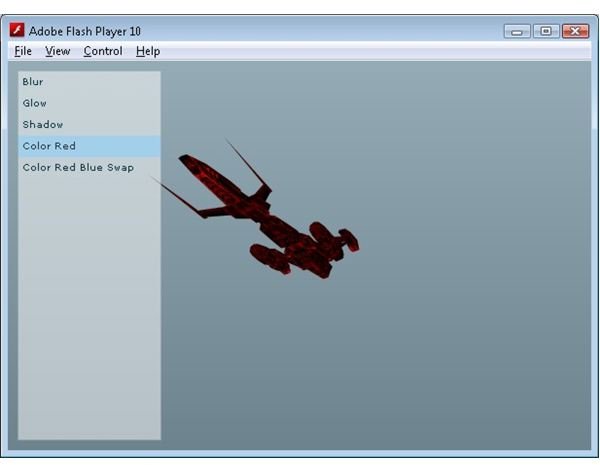
As you can see using the standard Flash effects with Papervision allows you to add a number of interesting effects with a minimal amount of code and effort.
Check out the online demo , and download the source code .
Related Article
Away3D Programming Tutorials - Animated Textures
This free article shows you how to add animated textures to a 3D surface in Away3D
This post is part of the series: Papervision 3D Flash programming tutorial
A series of articles that show you how to use the Papervision 3D engine to create Flash 3D effects in your web pages.
- Papervision 3D Programming Tutorial - Loading and Displaying a 3D Model
- Working With Particle Systems in Papervision 3D
- Papervision 3D Programming Tutorial - Modify Textures At Runtime
- Using WOW Physics With Papervision 3D
- Shading in Papervision 3D
- Creating Effects With Papervision 3D
- Animated Textures in Papervision 3D


