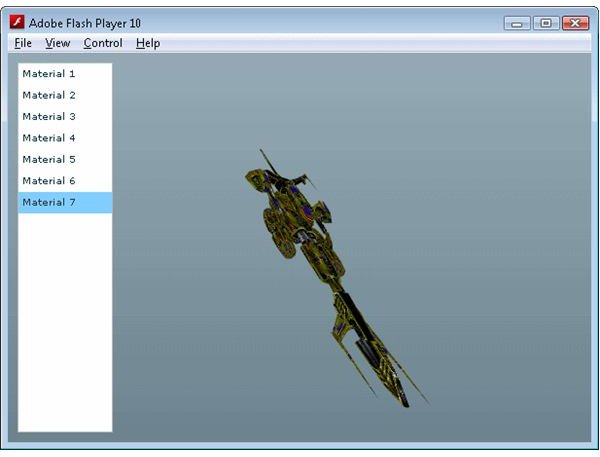
Learn how to modify the texture of a Papervision 3D Collada model at run time.
In article Papervision 3D Programming Tutorial - Loading and Displaying a 3D Model we looked at how to embed, load and display a 3D Collada model with Papervision 3D. In order to allow us to embed the texture into the final SWF file we had to create a MaterialList to supply to the Collada constructor. A nice offshoot of embedding the textures into the SWF file is that we can also modify which one is used at run time. You could use this effect to change the clothes of a 3D avatar or maybe to display damage on a tank.
The implementation of this is actually quite simple. The majority of the code used to create this effect is the same as in the previous article , so if I suggest you take a look at that first. We make only 3 significant changes to enable modifying the texture of the Papervision 3D model at run time. The first is in the ResourceManager.
Click here to see the Actionscript source code for ResourceManager.as
As you can see all we have done here is embed 6 additional textures and their corresponding MovieMaterial classes. Next we modify the mxml file to present a list of the textures to use.
Click here to see the Actionscript source code for Papervision3.mxml
So here we have added a mx:List tag, and populated the list with objects that point to the new resources. We then make a call to the ApplicationManager class whenever an item is selected from the list. The purpose of the ApplicationManager class is to separate the Papervision engine initialization and management code from the application logic. While it’s an academic distinction in an application as simple as this one, in larger programs it does help to separate the application logic from the underlying Papervision engine logic.
Click here to see the Actionscript source code for ApplicationManager.as
The ApplicationManager provides a location to create the 3D model, and to change its texture with the shipMaterial function. You’ll notice that for a Collada model to change the texture you actually have to change the texture of the children objects. Luckily Papervision 3D provides the handy setChildMaterialByName function which allows us to do just that.
And there you have it. With only a few lines of code you can instantly change a Papervision 3D model texture.
Images
Related Article

These series of tutorials show you some of the advanced features of the Flash Away3D engine.
This post is part of the series: Papervision 3D Flash programming tutorial
A series of articles that show you how to use the Papervision 3D engine to create Flash 3D effects in your web pages.
- Papervision 3D Programming Tutorial - Loading and Displaying a 3D Model
- Working With Particle Systems in Papervision 3D
- Papervision 3D Programming Tutorial - Modify Textures At Runtime
- Using WOW Physics With Papervision 3D
- Shading in Papervision 3D
- Creating Effects With Papervision 3D
- Animated Textures in Papervision 3D


