If you want a fast, easy way to make 3D graphics, then Google SketchUp is for you. SketchUp has an intuitive interface and lots of free bonus packs that give you the ability to make impressive objects quickly and easily.
When I first downloaded the free copy of Google SketchUp 6, I’ll admit, I was a bit skeptical. SketchUp 6 come in two flavors, Free and Pro. I took the free version for a quick spin, and I must say that I was pleasantly surprised.
The install was painless and quick. At just under 33 Mb’s, it’s amazing how much Google has put into such a small package. Unlike many of the competitor 3D programs out there, the layout is simplicity itself. You have a basic blank screen with the X,Y,Z axis being displayed and a small cartoonish drawing to give you orientation (nice touch!)
One of the most impressive features included with this great program are the integrated tutorials. If you want to learn how to use the program, just go to the Training tab on the SketchUp home page here and select Self-Paced Tutorials. These are amazing. The tutorial opens an instance of SketchUp which allows you to work with a demo within the program itself. You use the normal tools, but in a guided fashion. You have to see this to appreciate how useful this tool is.
The program itself has some fundamental tools for the creation of 3D images. The process of creating a 3D image is simple. You select a shape, place it on the screen and using a Push/Pull tool, you literally pull the image into 3D space. Just like that, you go from zero to 3D artist.
To top it off, if you go to the download section of the Sketchup page here you can download bonus packs which give you a great number of samples and objects to use. There is also a 3D warehouse where you can get many more great models to play with.
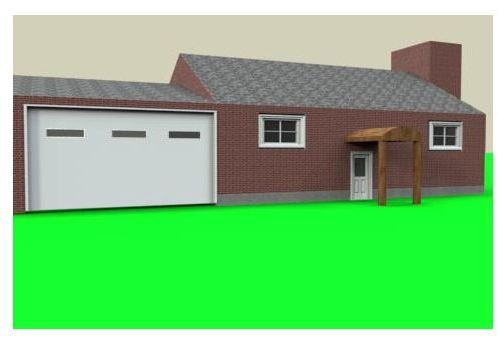
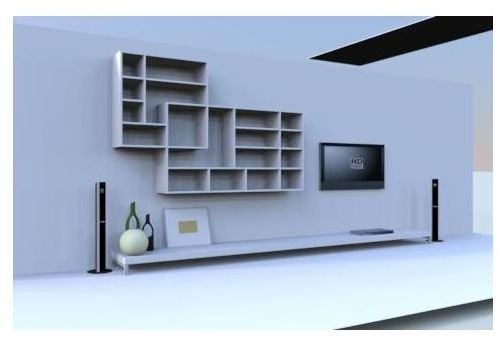
The basic SketchUP program does not have a very good rendering plugin, so once again I went to the Download section and downloaded the trial version of the iRender plugin. It was also very simple to install. Using my newly installed renderer, I rendered two pictures. Take a look at my results, very nice! The first picture is a room using a pre-made model, and the second is a house that I made from scratch. The house took a total of about 7 minutes to make!
You’ll find the main limitation of the free version of SketchUp when you try to export a file. A 3D model can only be exported to Google Earth, so you’re stuck with the 2D picture export, unless you want to fork over the $495 to get the Pro version.
Now don’t get me wrong here, this is not Maya. You are not going to be making a motion picture with the free version, but for what it does, it does it with elegant simplicity. The pro version gives you added tools, including the ability to do limited animations, export to CAD and a new tool called LayOut. This is a a nice looking tool that allows you to “layout” your designs into presentable documents that look very sharp. I can see using this tool to make great presentations.
Overall, Google SketchUp is a very simple and efficient way of creating 3D graphics with an easy-to-use interface that even a beginner to 3D will be able to use within just a few minutes. You can get started by going to their download page here. Google SketchUp 6
Google SketchUp 6 (4 out of 5)
Pros:
* Very simple interface,
* Great extra bonus packs with additional Materials and Objects
* Incredibly useful interactive tutorials
*Well laid out website with links to free and paid rendering software.
Cons:
Limited Animation and Export
Limited selection of tools


