
Blogging has gained a tremendous amount of popularity over the past couple of years. It has also evolved into much more than it was originally intended to be. Basically, blogging started with a much more personal objective, for people to share their opinions and ideas through a personal website.
Blogging
These opinions and ideas are then categorized in an “archive” type format, with newer posts being shown first, and older posts last. This was different from a normal website, in that normal websites consist of numerous pages, not necessarily with dates at all, that are intertwined together through links. Blogging is more about posts, that are added frequently, requiring small amounts of updates.
Now, blogging has become a business. There are popular blogs out there doing some serious numbers, in the millions range. Many businesses also have blogs where they regularly post news on their companies and updates.
Anyways, a personal blog, over time, can build up some serious sentimental value. If a blogger has been blogging for a total of three years, that would be quite a bit of content.
A business blog can carry the same effect. Any ProBlogger, will have devoted some serious time and energy into building up their blog from start to its current state.
So, for these types of bloggers, a hard copy of their blog may be something very beneficial. Not only would it allow them to actually sit down and read their blog, in book format, but it would also allow them to distribute their blogs to the more, “non-techie” type of reader. Better yet, sell a full printed copy of the blog.
Blogger and Blog2Print

Even if you are not a Blogger, you have probably heard of Google’s exclusive Blogging platform Blogger.com , or Blogspot. Not only is Blogger a great blogging site, but it is also completely free to use. Meaning that it does not require you to pay for hosting. You can even add your own domain name if you choose. Blogger remains one of the most popular blogging platforms to date.
Recently, Google’s Blogger.com has partnered exclusively with the site Blog2Print . Blog2Print provides a very unique service that allows a blogger to transform their blog into a full printed book. You can even customize many elements of the book including cover, images, specific posts, specific comments, etc… The cost is $15 for a 20-Page softcover, and $25 for a 20-page hardcover. Additional pages cost 35 cents. You also have the option of converting a blog to full PDF format for $7.95.
How To Use Blog2Print and Blogger
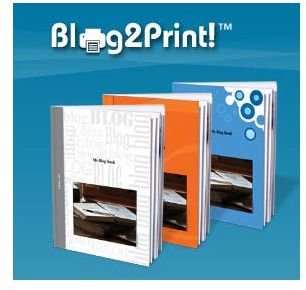
Using Blog2Print with your Blogger blog could not be easier. Start by navigating over to the Blog2Print homepage . From there, the process is pretty much just following directions. Start off by selecting the option “I’m on blogger”. Next, type in the URL for your blog and click the “Print my blog” button. The next page will allow you to start customizing. Select the date range of the posts that you would like to include in the book. Also, you can choose whether or not to include the posts in chronological order. Choose a cover, write an introduction for your book, and click the “Print” button. That’s all there is to it. Blog2Print will then automate with Blogger.com and compile your posts. You will be able to preview the book before deciding on purchase.


