Here we look at the integrated bookmark managers that come with Firefox and Opera as well as a Firefox bookmark add-on and an external management tool that can help people get more out of their online experience.
Finding a Bookmark Manager for Firefox or Opera
The Firefox and Opera Web browsers are powerful alternatives to the leading Web browser, Microsoft Internet Explorer (IE). What IE calls “Favorites” are called “Bookmarks” in Firefox and Opera: they keep a link to a specific resource for future reference. To help make bookmarks more useful, a bookmark manager can be downloaded for Opera at the Opera website and a Firefox bookmark add-on can be found at the add-on site for Firefox. Here you will find guidance for finding a bookmark manager at either of these sites.
To get the most out of this tutorial, users may download the latest version of Opera at Opera.com and the latest version of Firefox at Firefox.com .
Opera
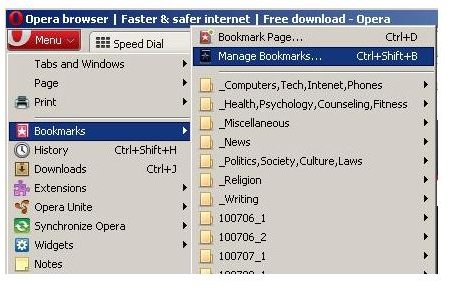
The Opera Web browser comes with a built-in bookmark manager. It can be accessed by clicking the menu at the top left hand corner of the Opera browser and then “Bookmarks” and then “Manage Bookmarks.”
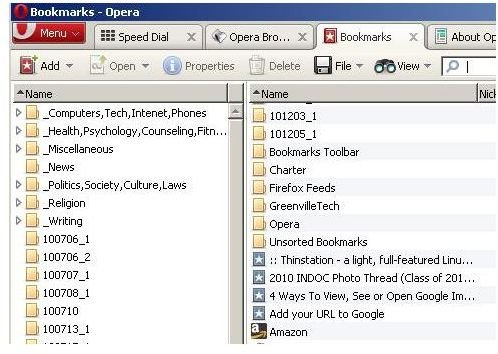
An interface similar to Windows Explorer opens that allows users to reorganize, rename, and delete bookmarks appears on the screen in the “Bookmarks - Opera” window.
If this interface is not good enough, Opera users should try one of the bookmark managers found at the Opera Wiki website .
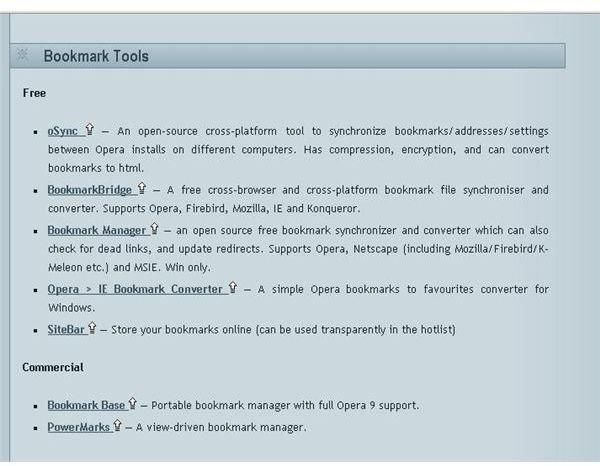
Here you will find two bookmark managers for Firefox and Opera. These will synchronize bookmarks between browsers, making it easy to use Opera and Firefox on the same computer. Users should pay particular attention to one of these utilities that specialize in the management of bookmarks in both Opera and Firefox.
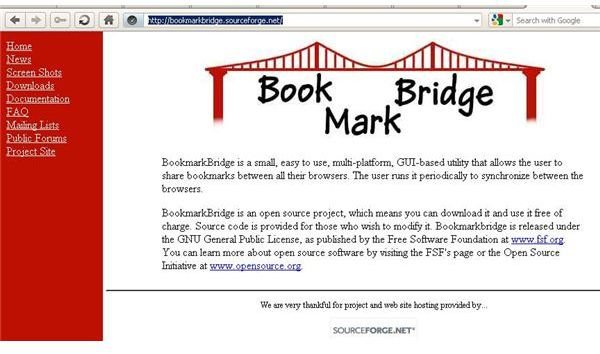
Bookmark Bridge - This is an open source program that will synchronize bookmarks between multiple browser platforms, including Opera and Firefox. This bookmark manager works behind the scenes to make sure that all of a user’s bookmarks are available to them regardless of which browser they are using at the time.
Firefox
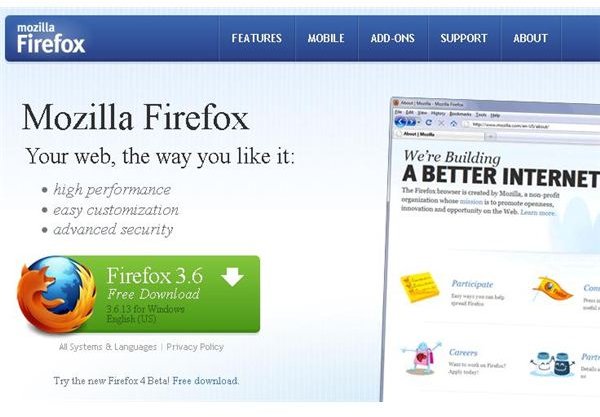
Users can download the latest version of the Firefox Web browser by visiting Firefox.com . Firefox is a popular, open source Web browser that usually scores as the one with the most market share behind Internet Explorer.
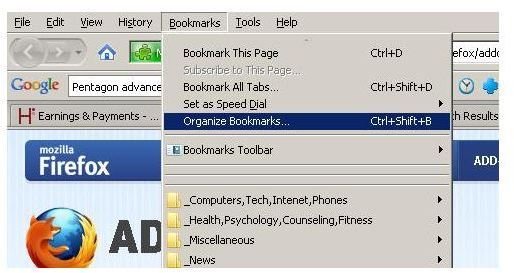
The built-in Firefox bookmark manager is accessed by clicking on the “Bookmarks” option on the Firefox menu bar and then choosing the “Organize Bookmarks” option.
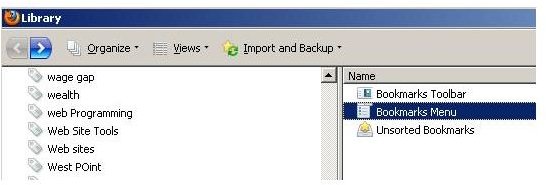
When the “Library” window opens, choose the “Bookmarks Menu” option.
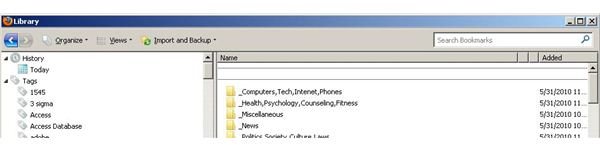
An interface that resembles Windows Explorer opens, giving users an opportunity to move, rename, copy, and delete bookmarks. The changes made in this window affect how bookmarks are displayed from the Firefox “Bookmark” menu option.
Firefox is well supported and has a lot of add-ons available, increasing the appeal it has to power users. Users can visit the Firefox add-ons Website , addons.mozilla.org. At this site, users will find an entire category for Firefox bookmark add-ons.
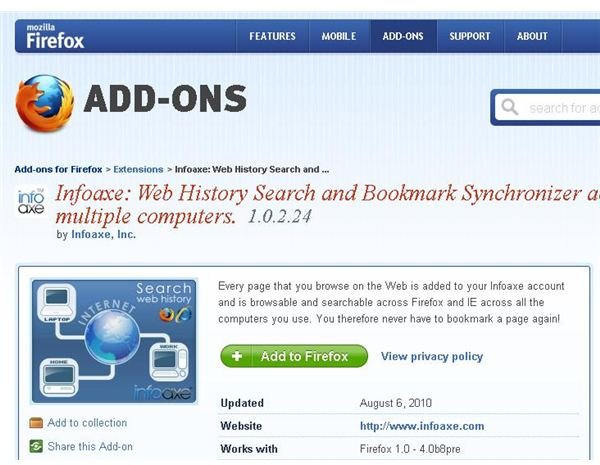
Infoaxe. One bookmark manager that might interest Firefox users is Infoaxe. This is a web history and bookmark search tool that works across Firefox and Internet Explorer (sorry, this one doesn’t work with Opera). It works in ways similar to Bookmark Bridge, but it goes a step forward to automatically save every page visited and provides an independent interface for bookmark management. Bookmarks saved in infoaxe can be accessed with the Opera browser, but right now there is not an add-on that allows bookmarks to be added from Opera.
Conclusion
In this tutorial, Internet users learned about bookmark managers for Firefox and Opera. Using external management tools and a Firefox bookmark addon to compliment the tools that are built into these Web browsers, which can help users get the most from their Internet experience.
References
All screenshots and references from Opera are from Opera version 11.01 Build 1190
All screenshots and references from Firefox are from Firefox version 3.6.13
Opera Wiki, https://operawiki.info/operatools
BookmarkBridge, https://bookmarkbridge.sourceforge.net/
Firefox Add-ons, https://addons.mozilla.org


