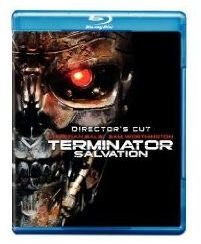
Just chatting through text with others while watching a Live Community Screening of Terminator Salvation doesn’t cut it anymore. Now you can use BD-Live to talk to the Director after everybody’s watched the Blu-ray disc play and find out the real skinny right from his mouth!
BD-Live is Talking to You
When they say Blu-ray is better than DVD, they’re not just talking about more storage space or a better picture and sound. Sure Blu-ray comes out and now everybody can watch a movie like Terminator Salvation in high-definition. We’re talking 1080p that can make the film look as good, if not better than what you’d see in a movie theater (especially the crappy ones in my neck of the woods). But that’s not enough - studios like Warner Bros. have added BD-Live features that let you access special additions through the Internet. How cool is that?
But even that’s not enough - now you can join others online at a special showing of Terminator Salvation and watch it with others who are also connected to the Internet through their Blu-ray player running Terminator Salvation and BD-Live.
Live Community Screening -How It Works
The Live Community Screening (LCS) is where all of this goes down - and BD-Live is a requirement as is the BD disc of the movie that is getting the LCS treatment. In the case of Terminator Salvation, that’s a LCS showing in December that will be joined by the movie’s director, McG (Charlie’s Angels 1 and 2 for those not in the know). Viewers will be watching the movie along with McG while asking him questions about the film - all at the same time. What that means and how the LCS is different this time than all the others that have occurred before - we’ll get to in a minute. First, let’s explain what you have to do in order to be able to become a part of the LCS.
You have to have the BD version of Terminator Salvation, duh, but also your Blu-ray player has to be BD-Live enabled (meaning that it has a wired or wireless connection for accessing your home network/broadband connection). You also have had to register with Warner Bros. BD-Live , but anybody who’s been watching Warner BD’s should know to have done this already.
So Who’s Watching?

So you’ve done all that and are waiting for the day of the LCS. Not so fast - even Warner Bros. servers can’t take on everybody at one time. So if you aren’t one of the 100,000 lucky folks to have gotten the special email invite, guess you’re out of luck. But if you did, well you are all set. So unplug the telephone and turn off the cell and get yourself seated before the HDTV a couple of minutes early. And don’t forget the popcorn.
Talk is Better Than Cheap
So the movie is in place and you’ve accessed the menu and pulled up the feature to watch it with others online. That includes the director who will be responding to questions being asked by you and others - an interactive Q&A activated and active. You can’t send your questions from the Blu-ray player, unfortunately - to do this you have to use your Internet-connected computer. But now that also means an iPhone or cell phone which can access the Internet too. That’s a lot better than having to run to the computer and then run back to the viewing.
The LCS pops up the questions and responses in text form sort of like an overlay during the viewing - but here’s the new stuff we were talking about a few paragraphs above. Now you can HEAR the director’s responses. Yep, audio has now entered the building.
What makes this cool is that it takes the whole idea of “conversing” with someone on the Internet as one of thousands a bit farther. Have you ever thought that the text showing up on the screen of your computer when contacting customer service was some kind of typing robot? Or that it was a canned response activated by some dork hitting a key while sitting there with a paperback? Well, by hearing McG responding to your question, with his voice coming through your Blu-ray player, you know that ain’t the case.


