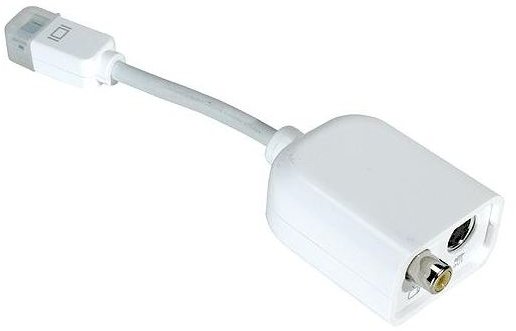
There are several ways to connect an iMac computer to your TV – this method is the simplest and uses cabling and equipment that is easy to obtain and should fit all TVs.
Connecting Your iMac to Your TV - Quickly and Cheaply
Displaying video on your TV via a cable connection with your Apple iMac can be done relatively quickly – it’s a good way to set up an ad hoc home theatre.
There are several ways of doing this, but what follows is the easiest and the cheapest. Depending on the distance between your TV and your iMac, you’ll need to consider things like cable length, but this method will really work best with your Apple computer and you TV situated in relatively close quarters.
Connecting iMac to TV - Cables and Converters
To display images from your iMac to your TV, you will require:
• Mini DVI to Video adaptor (available from Apple)
• RCA Video cable
• Stereo RCA audio cable
• Stereo RCA to 3.5mm adaptor
Note that often the single yellow video and red and white audio RCA cables are attached to each other.
Before beginning, you will need to confirm that your TV has the RCA connections – the majority of TVs manufactured since the mid 1990s are equipped with this input method.
To proceed, connect the Mini DVI to Video adaptor to your iMac’s DVI connector, and to this connect your RCA Video cable.
Next, slot the Stereo RCA to 3.5mm adaptor into your iMac and connect to this the red and white Stereo RCA audio cables.
You should now be able to view videos played on your iMac but displayed on your TV, although you may need to alter the input selection on your TV to display the signal from the RCA Video cable.
Alternatives to Mini DVI and RCA
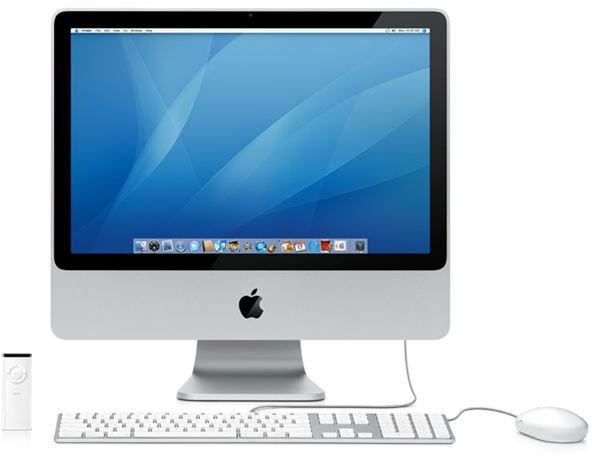
There are of course other ways to successfully connect your Apple iMac and your TV – but due to differences in the various ports, sockets and inputs across different models of TV, it’s a case of investigating what sockets you have on you TV, and match these up with your iMac.
It is possible however to use either VGA or HDMI and each of these will provide a better quality picture than the RCA method outlined above.
Note also that this method doesn’t allow for a high definition video image to be displayed on your TV, whether it is a HD display or not. The other methods (employing HDMI for instance) will permit this display quality however.


