Are you looking for a way to stream videos to your PS3? Then the Java PS3 media server software is what you need. Read on for information on what it is and how it works.
What is It?
Streaming videos to your PC or Mac can be fun and entertaining. However, normally you are limited to viewing them on your computer monitor. If you ever wanted to transfer these videos to a media where you can view them on your large HD TV, it was a tedious and time consuming process to convert the files to a format that a DVD player (or other media device) could view.
The Java PS3 media server makes your life easier by eliminating the process of having to convert common video formats like MKV/FLV/OGM/AVI for TV viewing purposes through your PS3. The software is DLNA (Digital Living Network Alliance) compliant, which is the standard for compatibility of electronic devices (like mobile phones, printers, and video game consoles) to be able to display multimedia formats. It is a cross platform UPNP (universal plug n play) media server that is written in Java.
How it Works
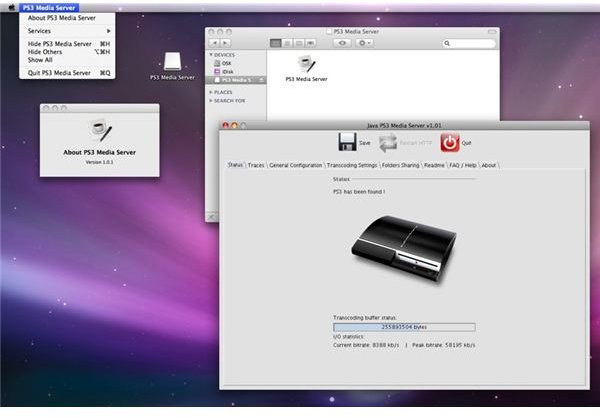
First, your PS3 is connected through a network that can access your PC or Mac. The software is then installed to your computer. When the program is launched, it establishes a connection to the PS3. Once this is done, there will be an icon on your PS3 for the Java PS3 media server software. When you click on it, you will be able to see the folders on your computer. The software scans all of your PC or Mac’s drives for media files.
When you want to download something from your computer to the PS3, the files are selected then you place them in a “shared folder” (which is used for sharing files between computers on a network). The file(s) are then copied directly to the PS3. Music files transfer fairly quickly, while bigger files (like movies) can take up to ten minutes to copy over to the PS3.
What Formats does it support?
The software supports many video, image and sound file formats. It is compatible with the following:
- MP3, JPG, PNG, GIF, TIFF, AVI,TS, M2TS, MPEG, MP4
- Internet TV and Web Radio files with MPlayer, VLC and MEncoder
- Picture based feeds including Flickr and Picasaweb
- Audio/Video podcast feed support
- RAR/ZIP files can be viewed as browsable folders
- FLAC 96kHz/24bits/5.1 support
- Basic Xbox 360 support
- For Windows Operating Systems: AviSynth and DVR-MS remuxer alternative transcoder support
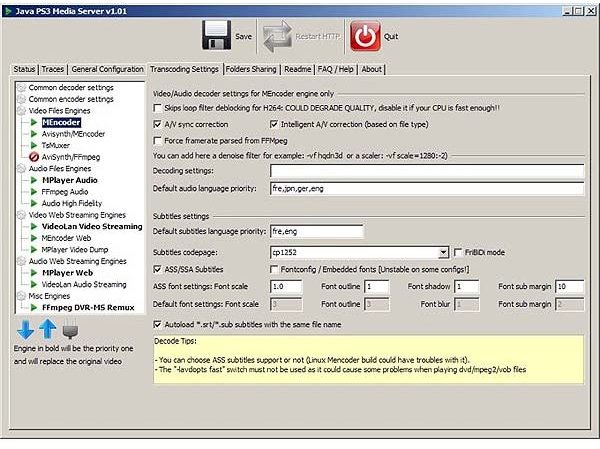
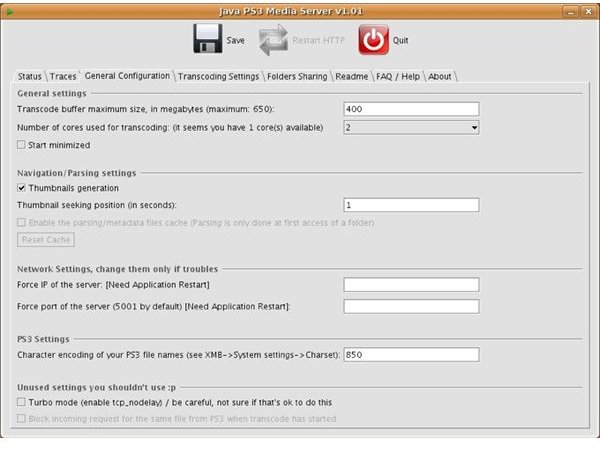
Screenshots
Where Can I Find It?
The Java PS3 media server software is a free open source program that can be found through Google here . There are three versions available for Linux, Windows, or Mac.
References
- Screenshots created by Sheila Robinson.


