Home Theater Components - Receivers & Display Types - Different TVs Available for Home Theaters
Home Theaters
If you want to build a home theater system or go out to purchase one, it will pay to know the components that go into the system. We can group the components into three main headings:
- Displays
- Players
- Speakers
Receivers make up a group of their own, because they are the hub that each device gets connected to. Therefore, we’ll look at them separately. For the rest, I will explain the devices under each category.
Receivers
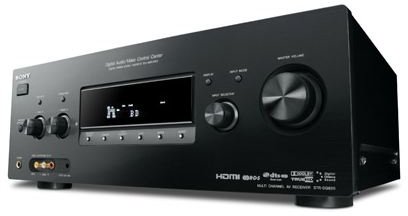
The AV (Audio Video) receiver is the main device that you will use to connect all of your home theater components. Therefore, it is important to go for a high-end, more sophisticated device in order to prevent signal losses by the receiver and to be prepared for more connections in the future.
Currently, it is important to have as many digital connections on the AV receiver as possible. If you have or plan to have a flat TV or a digital display in your home theater setup, do not go for any AV receiver which does not have HDMI output and input. In addition, consider TOSLINK, S/PDIF audio connections as “mandatory” and do not settle for less.
Plus, to take advantage of the various sound effects in DVDs, High Definition content and games, your receiver needs to have Dolby and DTS technologies. Dolby Digital is the most common feature in AV receivers, but there are already new standards such as Dolby Digital EX, DTS ES, TrueHD and DTS-HD Master Audio. Thinking ahead, go for a receiver that has a TrueHD and/or DTS-HD feature.
There are also Digital Signal Processing (DSP) effects that simulate the sound heard in many places such as stadiums, halls, arenas and operas. These effects are produced by the DSP chip, by applying equalization effects, echoes and balance changes.
Different TVs for Home Theater Systems
Now, we’ll turn our attention to the various types of TVs available for home theaters:
- Cathode Ray Tube (CRT) TVs
- Liquid Crystal Display (LCD) TVs
- Plasma TVs
- Light Emitting Diode (LED) TVs
- Organic Light Emitting Diode (OLED) TVs
We will go for a more detailed description of each of these home theater components, including the advantages and disadvantages of each one.
CRT (Cathode Ray Tube) TVs
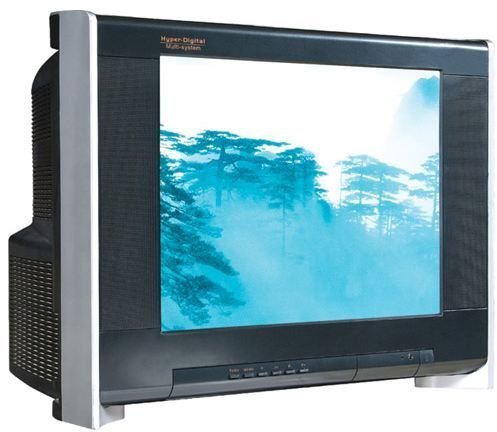
This technology dates back to World War II, the invention of the RADAR (RAdio Detection And Ranging), where there is a tube that is charged in positive and negative on each side with an electron gun at the back. The gun fires electrons, the tube changes the route of the electrons by its positive and negative charges, and the electrons emit light when they hit the fluorescent screen. For monochrome screens, the light emitted is different shades of gray. For color screens, there are three electron guns for red, green and blue, which in combination form the other colors.
With wide screen shows (the 16:9 ratio) increasing in number, CRT displays are beginning to lose their popularity because there is a large blank area on the left unused on the screen. Add this to the fact that the human eye can handle a wider horizontal angle than a vertical one, the 16:9 ratio is more suitable for viewing. On the other hand, CRT manufacturing does not allow the screen to be wide. The falling prices of LCD TVs has brought CRT TVs to their knees.
CRT TVs are offered at a fraction of the purchasing price of LCD and Plasma TVs, and therefore still have a higher selling rate. But note that CRT TVs cannot process digital signals – they can only process analog ones.
Rear-projection TVs also belong to this category.
Continue to the next page where we discuss LCD, plasma, and LED TVs.
LCD (Liquid Crystal Display) TVs
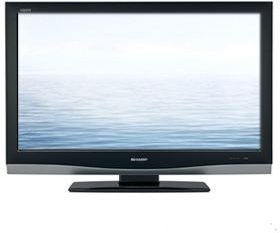
LCD TVs have a complex structure. Basically, the liquid crystal panel is sandwiched between a couple of filters and glasses, which are put in front of a light source. The images are displayed on the panel by filtering a white light selectively. Despite the complexity of this arrangement, LCD TVs are the top-selling television technology today, and, over the years, has pushed all competitors away to niche market segments. There is, of course, a reason for that. The LCD technology is indeed very old if you are old enough to remember the monochrome alarm clocks of the 1970s.
You might have heard about the drawbacks of LCD TVs in comparison to their competitors. The main points advertised against LCD TVs are as follows:
- LCDs can produce crisp images only in their native resolution. This is correct, but manufacturers have successfully addressed this shortcoming with their display engines. Look at Bravia of Sony, Viera of Panasonic, Regza of Toshiba, PerfectPixel of Philips, Pixellence of Vestel etc. for examples of this. Therefore this does not have a significant effect now.
- The displayed color range is narrower than the competing technologies. This is also correct, but no electronic device can show all of the colors that the human eye can see. Have you ever thought that your computer monitor can display “only” 16.4 million colors? Wasn’t that color range enough for you? LCD TVs can display more than that, and you will not be able to notice the difference.
- LCD TVs have longer response times: Yes, but the human eye cannot see the crippled effects for displays having a response time of 5 milliseconds or lower. This used to be a problem when LCD TVs first hit the shelves but not anymore.
- Viewing angle is lower: If you will watch your TV from 85 degrees to the side, then you have to change the position of your TV set, because the placement is wrong.
All these shortcomings are addressed and have been virtually eliminated by manufacturers. Today, LCD technology is mature and stable. The only thing I have to mention is the viewing distance. “The bigger the better” does not work for LCD TVs. Rather, you should be very careful about the viewing distance (from your couch to TV).
Plasma TVs
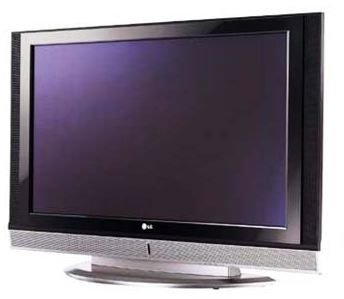
Plasma TVs were ahead of the competition with LCD TVs because the drawbacks of LCDs are not present in these models, and it is possible to manufacture plasma TVs of any dimension. Plasma TV technology is where there is a noble gas trapped in individual cubes (which are pixels), and heated to a certain degree to change its color. In this heating stage, the gas switches to its “plasma” state, which gives the technology its name.
Plasma TVs have a very important drawback, which is called the “burn in” effect. This happens when a menu or a static image is displayed for a long time on the screen, which in turn makes the phosphor compound lose its luminosity due to being charged up all the time. This has a ghost-like effect on the screen and is pretty irreversible. If you have left your TV running with a static display - say TELETEXT menu - then be prepared to send it to a recycling facility, because you will see the shadows of this image all the time on the screen from now on.
LED (Light Emitting Diode) TVs
In LCD TVs, the backlight source is fluorescent lamps. In LED TVs, the fluorescent lamps are replaced with LEDs. There is no other significant difference between the two type of TVs. However, OLED technology, despite the similar name is a completely different technology.
There are a very small number of LED TVs and I personally do not recommend them. LED TV technology will be replaced by the OLED technology in the very near future.
Read on to find out about OLED TVs and various types of projectors for your home theater system.
OLED (Organic Light Emitting Diode) TVs
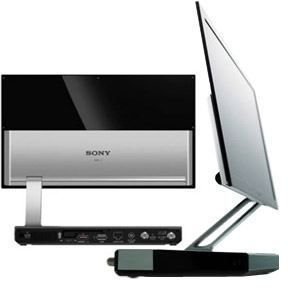
Organic Light Emitting Diodes are capable of emitting light on their own and thus do not require a backlight to function. This functionality removes many layers from the manufacturing process and allows for building thinner panels.
OLEDs can be printed on flexible surfaces and opens the way to roll-up displays. OLEDs offer better color range, brightness values, and contrast values compared to other technologies. However, the lifetime of the organic materials are limited – around 5 years with a constant 8 hours use per day (14,000 hours). In comparison, LCD TVs offer 60,000 hours of operation time.
OLED TVs are very new and they are under development.
Projectors for Home Theater Systems
Just as with TVs, there are a number of different types of projectors that you can implement into your home theater system:
- Cathode Ray Tube (CRT) Projectors
- Liquid Crystal Display (LCD) Projectors
- Digital Light Processing (DLP) Projectors
- Liquid Crystal on Silicon (LCOS) Projectors
Now, we’ll examine the pros and cons of each of these home theater components.
Cathode Ray Tube (CRT) Projectors
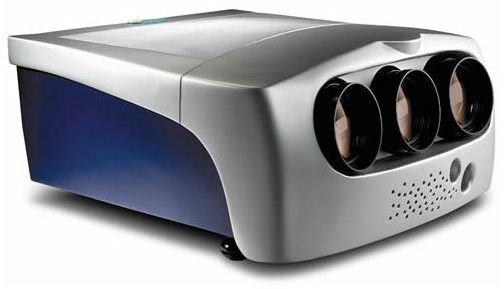
These projectors have separate red, green and blue light bulbs which send the display to the wall or curtain. These are the oldest projectors in the market and they are too bulky to carry around, therefore making them ideal for static placement. The maintenance costs are minimal compared to LCD, DLP and LED projectors. The setup and adjustment of this type of projector involves considerable time, but they can service up to 10,000 hours and can display resolutions up to 1920 x 1200.
Liquid Crystal Display (LCD) Projectors
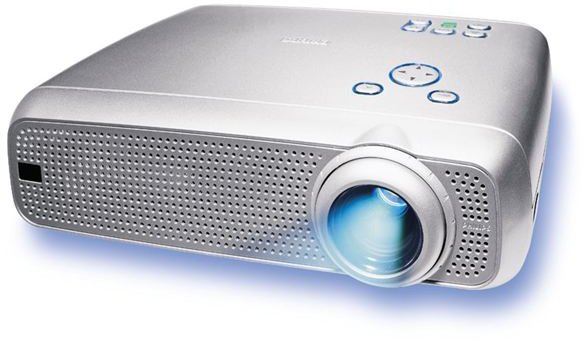
The idea behind LCD projectors is very basic. A light is sent from a light source, through a prism which separates the light into three components: red, green and blue. Then, these three components pass through polarized filters, a LCD display and an analyzer, which forms the images. These images are sent to the prism or lens, which makes them bigger, and are then sent to the surface where the image is to be displayed.
LCD projectors produce a wide range of colors and shades but require high maintenance costs. The lamps should be renewed when they are worn out, and a typical replacement costs a couple of hundred dollars.
Nowadays, Digital Light Processing (DLP) and Liquid Crystal on Silicon (LCOS) projectors are taking the place of LCD Projectors.
Continue to the next page to find out more about other types of projectors available for home theater systems.
Digital Light Processing (DLP) Projectors
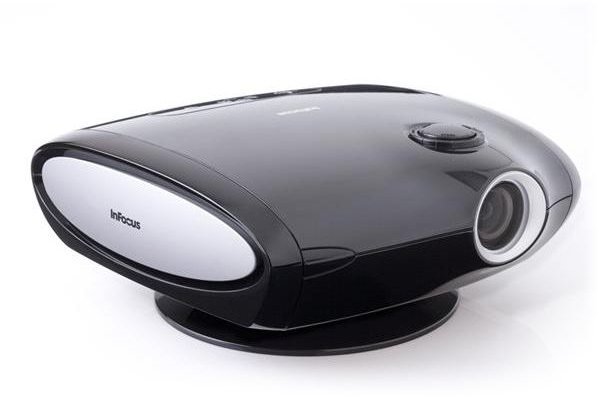
DLP is a trademark owned by Texas Instruments. In this technology, images are formed in microscopically small mirrors, where each mirror is a pixel. The small mirrors are arranged in a matrix on a semiconductor chip, which is called a Digital Micromirror Device (DMD). The image formed on the device is then projected on to the projection surface by using mirrors and lenses. The images formed can be up to 1920 x 1080 (High Definition) resolution depending on the number and arrangement of the mirrors on the DMD. There are three types of DLP projectors in the market:
- Single-chip
- Three-chip
- Sequential illumination by three light emitting diodes.
The third item in this list is the latest technology and is used only by Samsung for the time being. The single-chip projectors offer the lowest purchasing price due to the relatively simple technology involved. The three-chip projectors can produce more colors (even more than human eye can perceive), and come close to the entire color gamut and higher contrast ratios. The three-chip projectors are used in high-end home theater systems, movie theaters and outdoor large-area displays.
DLP projectors have a considerable number of advantages such as high color range, better contrast, smooth images, perfect shades of gray, and portability. On the other hand, some projectors – independent of the manufacturer or price – offer high fan noise. Plus, the replacement of the lamps runs somewhere between USD 100 and USD 450 depending on the manufacturer.
Liquid Crystal on Silicon (LCOS) Projectors
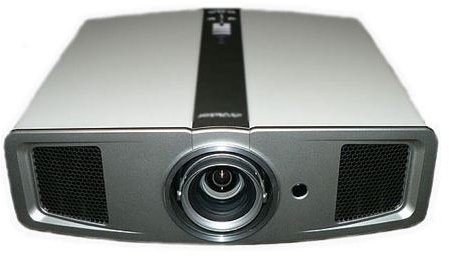
LCOS projectors can be considered an advancement of DLP technology, where images are formed on liquid crystals applied on a silicon chip instead of mirrors. However, as you might have already guessed, LCOS projector manufacturing is a highly sophisticated process, which even made some manufacturers drop their LCOS lines.
Compared to LCD and DLP, LCOS projectors offer more contrast and higher-quality images. However, looking at the adoption rates and the availability of technical support prevents me from recommending these projectors at this time despite their superior technology.
Conclusion (Current Buying Guide)
If you want to get the best price/performance value for your display device, I will advise you to go for an LCD TV. OLED TVs are still under development and have sky-high prices compared to the other technologies. Do not be fooled by the falling prices though, there is still a lot of effort to be put into OLED displays.
For the projector component, if you have sufficient space to place one, I recommend you go for a three-chip DLP projector. They may be pricier compared to the other projector types but they have the most mature technology for the time being. In making a purchasing decision, do not forget to take the lamps’ life time and the replacement cost into account. Even though a projector may seem cheaper today, it may be the most expensive one to maintain in the long term.
This post is part of the series: Home Theater Basics
In this article series we take the reader step by step to building a home theater. The connections, devices, setup, layout will all be explained in detail and finally the reader is well equipped to build his own home theater system.