The Garmin nuvi 205W model is a GPS unit that excels at common GPS functions and even adds some extra features that you wouldn’t expect from a cheaply-priced navigation unit. It may not be the best, but it offers solid navigation and road directions on the fly for most users.
Overview of the Garmin Nuvi 205W
The portable nuvi 205W boasts a 3.5 inch wide touchscreen interface that includes many upgrades from Garmin’s previous 200-series GPS models that only had 2" x 5" displays. These improvements include faster satellite reception, a more user-friendly touchscreen, available terrain maps, and a photo option that allows you to upload your own pictures to the unit in order to customize locations.
The 205W is not designed for navigating your way through the mountains and trails, but instead is designed for driving as it’s very proficient at choosing the quickest and/or shortest route. It lets you select whether you want to take the shortest distance, the quickest time, or the most use of highways. By default, it is set to take the shortest distance so make sure that you change it to the “quickest time” setting if you plan on using freeways to get to your desired destination.
Entering Addresses (4 out of 5)
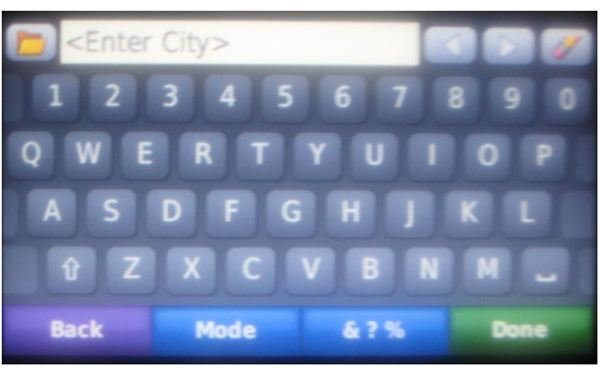
When entering an address, the 205W unit assumes (by default) that you’re entering a street address in the same state or region that you’re currently in. This can be easily changed by using the “Change Country” option. If you do happen to be in the same state or region that the address is in, you can start spelling the city’s name. The 205W will automatically find the city you’re trying to get to and show a list of available cities that match what you’ve typed in.
The touchscreen display uses the QWERTY format so if you’re used to typing on a computer or using a full keyboard on your smartphone, it will make it a bit easier to enter names of cities and streets. My last GPS unit seemed to pickup the city and street I was attempting to enter a bit quicker, but the 205W will typically show a list to choose from after you’ve entered 5 or so characters. The interface requires you to enter in a specific number for the address on the street you’ve selected which is very typical of other navigation units.
Re-Routing Features (5 out of 5)
If you happen to make a wrong turn or need to take a detour, the 205W will re-route you within 5-10 seconds (depending on how fast you’re going) to a new route you can take. The Garmin nuvi unit will use major roads to re-route you to your desired highway or road which offer faster speed limits than others. Keep in mind that the shortcut it chooses may not actually be the best to take, since many shortcuts involve slower, more direct roads that get you back onto the highway you need to take.
Turn-by-Turn Directions (3 out of 5)
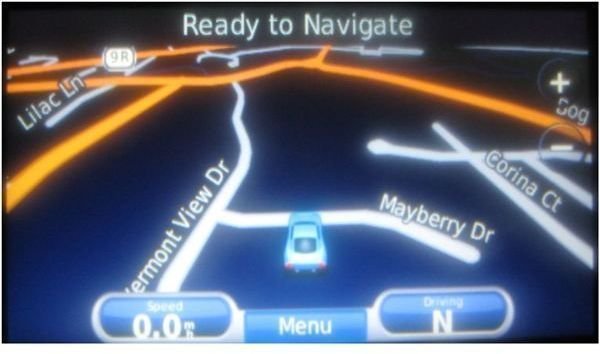
The Garmin nuvi 205w does not offer text-to-speech technology so it does not tell you the names of roads you need to take. It does however, do a good job of alerting you when an upcoming turn is coming up, what lane you need to be in, or exactly when you need to make the turn. It uses the standard “turn left/right” voice to alert you when you need to turn so it’s not necessary to keep your eye on the display at all times. You can adjust the volume accordingly so you can hear the directions even if you have background noise in the car from the radio or conversations.
If you can’t listen, the unit will make it completely clear as to what direction you need to take, provided you keep an eye on the display.
Nearest Gas, Hotels, Food, and Other Locations
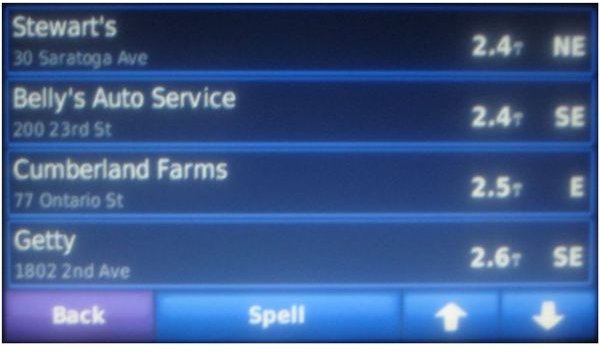
If you’re looking for gas, hotels, food, airports, shopping, parking, entertainment, recreation, or hospitals while you’re on the road, you’re in luck. The Garmin 205W will find the nearest locations you can stop at to find what you’re looking for. If you choose one, the 205W will point you in the right drection and offer directions how to get there from your current position.
Even if you don’t choose the option to display the nearest points of interest, icons will be displayed on the map so you can see what is available while you’re driving so you know what’s coming up in the next highway exit.
The Garmin 205W can also guide you to the nearest Police Station in case you’re in trouble. You can select the “Police Stations” option from the “Where am I” screen so you can find you way.
Battery Life (2 out of 5)
If you’re looking for a GPS unit that can run off of its batteries for a day straight, this unit is not for you. It was not designed to be a GPS unit for hikers or mountaineers so look for other options that will maintain battery power while you take a long hike. The 205W was designed to work while drivers find their destination by driving a car. It will maintain battery power for up to 4 hours, but this is usually not enough time for hikers to find their destination and their way back considering that the real time of the battery is more like 2.5 hours if used heavily.
Upgrading Features
Thanks to Garmin, it is relatively easy to update the Nuvi 205W . Read the second page of this article to find step by step directions on how to update maps and system versions on the unit. The GPS unit uses a standard 5-pin mini-USB connection that you can use to plug in to your laptop or computer so you can connect your Garmin device to your computer. Keep in mind that Garmin does not always update maps, but if you’ve purchased a GPS device in the past, there may be an available update that will help you get the latest maps on your Garmin device.
Is the Cheap Price Worth It?
If you’re looking for a cheap yet solid GPS unit to help you navigate to specific addresses, the Garmin Nuvi 205W is a good option. There may be more expensive units that have more features, but when the 205W can be purchased for under $130 , there isn’t much to argue about. On Black Friday, Best Buy sold it at cheapest price yet for only $99. You might still be able to catch it on a $100 special on sites like Amazon, BestBuy.com, or eCOST so look around to get the best price.
Getting Free Map Updates on Your Nuvi 205W
In order to receive a free Garmin map update, you’ll need to register your Garmin 205W device on the Garmin website . You must also register it within 60 days of acquiring satellite data. Free updates are not given if the unit is registered over the phone. With that said, here’s the steps.
There is an option to automatically recognize your 205W unit, but this did not work for me. It was just as easy to find the serial number of my device, enter it into the field on the website and click the Next button.
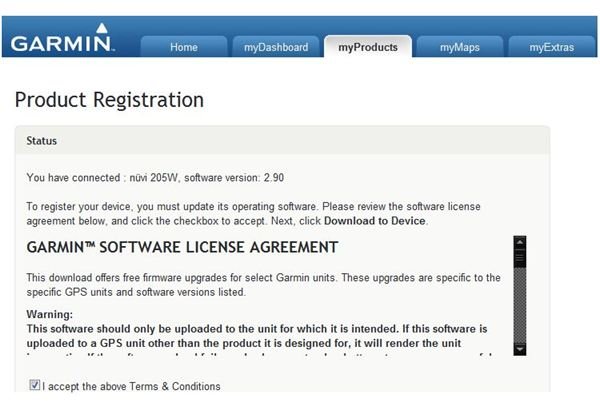
Garmin requires you to register your device by providing your contact information which includes your name and address. Your phone number is not required. Once you’ve filled your information out, you’ll be sent a confirmation email which entitles you to receive special offers on Nuvi 205W accessories. You can then click the ‘Return to Home Page’ button then navigate to the myMaps area. Once you’re on the screen, you can go to the Manage Maps section where you’ll find the ‘Get Update’ button. After you click it you’ll have an option to either download the update or have it send via a disk. The disk option may take 4 to 6 weeks so it’s recommended you just download the update to save some time.
The download option will let you choose a download manager for either a PC or Mac. Once you’ve made the choice, click the ‘Launch Download Manager’ button on the next screen. You may need to allow the Download Manager to run at a ‘Warning - Security’ popup window. This is because a Java applet is required to run on your computer in order to download the large map file. You can then choose to save file onto your computer in a set location. The map file is 2.06 GB and may take an hour or so to download on a broadband connection.
Once it’s completed, click the ‘Launch’ button on the screen. The map update file will be extracted, which may take up to 30 minutes since it’s such a large file.
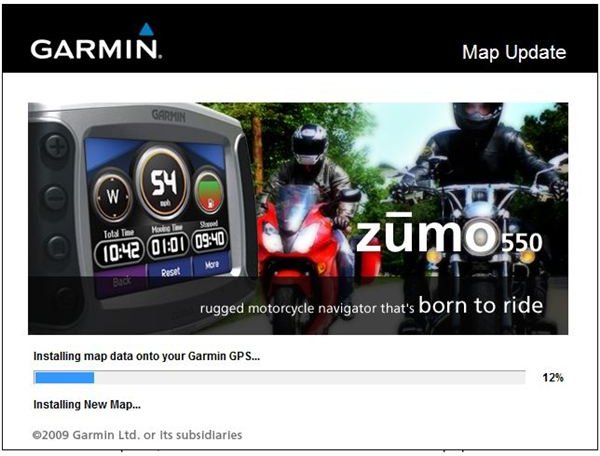
After the file has been extracted, the City Navigator application will be installed on your computer. Once it’s complete, It will take several minutes to process the updated map data on your computer.
City Navigator will then take several minutes to build the map updates you’ve downloaded in order to install them to your Nuvi unit. Don’t give up now since you’re one step away from having up-to-date maps. The last step is to wait for the program to install the maps onto your Nuvi 205W which may take some time due to the fact that it must transfer a large amount of data to the GPS unit.
After the update process is complete, your Nuvi will be all set with the latest available maps from Garmin .
Updating Your GPS Unit to the Newest System Version
In order to update your Garmin Nuvi 205W’s system version, you’ll need to download software which checks your unit’s current version and updates it to the latest version. The current version available is 2.9.1.0 as of December, 2009. Garmin makes it easy by installing a browser plugin instead of having to install a software package. The WebUpdater plugin can be downloaded here:
https://www8.garmin.com/products/webupdater/howtoinstall.jsp
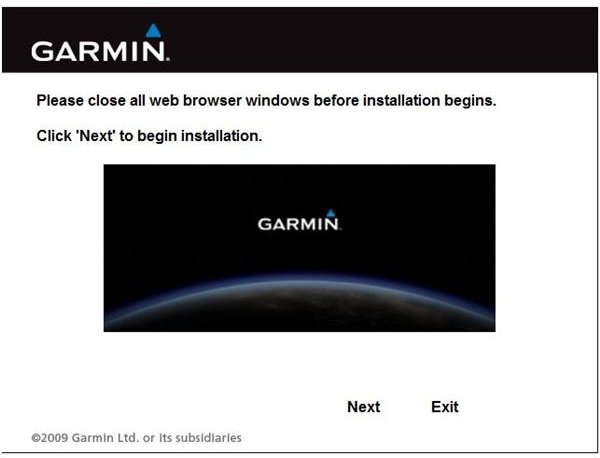
In order to install the plugin you must first agree to the license agreement. You will then need to close all of your open browsers that are open on your computer to finish the install. Once you have, the plugin will start to install. To finish the system update, Garmin lists several steps on a page;
- Disconnect your 205W from your laptop or desktop and let it restart
- Once you see the main screen, you can connect it back to your computer and wait 30 seconds.
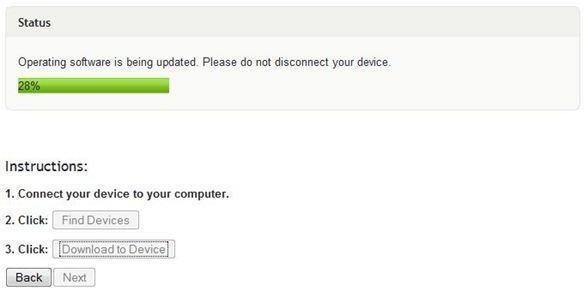
- On the next screen, click the ‘Find Devices’ button and then click the ‘Next’ button.
Once your computer finds your 205W and you initiate the update, the plugin will install the new system to your unit.


