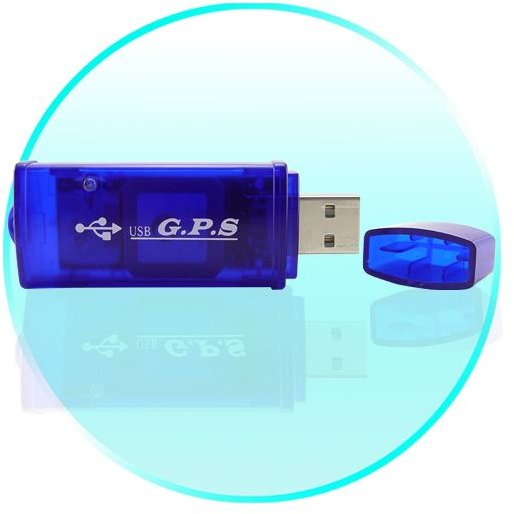
The past few years have seen tremendous growth in GPS technology. GPS now covers almost all aspects of your life. The commercial GPS receivers have so far been used as stand-alone sets or with cellphones. Now you can get GPS receivers for Netbooks that offer you with almost all regular GPS features.
GPS Receivers for Netbooks, Notebooks, and Computers
With the advent of fast paced technology, you got rid of wired connections for broadband Internet connections. Now you need not connect your GPS cellphone to your computer to access GPS services on your netbook. With the low cost and high speed of netbooks, more and more people prefer them for their basic Internet computing needs. The GPS receivers for netbooks are designed on the lines of wireless broadband, wireless USB modems, so you can call the GPS for netbooks “USB GPS Dongles for Netbooks.” As of now, research is still on to incorporate GPS receivers into the data cards used by notebooks. That is still a distant dream as the GPS vendor will have to make the GPS receiver sleek and small enough to be integrated into a data card or to be used as a data card.
Still, GPS vendors have successfully achieved designing GPS receivers that you can simply plug into your computer’s USB or serial port. To use the GPS receiver for netbooks, you also need to install the software pertaining to the receiver on the netbooks. There are plenty of GPS receivers for netbooks, computers, and notebooks on sale across the Internet. Choosing from them is difficult as each of the GPS vendors claims their product is the best. Although some of these claims may be true, but you still have to consider certain factors before you actually buy one.
Factors to Consider
-
First of all, check the compatibility of the GPS receiver with the OS on your netbook. Different GPS receivers have their own operating systems that may create conflicts with the one existing on your netbook.
-
Check the availability of the service in your area. Most of the regions (Asia, Africa, and Middle-East) still lack the proper infrastructure to support GPS, and this may lead to incorrect GPS measurements.
Advertisement -
Check the antenna of the GPS receiver for netbooks. As it will not always be possible for you to get a window seat while traveling, the antenna should be able to receive data even on the weakest GPS signals.
-
Check the accuracy of the USB GPS receiver for your computer. Some GPS vendors employ different techniques (DGPS , WAAS ) to enhance the accuracy of GPS signals and, thereby, protect the data being carried on these GPS signals (generally radio signals).
Advertisement
-
Check the power consumption of the GPS receiver as in whether it uses power from the netbook or uses its own power supply.
-
Check the wwarranty and support for the GPS receiver for the netbook.
Advertisement -
Check the number of channels supported by the GPS receiver.
-
Check th acquisition time, both cold start and warm start.
Advertisement -
Check the size of the USB GPS receiver for netbook. A heavy or large USB receiver will be uncomfortable when you are traveling.
- Finally, you should also consider the features of the GPS software installed. It should be able to meet your requirements, providing at least two of the most basic uses of GPS: tracking and navigation. In addition, you can look for mapping and other uses of GPS .
IMPORTANT: If you are buying a used GPS receiver for your netbook, ask for the installation CD or software. If you do not have the software, you will not be able to use the USB GPS receiver for your netbook.


