Making Dungeon and Cave Maps with Dungeon Designer 3
Overview
Fantasy maps of dungeons and natural caves come to life using this powerful add-on to ProFantasy Software’s CAD (computer assisted drawing) program, Campaign Cartographer 3. With a little practice and a lot of imagination, DD3 allows anyone, regardless of artistic talent, to create detailed maps using a series of beautiful graphics and easy-to-use design tools.
System Requirements:
- A licensed and working copy of Campaign Cartographer 3
- A DVD drive or internet capabilities
- 737 MB Hard Drive Space
DD3 can be purchased at several gaming stores in DVD format or downloaded from several online sites. If downloaded from ProFantasy directly, a user may also request that discs be shipped at a small additional fee.
User Interface (5 out of 5)
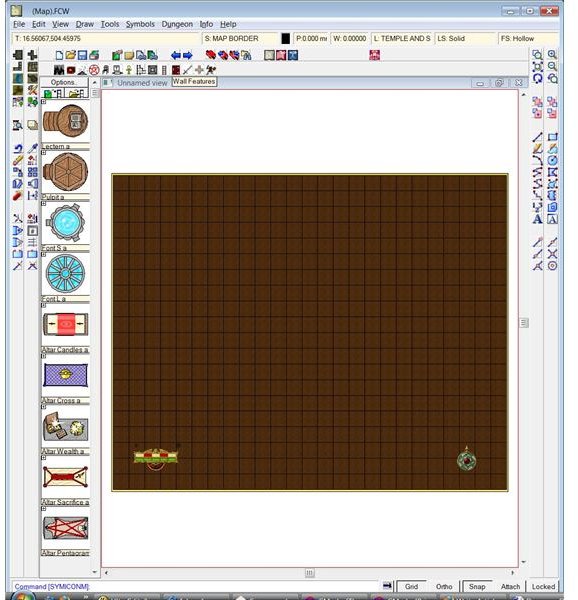
DD3 seamlessly meshes with Campaign Cartographer’s interface, making the program easy to use for anyone familiar with CC3’s tools. Those familiar with CAD drafting will find the tools instinctive, though several key features of the program are distinct due to the fantasy/science-fiction theme of the program. With a little practice, all the tools are easily understood and used.
Dungeon Designer offers several pre-made templates for a quick start. Each of these templates boasts a dirt background and a pre-made grid, which is ideal for making maps for any type of grid-based miniatures game.
In the Dungeon menu, several features allow for quick creation of rooms, hallways, walls, floors, and caves. In addition, underground lakes can also easily be added by using the Default Water tool. With these tools, any texture can be added either by hand or using the drawing aids to create curved rooms, straight-edged rooms, or even a mixture of both.
A menu of pre-fabricated icons makes placing rugs, symbols, and items into dungeons and caverns extremely easy, and the wide variety of graphics that come with the program allows for a lot of variation between maps.
Graphics and Effects (5 out of 5)
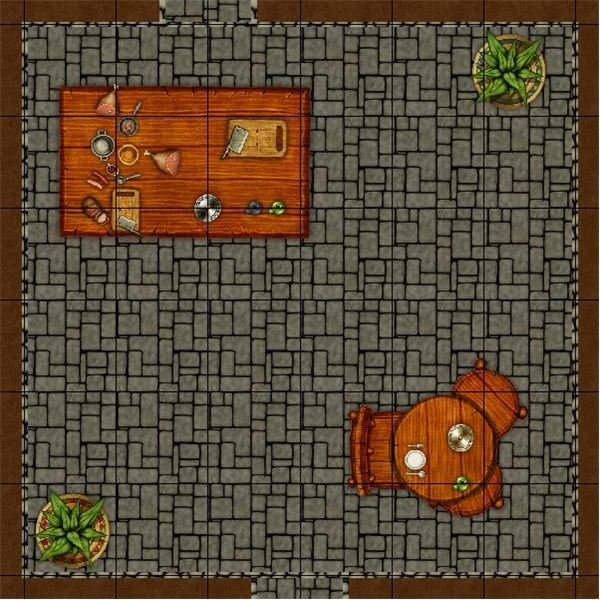
Dungeon Designer comes with some of the prettiest pre-made graphics of any program of its type. All of the elements display items from a top-down perspective, which meshes well with the maps. They include all manner of items that might be found in a dungeon or cave including nine different tables and tons of monsters and heroes. Each of these are vector graphics that can be sized perfectly for specific maps, and the symbols catalogue can be accessed easily by a row of icons at the top of the screen.
One of the best features of DD3 would be the Sheets and Effects tool, which allows the user to separate different graphical elements of each particular map. This allows the cartographer to organize different layers of the map and manipulate individual details or groups if need be. The DD3 tutorial suggests that users should not add effects until at least fifty percent of the map is done. Effects add load time to the entire map and can slow performance a great deal, especially if the cartographer has a computer on the lower end of the spectrum when it comes to system requirements. The end results are quite pleasing to the eye as
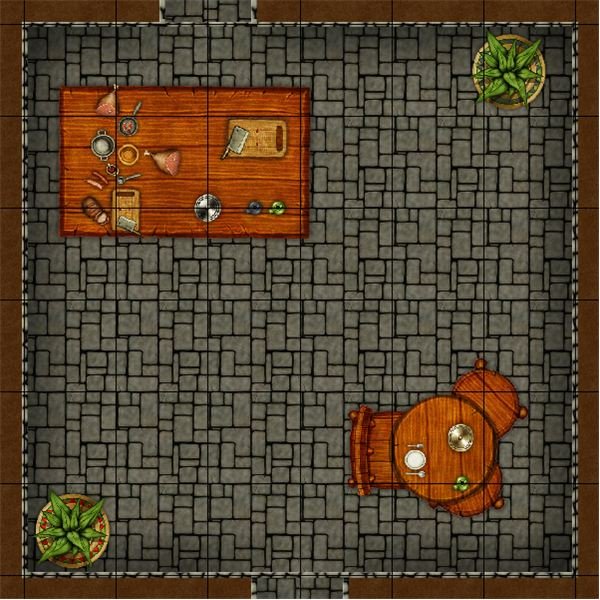
shadows add a noticeable difference to the art.
Maps created in DD3 can be printed at a precise scale. For example, one inch equals five feet for any Dungeons and Dragons enthusiast out there. The floorplans can also have a hex or square grid overlay on the map, making gameplay easy and module designs a snap. Tools for creating secret doors and hidden passages are also readily available. Last but not least, the Sheets and Effects tools makes creating a game master’s version of a map incredibly simple. The user only needs to turn off the game master’s layer to print a player’s version of the map.
Installing and Technical Support (5 out of 5)
Obtaining the program was quite simple. I downloaded it from ProFantasy, registered it, and began the installation process. I ran into a kink because the program required the .NET Framework, and a specific version of it, to work. After a few attempts at solving the issue myself, I finally went to ProFantasy’s technical support section on their website and solved the issue within minutes. Installation went off without a hitch after following the directions on their site. When I wanted to install a second copy on my second computer, I had no problems receiving a response from their technical support team as well.
Overall Performance and Value (5 out of 5)
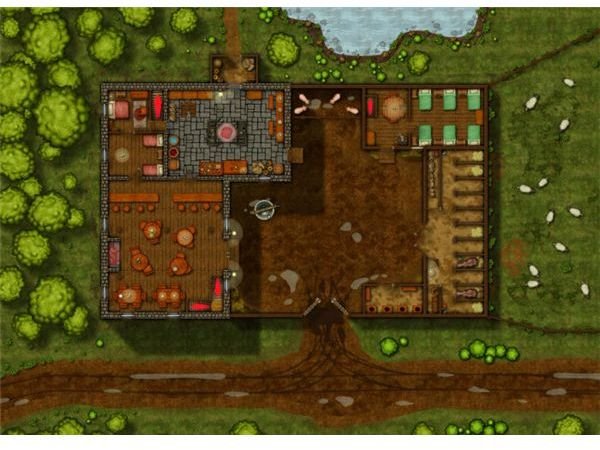
Dungeon Designer 3 can be purchased from ProFantasy’s website for $39.95 for the download with an additional $7 fee for the boxed copy. It can be purchased for as low as $35.29 on affiliate sites, and I highly recommend it at these incredibly affordable prices. The company gives excellent support on their product, and the community for Campaign Cartographer and its add-ons can only be described as extremely helpful and collaborative. In addition, several maps, all free and easy to find, can be downloaded off of affiliated sites or from ProFantasy’s extensive library of maps. Dungeon Designer can best be described as the perfect tool for any artist, hobbyist, or professional interested in creating beautiful and detailed maps in a fantasy setting.