If you’re worried that a desktop sharing program might be too complicated for you or for the person you want to share your desktop with, check out TeamViewer. Not only is it easy to install and operate, it’s also free for personal use.
Remote Desktop Sharing
Have you ever called someone to get help with a computer problem you were having and wished that you could just show the person on the other end of the telephone line “that thing” on your computer screen that you were talking about? Conversely, have you ever listened to a friend try to describe something on his desktop and had no idea what he was talking about?
TeamViewer is a remote desktop sharing application that allows you to share your desktop with another person as well as view theirs. It runs on both Windows and Mac operating systems and can even cross-connect between these two platforms. As long as you don’t plan to use the software for commercial purposes, TeamViewer is completely free.
Installation and Ease of Use (5 out of 5)
There are a lot of problems that plague many remote desktop sharing applications including the fact that several can be pretty tricky to install and use. This is not the case with TeamViewer.
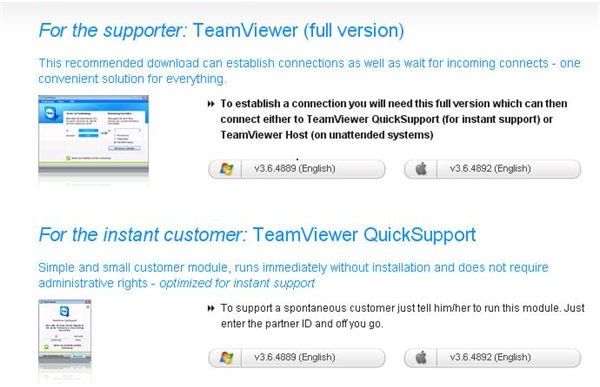
Even the full version of TeamViewer does not require installation on your system. You will still have to download a small file so that the software can detect your IP address and assign you a random password for the session. However, once you have downloaded this file, you have the option of installing the software from your machine or running the program without an installation. You may receive a pop-up warning from your firewall software when you try to run TeamViewer, but if you choose to unblock the application, it should work just fine.
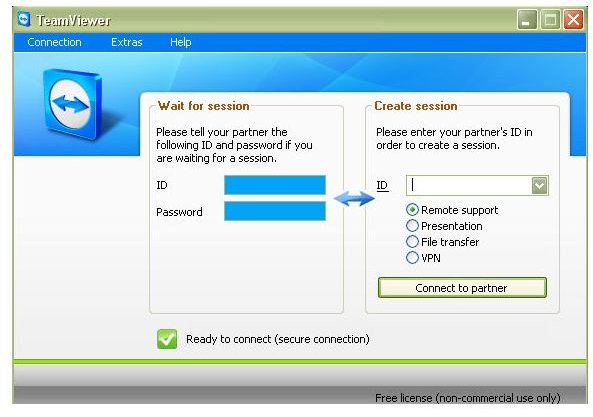
I had the full version of the software downloaded and installed in less than a minute with my cable connection. It may take you a little longer, depending on the speed of your internet connection. You will need the full version if you plan to be the party that establishes the initial connection. If you only need to be able to accept incoming requests, you can access the Quick Support version, which requires no installation.
User Support (5 out of 5)
TeamViewer has an excellent user support structure. In addition to online manuals and knowledge bases, TeamViewer also offers an email ticket system that allows you to ask specific questions about troubles you are having. If you are a paying customer or thinking about purchasing a license for business use, you also have the option of contacting the technical support team by telephone.
Pricing
TeamViewer is free for personal use. If you do want to use the software for business purposes, there are several different packages available starting at $249 for a six-month trial.


