The built-in themes that come packaged with PowerPoint 2007 provide an easy way to create a professional-looking presentation in mere minutes. Moreover, the slick design makes it a snap to change themes midway through the creation process without losing any of your content.
Choosing a PowerPoint Theme
If you’re new to PowerPoint and need to create a presentation in a hurry, one way to handle the situation is with predesigned themes. In this tutorial, we’ll show how to access and use those themes in PowerPoint 2007.
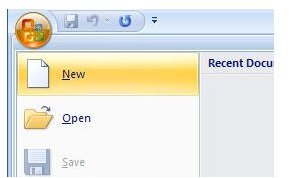
Once you’ve opened PowerPoint, click on the Office button and choose New as shown in the screenshot below. (Click any image in this article for a larger view.)
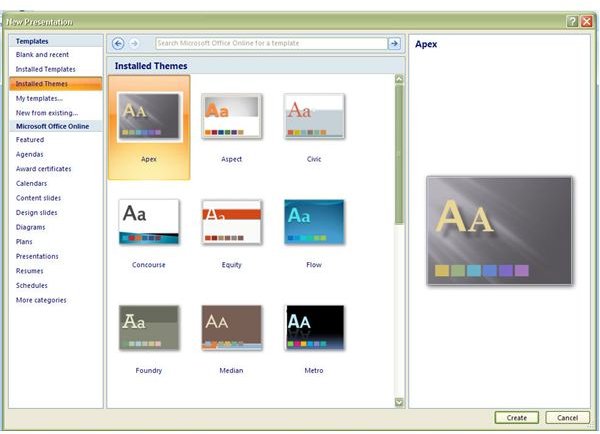
This will open the New Presentation window. Here, you will find a variety of options available for the creation of the new PowerPoint presentation.
To use one of the themes that comes bundled with PowerPoint 2007 or one that you have downloaded, select Installed Themes. Upon making this selection, a thumbnail of all available themes will be shown in the center panel of the window. To see a larger version of any one particular theme, click on it and a preview will appear in the rightmost panel. After you have chosen the theme you wish to use, click Create to continue.
Editing the First Slide
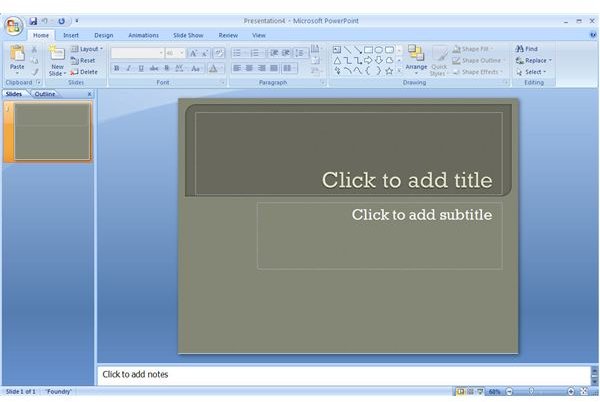
The initial presentation created in the preceding step will only contain a title slide at this point. To edit this slide, just click on any of the existing text and replace it with your own.
At this stage of the game, it’s also a good idea to go ahead and save your presentation so you don’t lose any of the choices you’ve made in the presentation creation.
Adding More Slides
When you’ve finished making changes to your title slide you can start creating additional slides to hold the content of your presentation. To do this, click on New Slide from the Home tab as shown in the screenshot below.
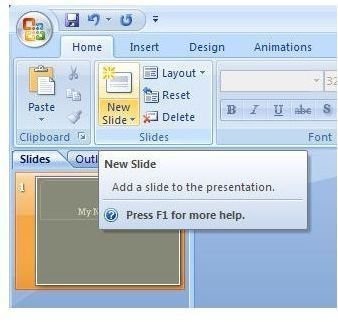
A new slide with the same theme as the title slide will appear in the main viewing area of PowerPoint.
Just as with the title slide, you can replace any of the existing text with your own material.
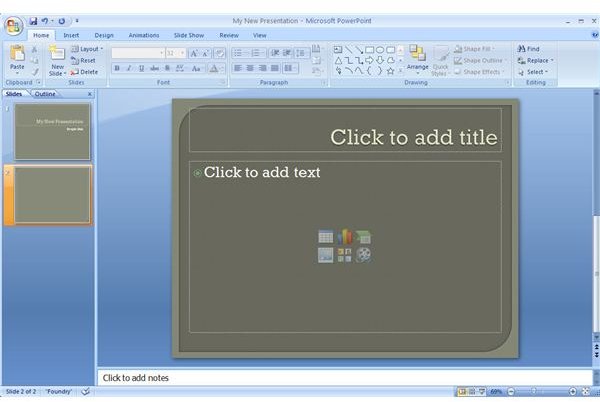
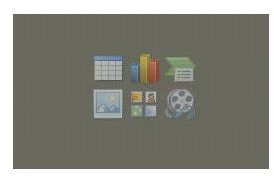
In addition, if you want to add any other objects such as a chart, table, or image, click on the corresponding icon located in the center of the slide. The figure below shows a close-up view of this set of icons.
You can repeat this process to add as many themed slides as you like. In addition to being a quick and easy way to create a presentation, using themes has
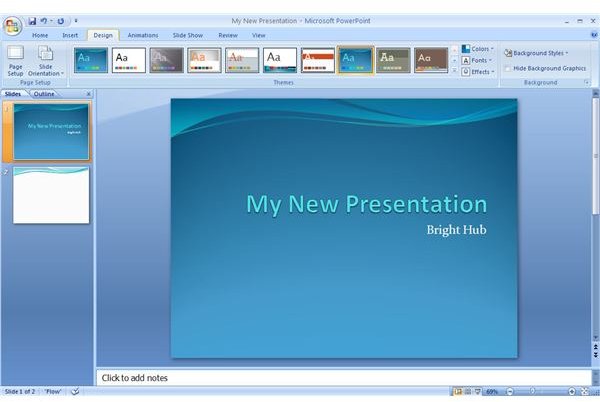
another great advantage. If you decide you don’t like the theme you’re using at any time during the creation process, you can always change it without losing any of your content.
To make changes to the existing theme, select the Design tab on PowerPoint’s toolbar. Here, you can either pick an entirely new theme or simply change the font and colors of the one you’re currently using. This is a great way to experiment with the look and feel of your presentation without worrying about having to recreate all of your existing content.
Additional Resources: For more tips and tricks, be sure to browse through the other items in Bright Hub’s library of Microsoft PowerPoint user guides and tutorials . Also, if you need to create a presentation in a hurry or if you’re looking for ways to streamline creation of later presentations, see this collection of tips for making PowerPoint more efficient . New and updated items are being added on a regular basis to the Windows Channel’s dedicated PowerPoint topic area, so bookmark us and check back often.


