So what if you could not upgrade your computer to Win7. You have several Windows 7 themes for XP available on the Internet. This article picks three of the most reviewed Windows 7 themes for XP so that you can select the best one to make your computer screen look like the Windows 7 OS.
What is Windows Theme?
Each release of Windows comes with one or more preset theme. Even though the main aim of a Windows theme is to make your session easier to work, without much strain on your eyes, many prefer hot colors and a striking theme that might just uplift their moods or to show off to their friends. You would have noticed that the default themes of Windows have always contained unsaturated colors for different elements. This is especially so that you do not stress out your eyes. Still, you have the option to customize the themes and to download more. You can customize Windows theme using the Display properties, Appearance tab on Windows 98Se and Windows XP. The tab allows you to change the colors of different elements of Windows – desktop, application background, size and font of icons, and much more. Once done, you can also click the General tab of the same dialog and save the custom theme.
The above option offers you limited options. If you wish your XP based computer to look like Windows 7, here is a review of some of the best Windows themes I came across on the Internet.
Deviant Art - An Intro to the Site Containing Best Windows 7 Themes for XP
Deviant Art lists some of the best Windows 7 themes for XP. It is not my personal opinion – I checked out several reviews on these Windows 7 themes for XP before preparing the list. Deviant Art is one of the best websites that offers extensions to Windows GUI and tools. You can find Windows 7 themes for XP, Windows Vista themes for XP, several other themes or parts thereof: screensavers, wallpapers etc.
Similarly to Windows Live Gallery , you can browse for Windows themes, utilities, enhancements and even tweaks (software). You can also browse and download whatever you wish (noting down the compatibility of the download). You can also create your own tweaks or themes and upload them to the website. The moderators check your submissions for malware and place it under related categories so that others can use it.
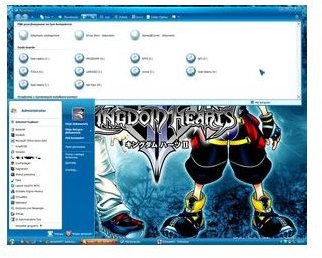
XP LIVE Bluerise VS v1.1 from Deviant Art
Set against a blue background, this Windows 7 theme for XP (XPLIVE Bluerise VS v1.1 from Deviant Art ) presents Windows 7 style Start menu and icons that you can further customize. It includes Windows Live toolbar as well as a taskbar button. In addition to these, the XP Live theme version 1.1 includes 3D blue cursors, Round Icons, and a special skin for Firefox.
If you wish to install the XP Live Styler toolbar, you need to click a different link . Overall, it is a great theme offering your XP computer a look of Windows 7, without any installation problems.
Windows 7 Alpha Theme for XP from Deviant Art
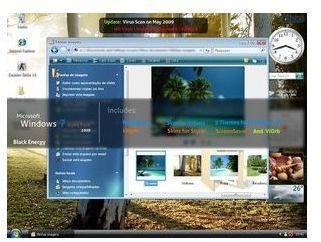
Yet another of the best Windows 7 theme for XP from Deviant Art, the Windows 7 Alpha theme offers you two different themes. Both of them have customized logon, several screensavers, Styler with two skins and plenty of wallpapers. The Windows 7 Alpha theme is also compatible with Vista. You wont find link in the description. Instead, it is given as reply to one of the comments on the page.
7Pro Windows 7 Theme for XP from Deviant Art
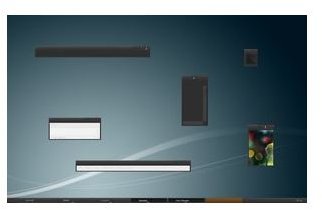
The 7Pro Windows 7 theme XP comes in two two versions. One is dark and the other is soft gray. Both of them include three font choices with which you can set the visual styles. The fonts are Corbel, Arial, and Tahoma. Please note that you have to install the fonts into the Windows\Fonts folder. To import the fonts, open Control Panel -> Fonts and select Install New Fonts in the File menu. Browse to the folder where you extracted the zip file and hit OK to copy the fonts.
.
These are just three of the best Windows 7 themes for XP that I selected based on the comments on Deviant Art. For more Windows 7 themes for XP, check out Windows Live Gallery or Deviant Art.
.
Further Readings on the Subject:
This post is part of the series: Freeware for Windows XP, Windows 7 - Free Software, Microsoft Widgets for Mobile and more
This series intends to offer you with information on freeware for Windows XP and later versions. You can find information on where to find freeware for Windows XP, free software for Windows 7, and of course, Microsoft Widgets for all Windows versions including Widgets for Windows Mobile 6.5.


