Installing a Windows 7 Language Pack
Before you set off to install a Language Pack on Windows 7, you must make sure that your Windows 7 edition is Ultimate or Enterprise if you want to install any of the languages listed below. (If the language you are looking for isn’t listed there then you will probably find it in the second part of this series where we show how to install Language Interface Packs, which do not require Ultimate or Enterprise Windows 7)
Which edition of Windows 7 do I have?
To find out which version of Windows 7 you have go to Start Search and type msinfo32. In the right pane of System Information / System Summary you will find the information as the first entry.
List of Windows 7 Language Packs:
Language Packs for Windows 7 as of 20 May 2011:
-
Arabic
-
Bulgarian
-
Chinese (Simplified)
-
Chinese (Traditional)
-
Croatian
-
Czech
-
Danish
-
Dutch
-
Estonian
-
Finnish
-
French
-
German
-
Greek
-
Hebrew
-
Hungarian
-
Italian
-
Japanese
-
Korean
-
Lativian
-
Lithuanian
-
Norwegian
-
Polish
-
Portuguese (Brazil)
-
Portuguese (Portugal)
-
Romanian
-
Russian
-
Serbian (Latin)
-
Slovak
-
Slovenian
-
Swedish
-
Thai
-
Turkish
-
Ukrainian
Example LP Deployments [1]
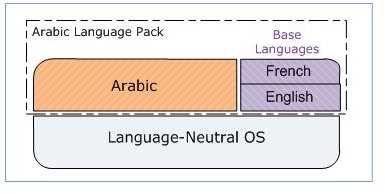
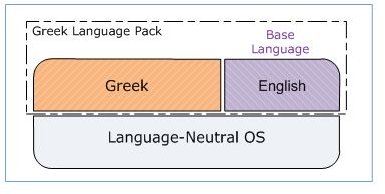
Partially translated Windows 7 languages packs display “The Remaining UI”, that part of Windows 7 which most users won’t ever see, in a base language. Dutch, English, French, German, Italian, Japanese and Spanish are fully localized and thus have no base language.
More information about the extent of localization (EOL) and the difference between Language Packs and Interface Packs can be found in our articles <em>Understanding Windows 7 Language Packs: Introduction and Architecture</em> and Windows 7 Language Packs Details and Availability.
Windows 7 Language Pack Installation
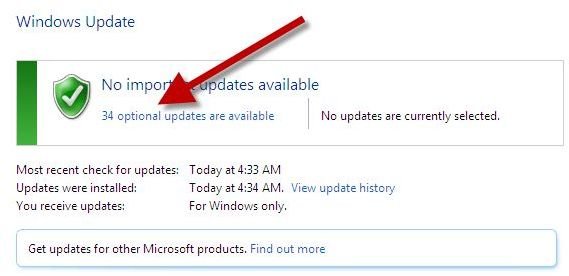
1. Start -> All Programs –> Windows Update –> Optional Updates.
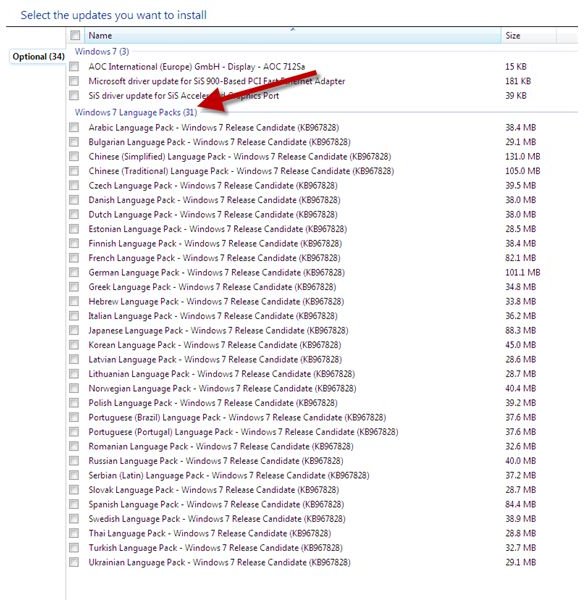
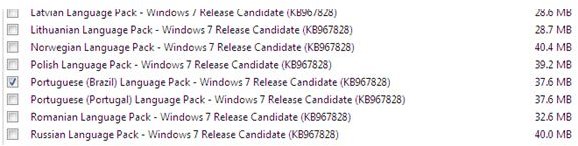
2. Open optional Updates and go to the section Windows 7 Language Packs. The process is depicted on a RC Windows 7 so please ignore any references to Release Candidate.
3. Tick the Language Pack you want and hit OK
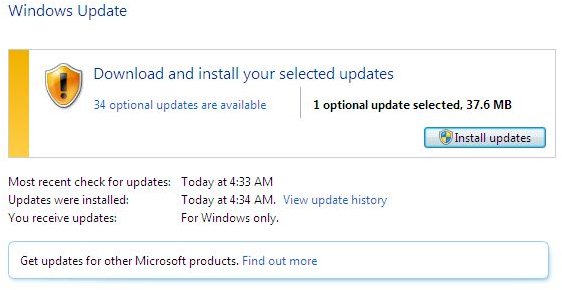
4. Proceed with Install Updates
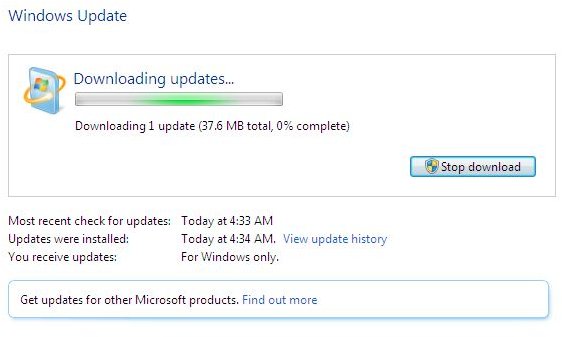
5. Depiction of Windows 7 downloading a Language Pack
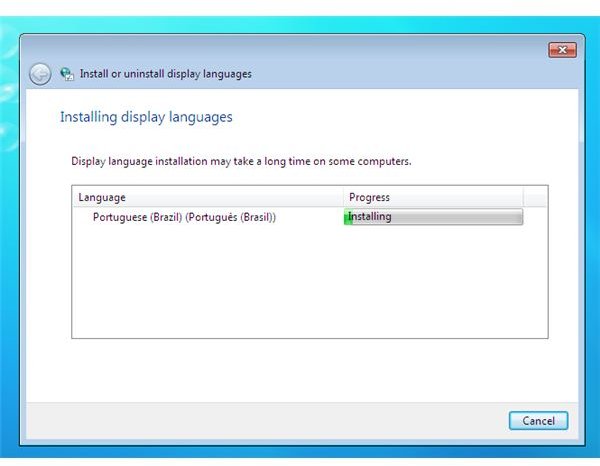
6. Automatic install initiated after download
Change the display language as explained in the next section
How to change the Windows 7 Display Language:
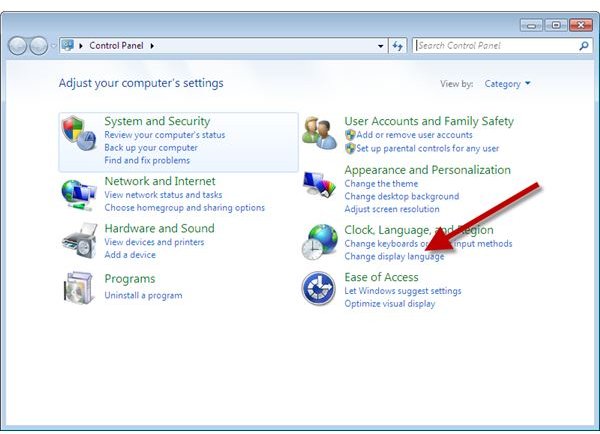
1. Go to Start -> Control Panel -> Clock, Language, and Region / Change the display language
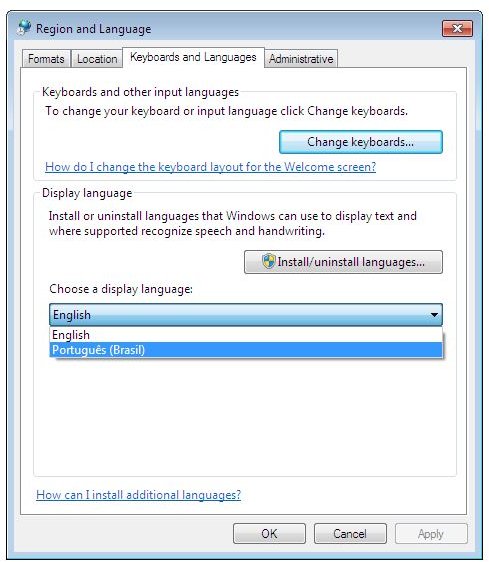
2. Switch the display language in the Choose a display language dropdown menu.
3. Click OK
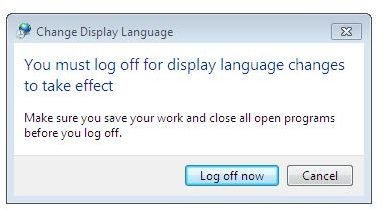
4. Log off for the changes to take effect (This will affect only the user profile under which you are currently logged on).
Reference
[1] Microsoft: https://msdn.microsoft.com/en-us/goglobal/ee461121.aspx
Screenshots taken by the author
Author’s experience
This post is part of the series: How to install a Windows 7 Language (Interface) Pack
This series features an article explaining how how to install a Windows 7 Language Pack plus an article about how to install a Windows 7 Language Interface Pack.