The growth of digital photography has led to an increasing interest in image manipulation utilities. Professionals use costly packages like Photoshop, but there are a whole range of utilities which offer a wide range of functions at zero or low cost. This article looks at The Gimp and XnView.
Image Manipulation Functions Within Windows: Windows Paint and Windows Photo Gallery
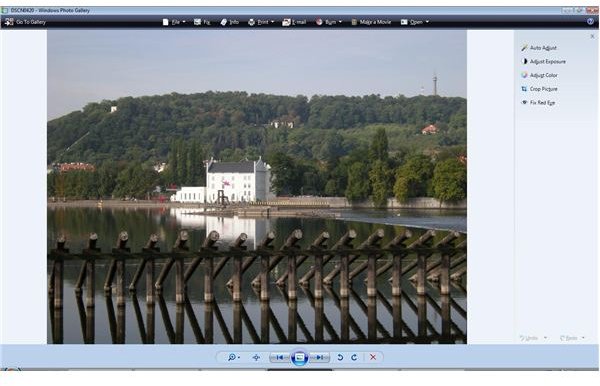
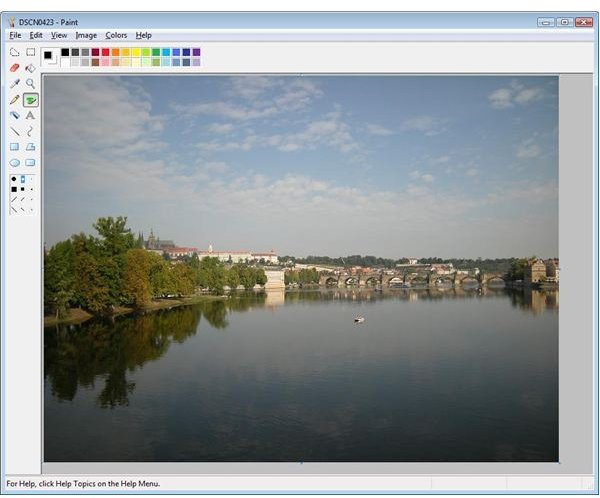
Microsoft Windows offers two basic utilities for basic image manipulation: Windows Paint and Windows Photo Gallery. Windows Paint is a very basic application that has been around almost since the start of Windows. It has almost no manipulation functions, but this gives the application a simplicity which is still attractive for manipulation at a pixel level, for which I still use it. Windows Photo Gallery has a “Fix” function that is easy to ignore, however it offers the ability to adjust brightness, contrast, color temperature, tint, saturation, and fix red-eye all in an easy to use package.
Image Manipulation in Windows
Usability (4 out of 5)
These applications are simple in use and this is part of their attractiveness.
Functionality (2 out of 5)
These applications have very limited functionality and this is their principal limitation.
Reliability and Performance
There appears to be little to distinguish reliability and performance amongst all of these utilities, although be warned some complex manipulations of big images will tax even powerful PCs!
The Gimp
The Gimp is an open source image manipulation program which offers a very wide range of functions. It is a hugely powerful application, but possibly more than is required by the average user. The price to be paid is in usability: I have never found the Gimp to be an easy application to use. Its flexibility is based upon its ability to use add-ins which can provide a wide range of functions, and the open source license encourages this. If you need the more complex functions, then the GIMP offers a remarkably powerful free solution, but be prepared for a steep learning curve. If you don’t need this range of functions, then read on for a simpler alternative.
Usability (1 out of 5)
The Gimp is very powerful, but I have never managed to come to terms with its interface and find it very difficult to use, and therefore cannot access many of the functions available.
Functionality (5 out of 5)
The application is remarkably powerful. If you can find your way around, you can do many, many things to your images!
XnView
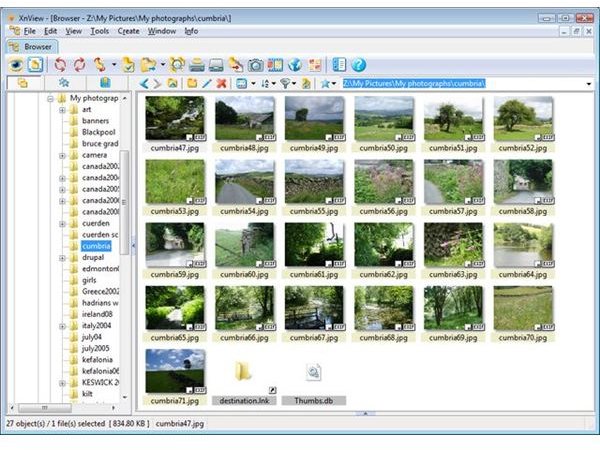
XnView is copyrighted software, but is freeware for non-commercial purpose. It offers a wide range of functions in an easy to use package with an integrated image browser. Its mix of usability and bounteous range of functions adequate for most users is its greatest strength. It is an optimum solution rather than best in any one area. It has strengths in batch processing and batch renaming. I strongly suspect it is the utility that will prove the most productive for the average user.
Usability (5 out of 5)
The interface is simple to use, and the integrated browser and powerful batch functions add to its ease of use.
Functionality (5 out of 5)
If you need more functions than XnView can offer, I think you should be looking at professional applications!


