How to Use the Function Shortcut Keys in Microsoft Word 2007
The introduction of the Microsoft Office Ribbon in Office 2007 created quite a problem for long-time users of Word. Previous versions of Word used drop-down menus and customizable menu bars to allow access to the program’s functions. With the introduction of the Ribbon, users of Word 2007 had to rethink how they would perform the tasks that came so easy to them in previous versions of Word.
Frustrated with the new way of using Word, many users have turned to using more of the shortcut keys built into the program. In this way, they avoid having to hunt around on the Ribbon for the functions they need and they have found that they spend less time working on their tasks once they have memorized their most commonly used functions in shortcut key form.
The function keys are the so-called “F” keys typically found at the top of the keyboard. These 12 function keys, when used on their own or in combination with other keys, give Word 2007 users access to many of the most common functions normally accessed using the Word 2007 Ribbon. Learn about the function shortcut keys below to see if you can speed up your work using Word 2007.
Function Shortcut Keys in Word 2007
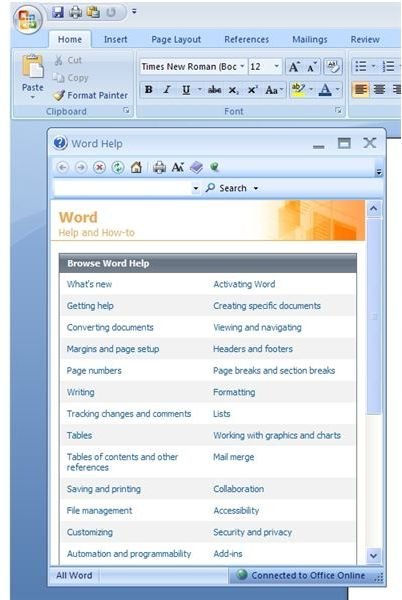
On their own, the function keys on your keyboard give you access to 12 of the most common functions in Word 2007. For example, the F1 keys brings up Word 2007 Help and F12 serves as a shortcut to the SAVE AS window.
The remaining F-Keys perform other useful functions such as REPEAT (F4) and ACTIVATE THE MENU BAR (F10). These function keys only give access to 12 possible functions. In combination with the SHIFT, CONTROL (CTRL), and ALTERNATE (ALT) keys, the function keys create 84 possible shortcuts in Word 2007. Some key combinations have no function, however, making the total number of function-key shortcuts considerably fewer than the potential 84.
SHIFT + Function Shortcut Keys in Word 2007
In combination with the SHIFT key, the function keys can now perform 12 additional shortcuts in Word 2007. Some of the more useful of these functions is the COPY TEXT function (SHIFT+F2), the SAVE command (SHIFT+F12), and the DISPLAY SHORTCUT MENU function (SHIFT+F10) which is similar to right clicking with the mouse. In this case, however, you wouldn’t have to remove your hand from the keyboard to gain access to the shortcut menu. This one is especially useful for touch typists.
CTRL + Function Shortcut Keys in Word 2007
Similar to the SHIFT+Function shortcut keys, the CTRL+Function key combination gives access to additional shortcuts in Word 2007. Among the more useful shortcuts are PRINT PREVIEW (CTRL+F2), MAXIMIZE THE DOCUMENT WINDOW (CTRL+F10) and INSERT AN EMPTY FIELD (CTRL+F9).
ALT + Function Shortcut Keys in Word 2007
Again, with the addition of the ALT key, the Function keys can perform additional functions in Word 2007. Most Windows users will recognize that ALT+F4 will close Word 2007 but will prompt you to save your work if you haven’t already.
In fact, ALT+F4 serves to close any application in Windows, not just Word 2007. This particular shortcut can give Word 2007 problems when they attempt to use the CREATE A NEW BUILDING BLOCK (ALT+F3) or the RESTORE THE PROGRAM WINDOW SIZE (ALT+F5) shortcuts because of the close proximity of F4 to F3 and F5. Be careful you hit the right key combination when you use these functions so that you don’t accidentally close Word 2007 unexpectedly.
SHIFT + CTRL + Function Shortcut Keys in Word 2007
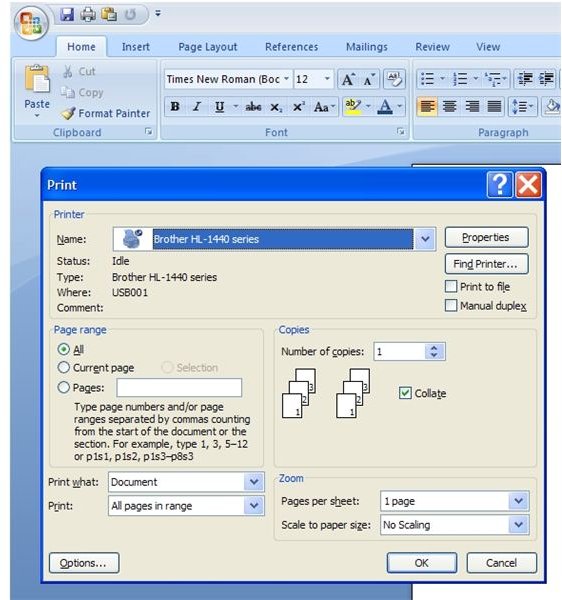
Now things can get a little complicated because these shortcut keys require a three-key combination. Some of the more useful SHIFT+CTRL+Function shortcuts include EDIT A BOOKMARK (SHIFT+CTRL+F5), UNLINK A FIELD (SHIFT+CTRL+F9), OPEN THE PRINT WINDOW (SHIFT+CTRL+F12). Notice that you can also OPEN THE PRINT WINDOW using the CTRL+P shortcut, a key combination that does not use the function keys at all.
SHIFT + ALT + Function Shortcut Keys in Word 2007
Again, using three key combinations, the SHIFT+ALT+Function key shortcuts offer even more shortcuts for Word 2007 users. Some of the more popular include GO TO PREVIOUS FIELD (ALT+SHIFT+F1), DISPLAY THE RESEARCH TASK PANE (ALT+SHIFT+F7), and DISPLAY A MENU OR MESSAGE FOR A SMART TAG ((ALT+SHIFT+F10). These functions are bit more obscure for the average Word 2007 user hence the need to use the more inconvenient three-key combination to access these functions.
CTRL + ALT + Function Shortcut Keys in Word 2007
Wrapping up our discussion on Word 2007 Function shortcut keys, we have the CTRL+ALT+Function shortcuts. Like other three-key shortcut combinations, these shortcuts can be a little obscure. There are, however, only two. The CTRL+ALT+F1 shortcut brings up the MICROSOFT SYSTEM INFORMATION window and the CTRL+ALT+F2 shortcut brings up OPEN COMMAND window on the MICROSOFT OFFICE BUTTON.
Conclusion
The Function Key Shortcuts found in Word 2007 can help speed up your use of Word 2007 assuming you are willing to memorize the key combinations. Certainly, you need not memorize them all; just memorize the ones you use most frequently and reserve accessing the rest of Word 2007’s functions to the mouse and the Office 2007 Ribbon. For a complete list of all Shortcut functions in Word 2007, check out Microsoft’s own Keyboard Shortcuts for Microsoft Office Word website or check out KeyXL’s excellent website on the subject of Word 2007 shortcuts.